
Reply to: tickets(270780)
Replies for tickets on suppota
Hello,
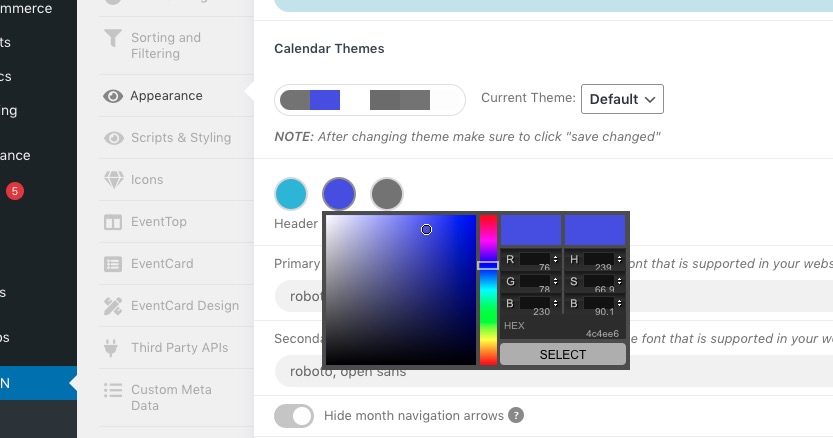
Header color can be changed here:
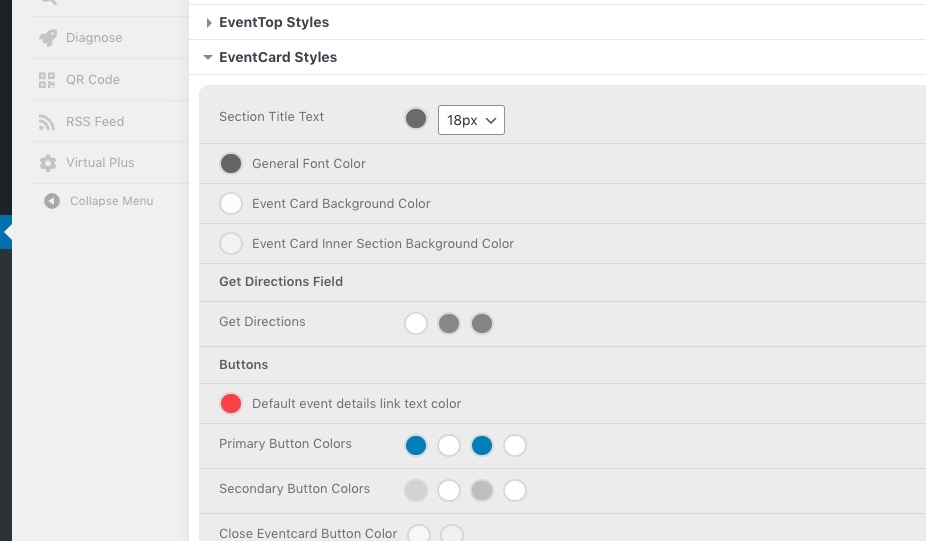
Background can be changed here:
Hello,
The issue comes from plugins/fusion-builder. Please contact the plugin developer about the issue.
You can also follow
https://docs.myeventon.com/documentations/how-to-debug-for-php-code-errors/
and stop showing the error.
I removed it from https://helpdeskx.s3.amazonaws.com/wp-content/uploads/2022/03/03130033/Eventcard-design.jpg.
Hello,
Could you try going to EventON Settings > EventTop > Select Default Calendar EventTop Style: Clear with left border colors?
Hello,
Please add this CSS code to EventON > Styles (If you don’t see any change, EventON > Scripts & Styling > turn off Write styles to header > save settings > turn on Write styles to header):
.evosliderbox.multiSlider.cs_def.ss_imgtop.ajde_evcal_calendar .eventon_events_list .eventon_list_event .desc_trig_outter { height: inherit !important; }
Hello,
Unfortunately, we unable to help with customizations.
However, please take a look at
https://docs.myeventon.com/documentations/setup-use-custom-meta-fields-events/
or
https://docs.myeventon.com/documentations/show-additional-custom-data-eventcard/
You can add a new field with description text.
Hello,
Please send us wp-admin access to your site as a private message for us to further assist your situation.
Hello,
Please go to EventON Settings > try different Select calendar event content filter type.
Please also make sure that your version of EventON is 4+.
To update eventon to latest version: If you are unable to do autoupdate, you can go to codecanyon your account > download and get the latest eventon version as zip file. Then you can go to your website, deactivate old eventon, activate (Do not delete eventon settings & data when EventON is uninstalled) from eventon settings, delete old eventon, install new one and activate. This link will further explain the process it. Also you can follow us on twitter to get real-time announcements on updates!