No theres no auto way
1: as you create the event you assign them
or 2: log in as them and add the event
on a past website I had the same issue and used this to submit events https://wordpress.org/plugins/login-as-user/
so on the fly I would change users and simply add the events via the front end for for the right user.
there is probably a plugin for logging in as a user for the backend as well
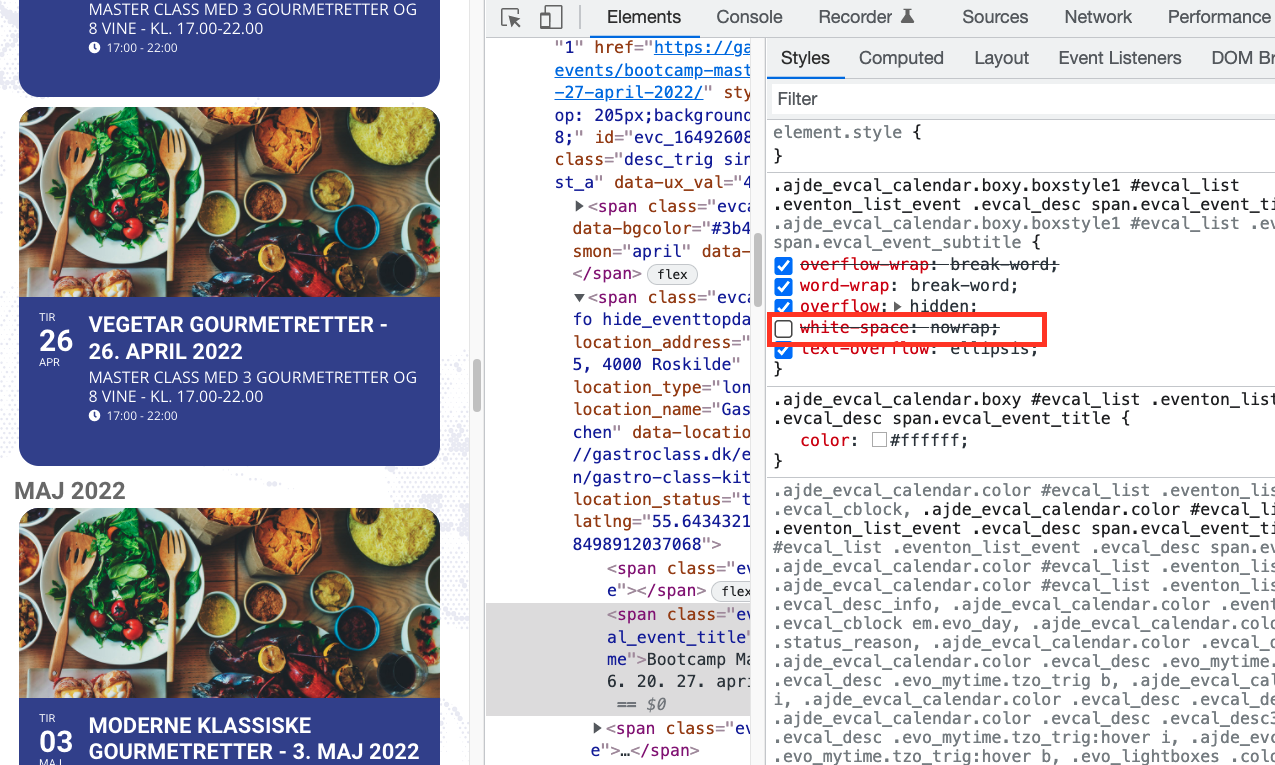
And here is the screenshot..
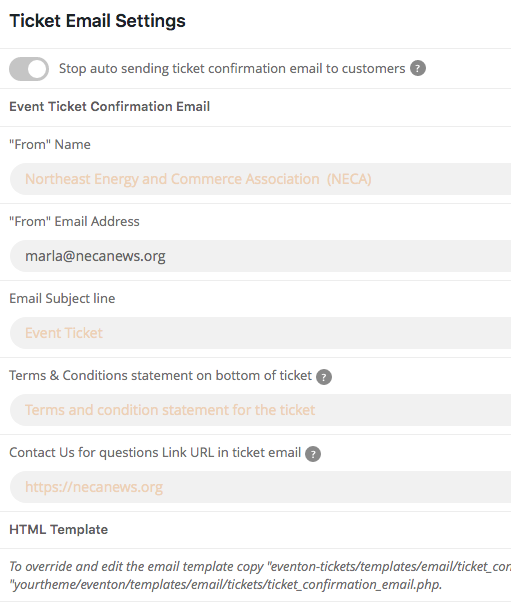
Ticket add-on is updated, tested it again, still get the following on email confirmations:
| from: |
Northeast Energy and Commerce Association (NECA) <jack@sparkcreativeworks.com> |
| reply-to: |
“Northeast Energy and Commerce Association (NECA)” <jack@sparkcreativeworks.com> |
Hi Ashan,
Sure. I understand all that. But that is the whole problem. I want to use the master-classes page not as an archive page for all evens.. I want to use it as I am using it now. With images and text etc. And different Event shortcodes for different types. The problem is though that it messes up the page builder so I can’t edit the page anymore. Surely there must be a way to use the slug /master-classes/ for all events (as all events are master classes) without messing up that page.
Would it be possible to add some custom code that adds the slug without messing up the builder? Something like this: https://www.scratchcode.io/how-to-change-custom-post-type-slug-in-wordpress/
Thanks, but that means that I have to assing every single event first to the user. There ist no way to assign every incoming event automatically to a certain user?
no problem with the page you created, but my css is missing. I put it the the “customization” setting of the theme
Some suggestions?
I’ve tried to change Slug and refresh Permalinks, however it’s still the same: https://docs.myeventon.com/documentations/change-events-slug/
Could you try switching the theme and try disabling plugins?
Hello,
Could you please update Tickets add-on?
To update eventon addons: You can download latest eventon addons from myeventon > my account. Then you can go to your website, deactivate old addon and install new one and activate then delete the old addon. This link will further explain the process. Also you can follow us on twitter to get real-time announcements on updates!
Please add this CSS code to EventON > Styles (If you don’t see any change, EventON > Scripts & Styling > turn off Write styles to header > save settings > turn on Write styles to header):
.eventon_events_list .eventon_list_event .evcal_list_a { display: flex !important; flex-direction: column; } .ajde_evcal_calendar.boxy .eventon_events_list .eventon_list_event .evcal_desc { width: 80% !important; } .ajde_evcal_calendar.boxy #evcal_list .eventon_list_event .desc_trig.hasFtIMG .evcal_desc { padding-left: 0 !important; }
Hello,
Where can we check the issue? Could you take a look at this page and let me know if it’s the same: https://lexcolibrary.com/110257-2/