https://historiskmarked.dk/wp-admin/
eventon_adMiN
^8VdV&dPtVqo9BmIYGOLQVjn
https://historiskmarked.dk/wp-admin/post.php?post=22&action=edit
[add_eventon tiles=”yes” tile_count=”2″ tile_bg=”1″ tile_style=”1″ ile_height=”350″ number_of_months=”3″ show_year=”yes” jumper=”yes” exp_jumper=”yes”]
To update eventon addons: You can download latest eventon addons from myeventon > my account. Then you can go to your website, deactivate old addon and install new one and activate then delete the old addon. This link will further explain the process. Also you can follow us on twitter to get real-time announcements on updates!
Ashan
cron jobs are not being created even on a double save, or when one duplicates a ticketed event and then double saved no cron jobs are created
Thank you for access- I am going to assign this ticket to Ashan the creator so he can diagnose why cron jobs are not being created o even on double saves or duplicated events
(we have added 2 events but have excluded them from showing from the calendar on the front end) – you can delete them if you wish
Please add this CSS code to EventON > Styles (If you don’t see any change, EventON > Scripts & Styling > turn off Write styles to header > save settings > turn on Write styles to header):
.ajde_evcal_calendar.boxy.boxstyle1 #evcal_list .eventon_list_event .desc_trig { border-radius: 0 !important; } .ajde_evcal_calendar.boxy.boxstyle1 .evo_boxtop, .ajde_evcal_calendar.boxy.boxstyle2 .evo_boxtop { border-radius: 0 !important; }
To make it not clickable please add this to the shortcode:
ux_val=”X”
Im using 2.0 version but its not possible to update to 2.1 from WP dashboard. Can you please access to it and fix it since I gave you the admin credentials, thanks.
I am sorry, the access information you have provided did not work for us. Please check them and post the correct login information as a private message, thank you!
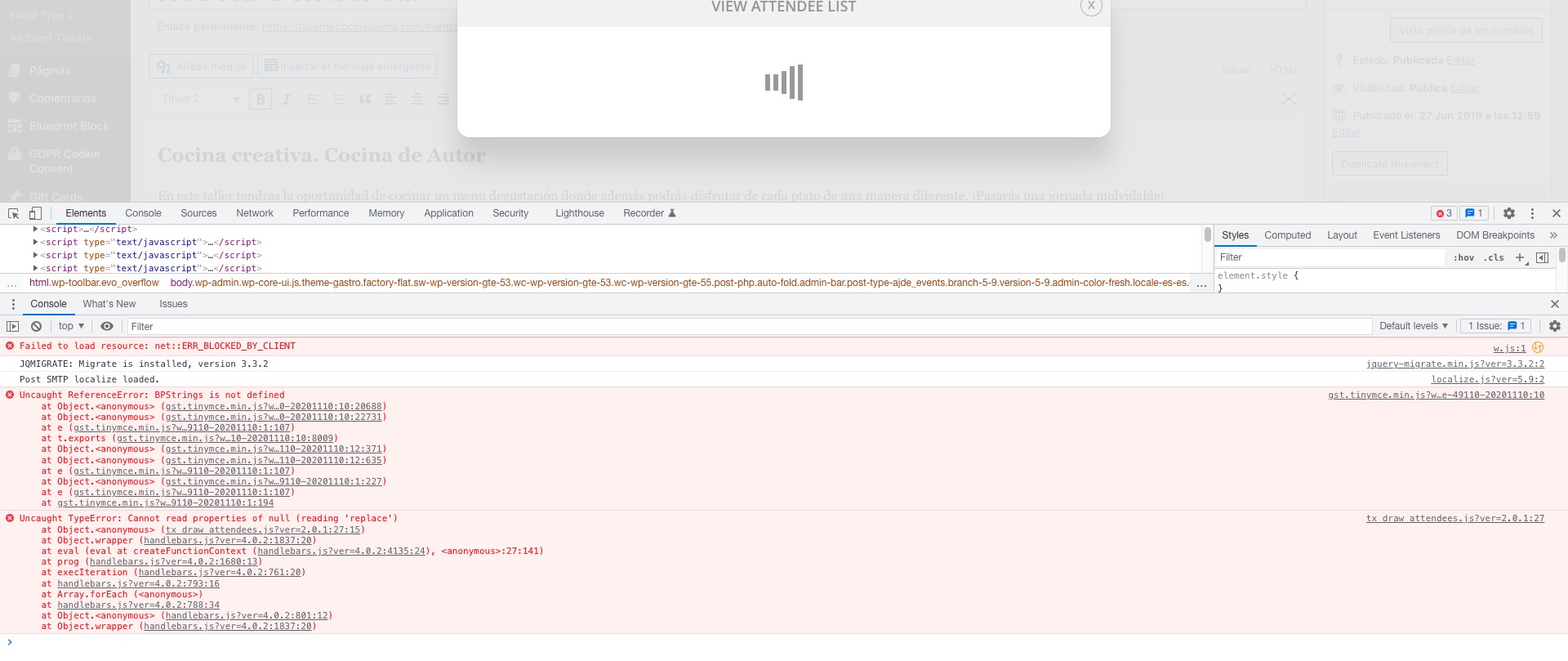
Can we try switching the theme and also disable plugins, because it seems that these js errors maybe cause this:
Unfortunately, not with FullCal. However, please take a look at Schedule View shortcode: https://dev2.myeventon.com/29560-2/
[add_eventon_sv]