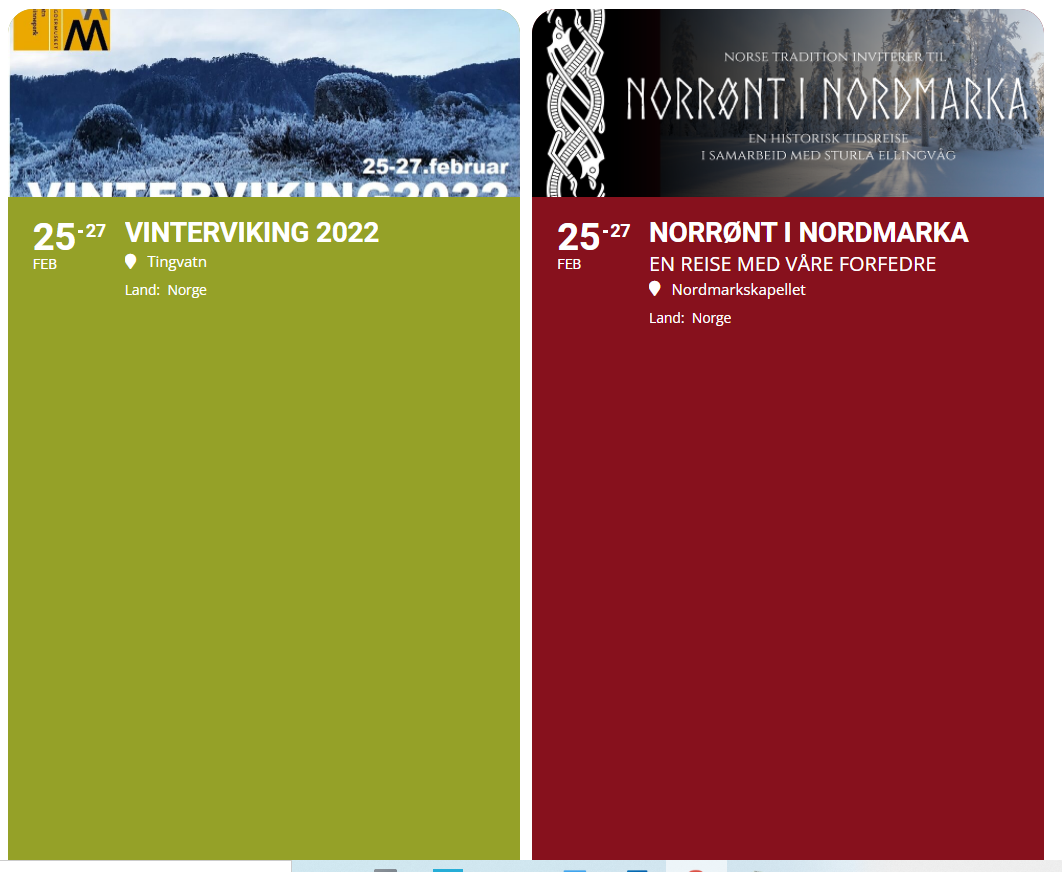
hi again, i tried to insert ux_val=”4″ in this line
[add_eventon tiles=”yes” tile_count=”2″ tile_bg=”1″ tile_style=”1″ ile_height=”350″ number_of_months=”3″ show_year=”yes” jumper=”yes” exp_jumper=”yes”]
but it unfortunately did not give the desired effect, see attached picture.
Regards Lars
Hello
I don’t quite understand what to do, but I’ll take a step-by-step and ask you again if I can’t do it. I hope it will be a stable solution, that it will not disappear after updating Eventon and its addons and that it will not endanger my data.
I have verified that after your work some styles have been lost. I have recovered them by activating the option “Write dynamic styles to header” and I have recovered some, but the title of the events is no longer black, neither in the tile view nor in the eventcard. I can’t find how to fix it.
please help me
Thank you
Yes, I have been reading your documentation.
But I just can’t figure out how I can incorporate the seats on woocommerce variable products.
As when the product is a variable product, I can’t seem to be able to create the seats.
Please advise.
Apologies, I forgot to save the pw change. It is all set now.
If they are miss counting the number of tickets available, and adding extra to the total number of tickets available, would that allow extra tickets to be sold for an individual repeating event though?
I need to log in to myeventon so that i can purchase addons on same account of the plugin and not a new different one.
The plugin was through envato market but i want to be able to log to myeventon for addons thats the first step
Thanks for the reply. Each repeating event is set to 25 tickets, with total being set as the sum of all events, as per your video. It’s my client who is running the events, so I’m not 100% sure, but my understanding was that the numbers reduced down to 0 as tickets are sold, is that not the case? If not, then the client must be adjusting the numbers down to zero to force the events to sell out perhaps and stop any further over selling, but I will check with them what they are doing and confirm. Just wanted to check this part before going back to them.

Artem,
I just purchased this add on, is it not able to show the count down on the live now calendar view or the event list short code? It just shows the “Countdown ends in” with no timer.