so i just ordered again. And it worked fine. so all you need to do is cancel the order :
Archives: Replies
Replies for tickets on suppota
Reply to: tickets(267342)
Hello again
I have now made a clean install, no plugins except Eventon, placed the Maps API, tried both Google API and as Google Jscrips, but without any luck.
https://events.voresfamilie.dk/blog/index.php/event-directory/
If you would like to take a look at admin part, this is the info
————
user – dlo0ni
pword – }iQit*BT[zn3
https://events.voresfamilie.dk/wp-admin
Thansk
Lars Hansen
Reply to: tickets(267339)
Hi,
the way you did it, was different. First you created a new event. Then you made the copy. The error here does not occur.
But the error occurs then you copy one of our already excisting events! Try this, and the error occurs.
We want to copy our excisting events and not create them new every single time. We copy the events for more than a year now and it worked fine so far. Until now.
Reply to: tickets(267272)
Hi it did not work. before i go to paypal and collect my 150 € back i would like to give you another chance of fixing this problem.
There is no need for an upgrade of my license. I want my license to be renewed. i bought a new license for maps / lists / and slider which should cost 40 € each.
either cancel my order or use the 150 € to reactivate my licenses
our website has errors so we need to update the addon immediately
Reply to: tickets(266542)
Hello and thank you. We have been trying various CSS workarounds this issue. It’s not browser or backend cache. We are stumped by the Daily View navigation. Here is an example:
- Go to Daily View All Events at: https://events.iloveseattle.org/daily/
- Go to the events for February 28 and look at listed events
- Go to the events for March 1st and look at the listed events
How many clicks or swipes does it take? We find that this navigation is too complicated and counter-intuitive. It is especially bad at the end of the month because the navigation arrows lead to the end of next month and then you have have to scroll back.
PS: We are very happy to be able to assign users – fixing that problem was critical help. Ty.
Reply to: tickets(267481)
Do let us know how it goes. If you need help with anything else, please feel free to create a new ticket
Reply to: tickets(267372)
Yes I have seen issues with beaver builder overiding eventon css before
I just added some css to eventon>>>>styles
to make the title and date white
also in myeventon>>>>setting>>>>>event top- i activated the show Day name”
and I had to stuff around with colors- the background of the event top was reset to black- I have made it nearest to the blue I remember sorry you’ll have to tweak that in myeventon>>>>settings>>>>appearance>>>event top
Reply to: tickets(267518)
The RSS feed does have the featured image in the feed
here is the dev site feed
http://dev2.myeventon.com/evofeed
many of the dev site events don’t have images but its a big feed- simply do a search for jpg
Reply to: tickets(266944)
Not really, just your shortcode with tile_style=”2″: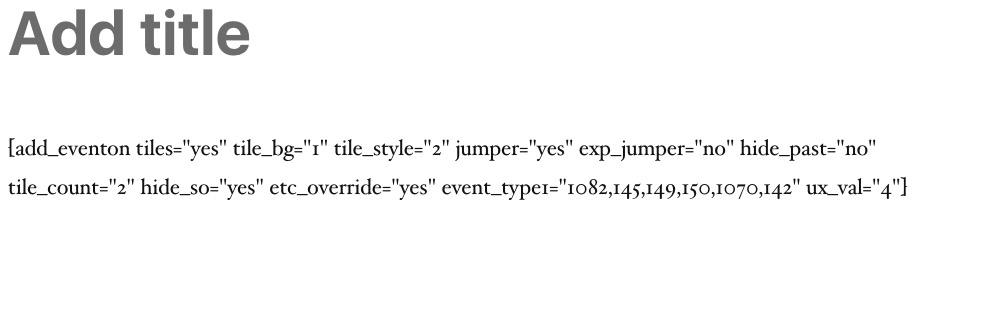
Reply to: tickets(261524)
Hi,
Me again! Could you please give an update on the above!!
Thanks so much.