Hi,
Why is it that everytime I update Eventon plugin my styles change somehow?
This time these two things happened:
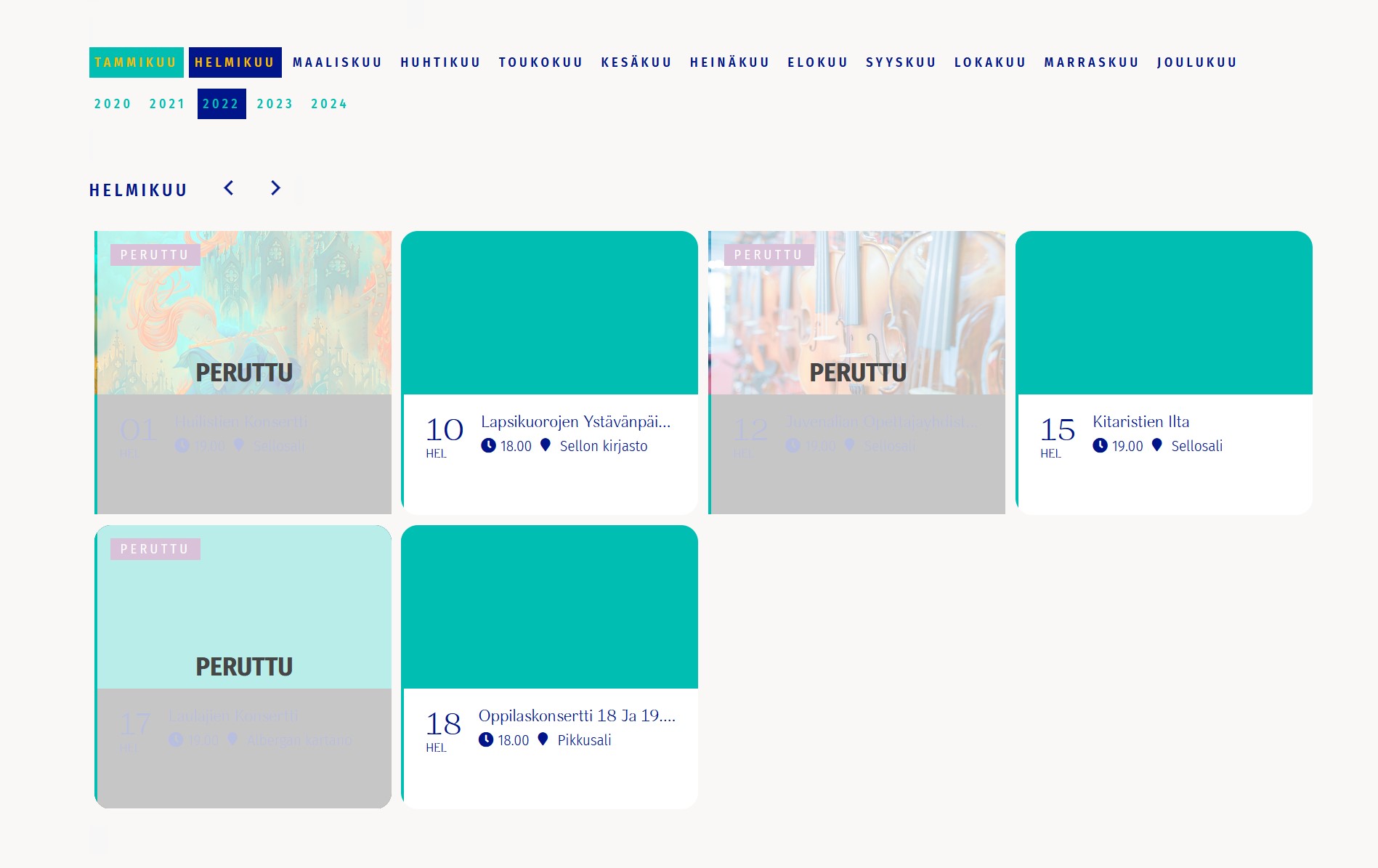
1. There’s border radius in events that don’t have event picture even though border radius should be 0. How to fix this?
2. On cancelled events there’s now weird overlay on top of the event card that wasn’t there before. You can’t even read which event it is. How to delete this overlay?
And is it so that I shoud not ever update your plugin if I want to keep the same styles? Because now everytime I update your plugin there’s something wrong with the correct styling.
Thank you, that’s perfect!!
The thing is that the cron jobs from the Reminder Plugin are scheduled for the year ahead. If I remember correctly the function should only be executed if the scheduled time has passed, or am I wrong? The function that is causing the problem is called in the Init function from the Reminders Plugin.
I disabled the WP-Cron in the wp-config to test it and the slowdowns still exist, so I guess it won’t help if we move the cron jobs into the server.
they can view attendees from the front end using the action user addon
Hello,
You can use the custom CSS code below
.eventon_events_list .eventon_list_event .desc_trig, .evopop_top {
background-color: #f1f1f1 !important;
}
Please add this CSS code to EventON > Styles (If you don’t see any change, EventON > Scripts & Styling > turn off Write styles to header > save settings > turn on Write styles to header):
Thank you so much
But I hope that front-end users can directly view the two statistical information pages “SALES INSIGHT” and “VIEW ATTENDEES” built in eventon. Is there any way to achieve this?
which button that says RSVP
I see a button that says YES
anyway see video below
if this doesn’t answer your questions please send us a screenshot of things you want to change
2: Thank you for your great suggestion, at the moment it is not supported. However please create a new ticket and select Feature Request as category so others can vote on your idea and get it moved into development faster.
1: this plugin
https://wordpress.org/plugins/dokan-lite/
might give you more statistics for the front end- while not connected to the event manager you can set to to diplay additional sales info
Back to this when you can ->
Where is the orange color coming from for preselected todays date on top of the calendar (desktop)? I don’t see an option for it in appearance: https://www.promoternow.com/las-vegas-club-events/
On mobile the images seem smaller in this update. Is there any option to change?
It seems the culprit is Remove Unused CSS in WP Rocket for reference. Turning on all settings but that resulted in the fix.