Hi! I really need urgent help with this please as I’m getting nowhere 🙁
One of your colleagues set up an event (https://stephm4.sg-host.com/events/book/ ) and now it has been changed and is wrong. I have created 3 test events and none of them are correct and I am getting in more of a muddle!
The original event that one of you guys created was almost right and now I can’t see what has happened to it (I didn’t change it btw!).
I need to be able to sell tickets to an event that occurs:
- every Tuesday from Jan 11th 2022 to Feb 15th 2022
- has a total price for all the block of sessions (£80) and
- a price per session (£16)
- customers can join the block at any session within the block
So: Art Class – 6 session block – £80 for entire session, £16 per individual session. Customers can sign up at any point in the block.
A customer can book the entire block or simply just one session.
PLEASE PLEASE PLEASE help me with this as otherwise I’m gonna have to use a different plugin and yours was very nearly configured to be correct.
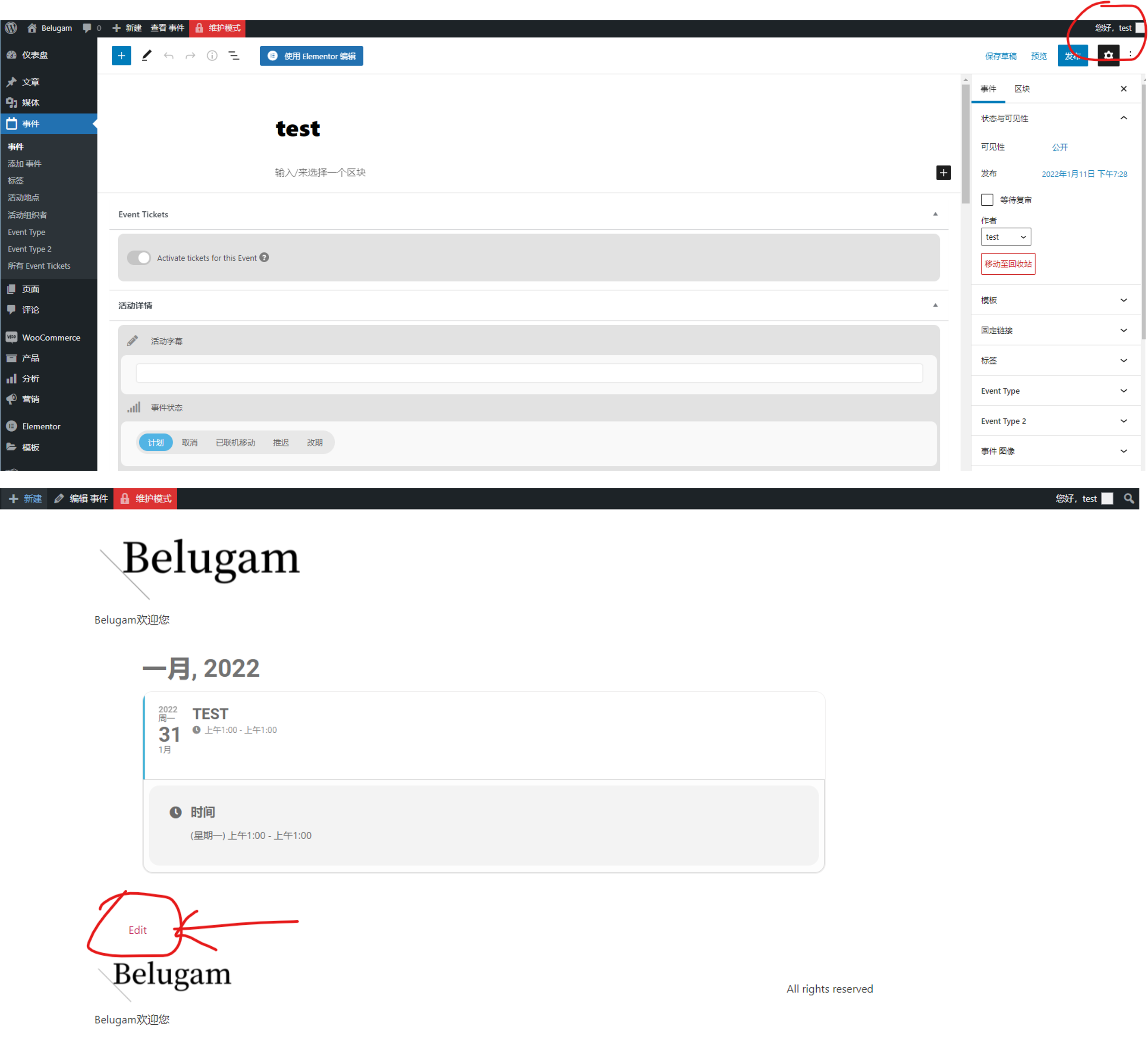
The original intention of using the action user plug-in should be to allow users to edit, submit and modify only through the front-end editing interface of action user. They should not be allowed to enter the administrator editing interface.
I hope my explanation is clear
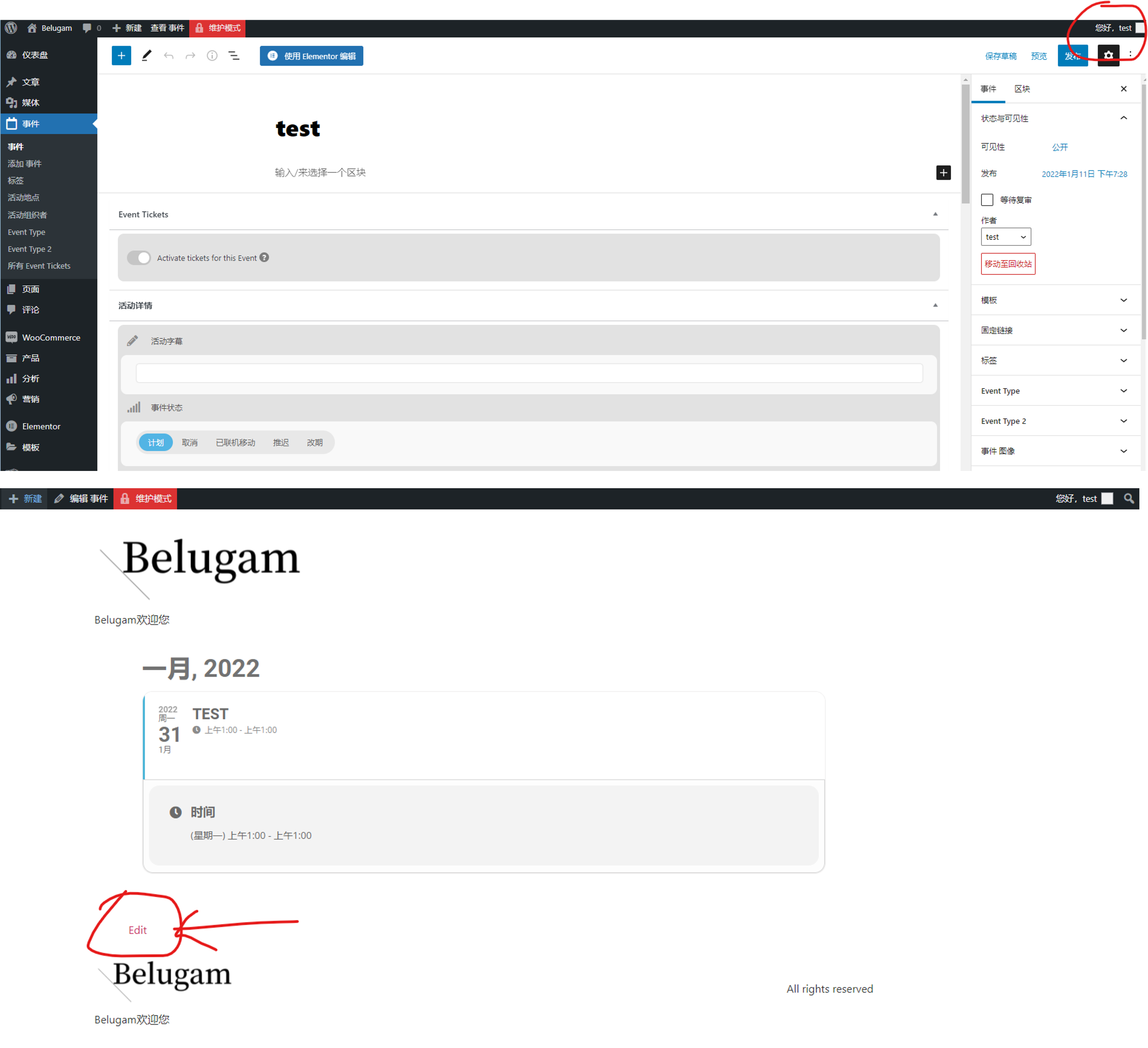
You can create a subscriber’s account, then use this account to submit an activity at the front end with “action user”。
And then use this account to enter the activity management —— click the activity title —— click the “Edit” link below the activity details page, and you will enter the administrator editing mode
Hey Jack,
Thank you for sharing this!
We will now take it from here and try solve everything
Hi,
Thank you for this, give us some time please now
Hey,
This is not done from shortcodes, unfortunately. Shortcodes are not controlling the design view, you can do this with media queries and some CSS 🙂
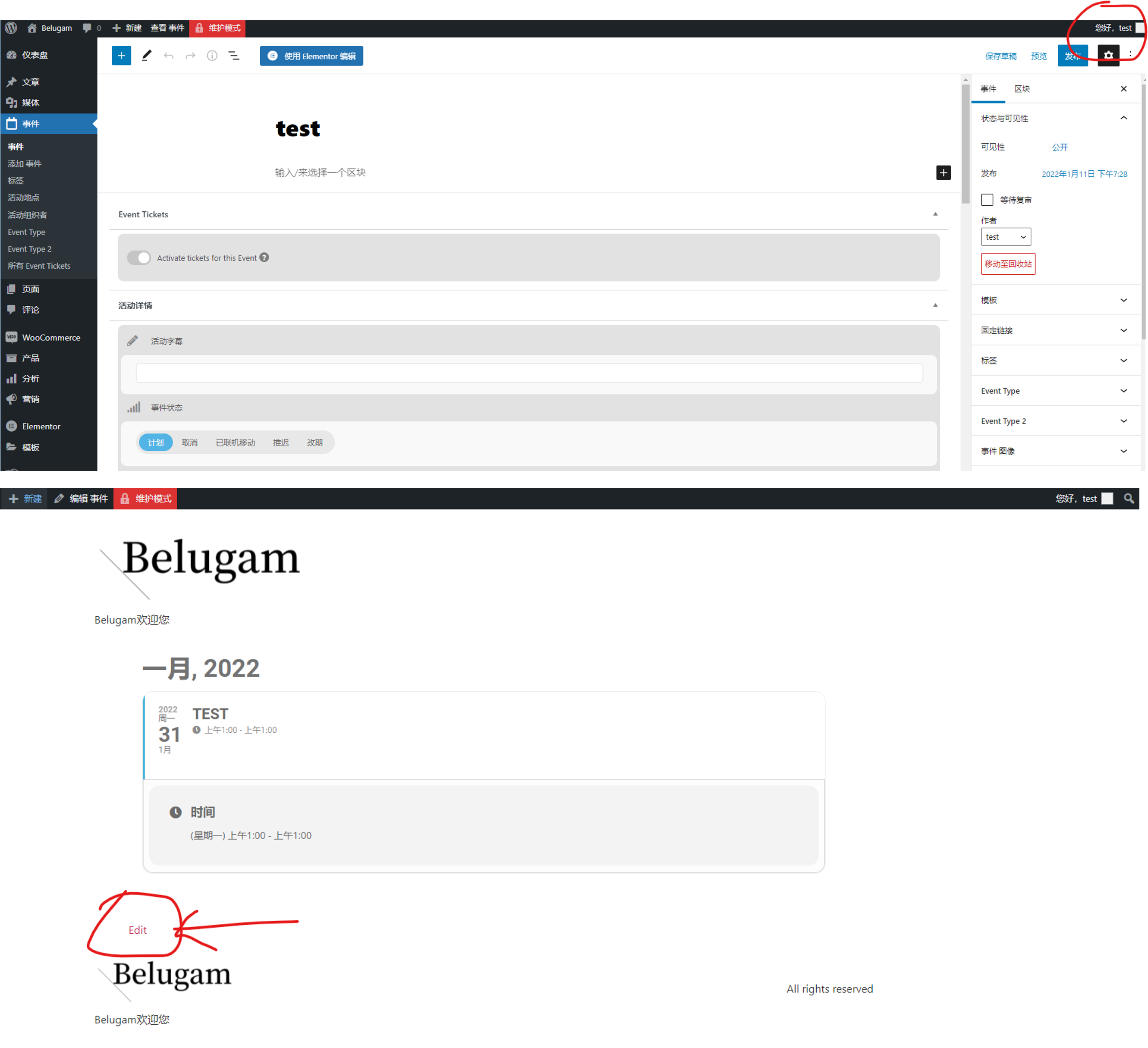
1、It should be this “Edit” link,Click to enter the editing interface of administrator authority as shown in the figure
2、After testing, as long as the user is the author of the activity, no matter he is a role with any permission, you can click this link to enter the interface shown in the figure.
Hi,
We have asked him to check back again 🙂
Happ New Year to you also and appreciations for all the patience