Thanks! Looks great.
Archives: Replies
Replies for tickets on suppota
Reply to: tickets(264974)
Reply to: tickets(265029)
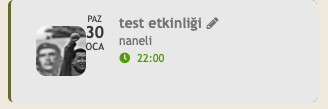
also I just added some css to tidy up the dates on the sidebar
Reply to: tickets(265631)
I tried the code provided above, but no luck.
Yss sure. Here is the info:
Site: http://dev.ungdomsringen.dk/admin
User: Extern_help
Pass: fbnFkvjsNB#zW6GEe2CVJ@T6
Reply to: tickets(265703)
if you use fixed month- you also need to add fixed year, but in your case see video below:
try this
[add_eventon_list number_of_months=”2″ hide_empty_months=”yes” event_type=”42″]
Reply to: tickets(265622)
Thank’s!
It worked when i disable JQuery Mobile script and keeps it that way. When i turn it on, the problem shows.
Reply to: tickets(264974)
Reply to: tickets(264974)
Hi, I know dear Ashan, thank you for your kindly interest. We are waiting 🙂
By the way, congratulations, the feature of collecting qr images in a separate folder has been added in the qr code update. We can’t wait to try it 🙂
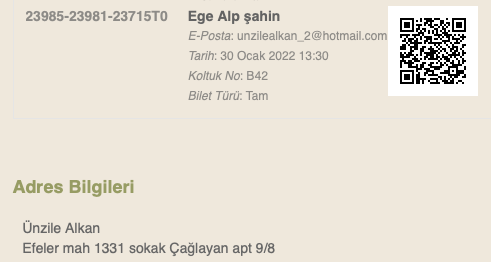
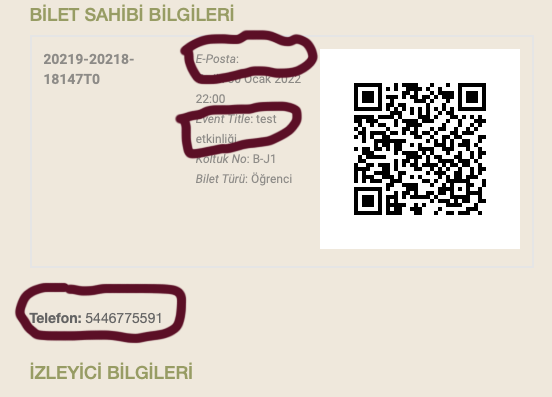
We are working to upgrade to EventON 4.0.2. I wanted to share two problems we encountered in some tests. Separate attached are the screenshots.
One is the problem with the ticket confirmation email. 1) Email address not visible; 2) A line called “Event Title” has been added (I couldn’t find it in the files for translation. How do we translate it or preferably remove it?); 3) the phone number is displayed in a separate field. (The old version’s image is also attached.)
Another is the conflict between the image and the date in the list we use as a widget. (image attached)
Sorry for taking your time with these questions. With friendship…
Reply to: tickets(265703)
I am using this shortcode – [add_eventon_list event_type=”42″ fixed_month=”2″ number_of_months=”2″]
Reply to: tickets(265629)
Thank you, but you’ll find these message:
At this moment due to current circumstances we have opted to stop accepting customization jobs.
Another solution please!