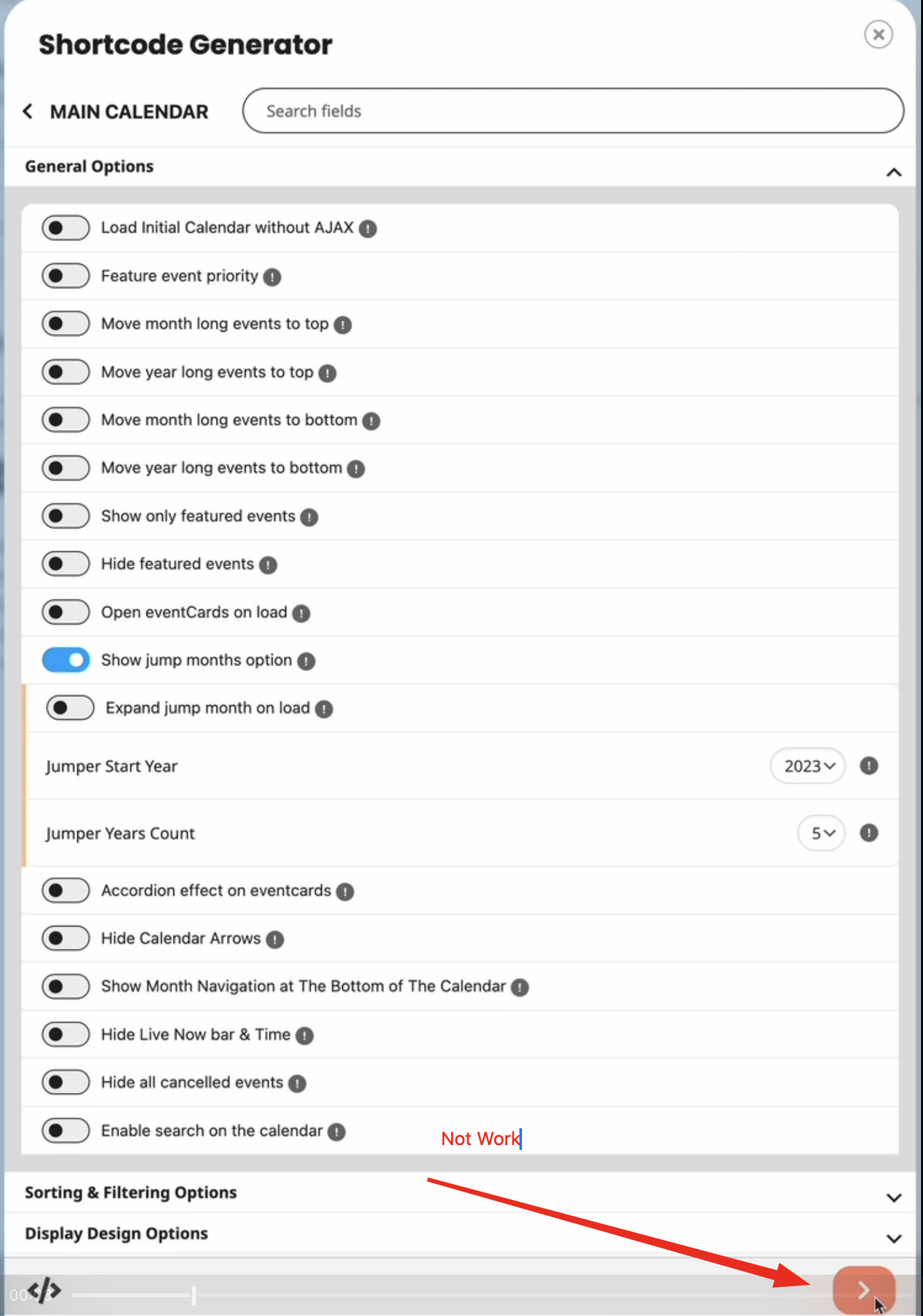
Thanks I found it, however the save button not work. Done it 10 times now and it always goes back to “not show”?
Replies for tickets on suppota
Thanks I found it, however the save button not work. Done it 10 times now and it always goes back to “not show”?
Please follow this guide:
https://woocommerce.com/document/stripe/customer-experience/testing/#test-only-stripe-account
The direct link to the configuration window:
https://wordpress-1348829-5701931.cloudwaysapps.com/wp-admin/admin.php?page=wc-settings&tab=checkout§ion=stripe&from=WCADMIN_PAYMENT_SETTINGS&panel=settings
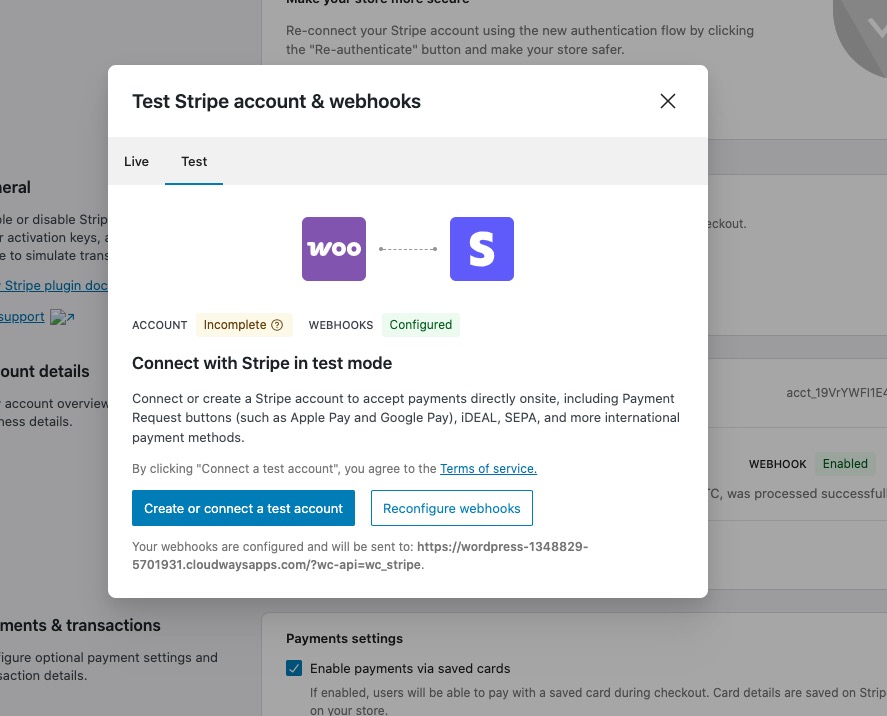
The issue with the account:
I did some tests and animations on my side are exactly the same with or without EventON:
If possible, could you send us a video from your side?
Please also send us your OS and browser.
Hello,
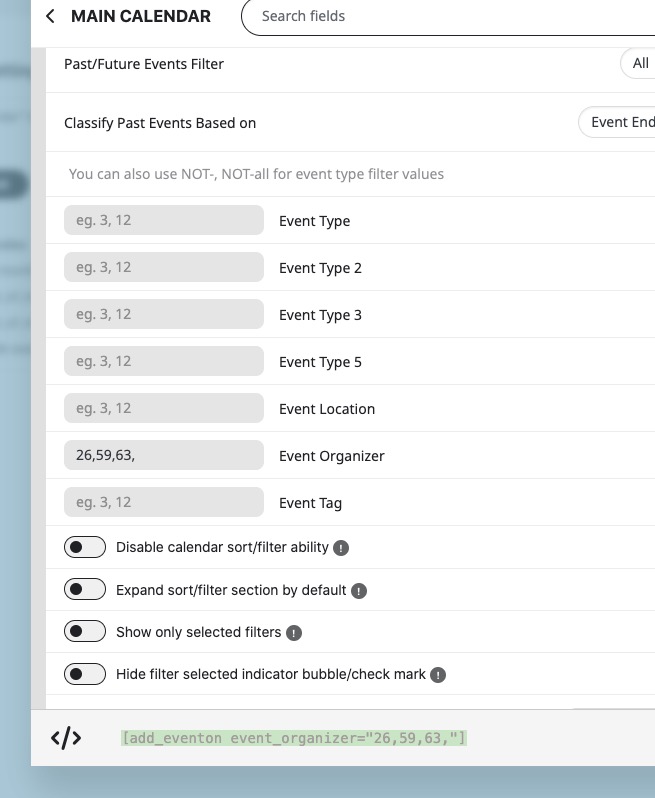
Please replace organizer_id with event_organizer. And also make sure to use double quotes:
Yes, that is the general map.
4.9.1
Sorry, my bad. Didn’t mean the 4th of october but the 4th of september. Don’t know why I wrote the wrong month. Event still not shown
Thank you for your messages, I am going to assign this ticket to Ashan and he will be able to take it from here and find you a solution. Please allow some time for him to get back to you, we greatly appreciate your patience and thank you for being a eventon customer!
Perfect! Do you need out help with anything else or can I close the ticket?
Hello,
You need to use Event Lists: Ext add-on for this:
https://www.myeventon.com/addons/event-lists-extended/
Your code is correct, just replace add_eventon_list with add_eventon_el and then add event_count_list=”yes”.
Try on https://dev.myeventon.com/wp-admin/
This link isn’t working for me anymore:
https://www.solarserver.de:8443/wp-login.php
Can we check wp-admin? Please send us wp-admin access to your site from “Access Info” box on right side menu, to further assist your situation.