What are you hoping to translate? please shed some light on to this feature 🙂 Everything in repeat customization is a dynamic regeneration of the existing data for the event.
Archives: Replies
Replies for tickets on suppota
Reply to: tickets(265215)
not for just vets
if you change the date color it will change it for all
you could make that side orange color larger
by adding this to
appearance>>>>customize>>>>>additonal css
.eventon_events_list .eventon_list_event .evcal_list_a {
border-left-width: 13px;
}
that makes the side colors pop (adjust the 13 to suit your needs)
Reply to: tickets(264403)
Hello Rosa, order is refunded and subscription is now cancelled. If you have more questions, kindly send us a new ticket and we would be more than happy to help you resolve your issues!
Reply to: tickets(264626)
I have gone ahead and cancelled the subscription #72939
Reply to: tickets(258856)
I sincerely apology for this glitch in our system. Would you kindly send me a screenshot of the bill you have received along with order IDs etc. to track this back to the root issue. Appreciate it!
Reply to: tickets(262666)
I am not sure where you are hosted at. But anothre option would be to contact your webhost and ask them about moving the wordpress cron jobs into server. Right now wordpress cron jobs get run everytime a user visit your site. If those cron jobs are moved to server it would run behind the scene.
Reply to: tickets(265029)
So i Have added the responsive CSS
you’ll have to figure out the best size- test it out on different devices ipads, phones and desktops to see if that 600 needs to be higher or lower
Reply to: tickets(264012)
Sure you do not need to purchase the actionUser addon. There is a back way to do this if you are willing to get your hands dirty in the code 🙂
Check in here, the capabilities of event custom post type. You can use any other user capability editor plugins for wordpress and make sure these event custom post editting permissions are associated to who ever user roles to allow them to edit events.
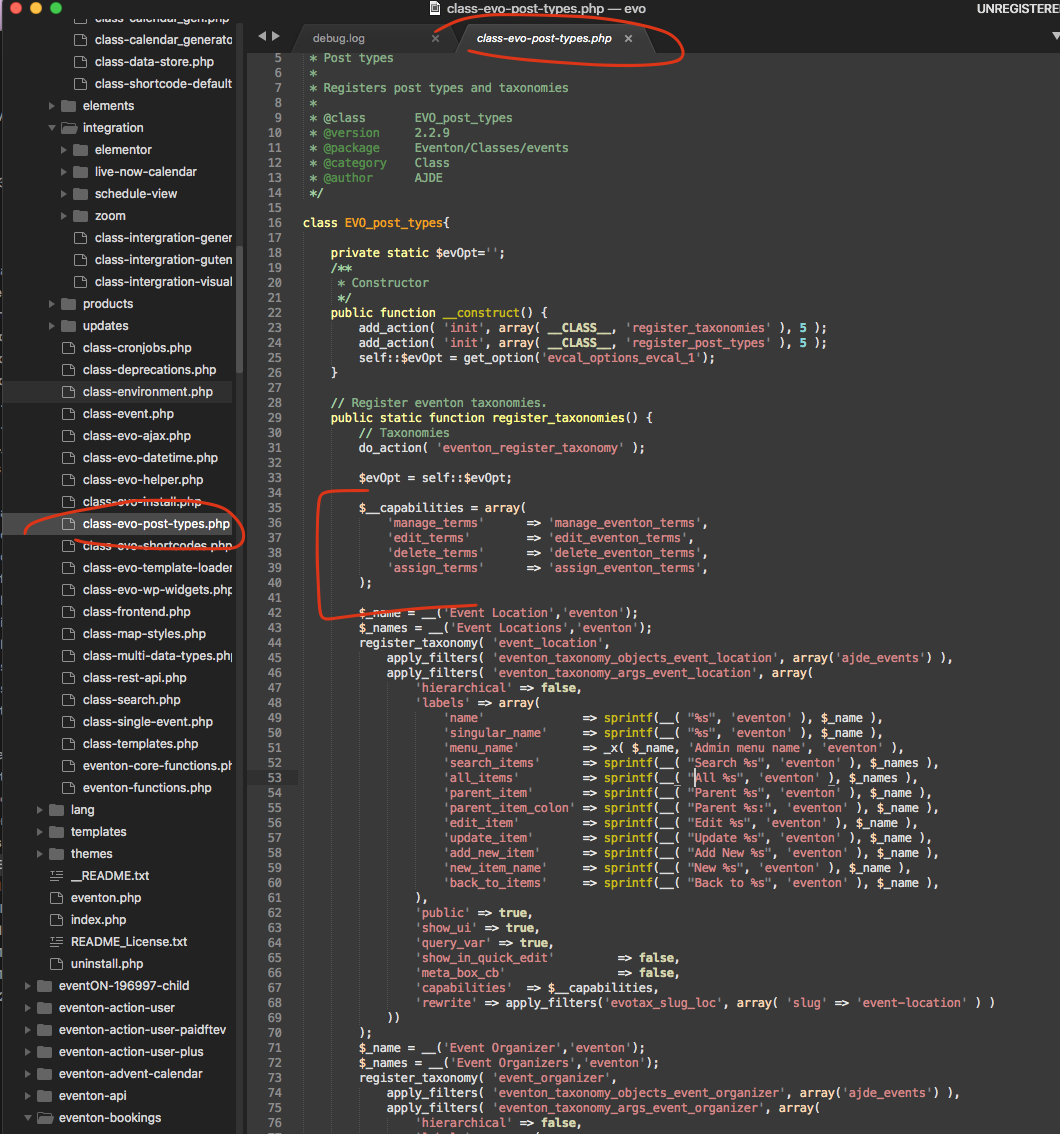
Reply to: tickets(264448)
Thank you for reporting this Marc, I have identified these quotation error only on the speaker title. It is in several places and will get the updated quickly please follow @myeventon in twitter for when the update will be out.
Reply to: tickets(265364)
Under events you can see all RSVP’s
and under each event at thebase of the RSVP section you can view attendees download csv and email options theres 4 icons at the base of the rsvp section
the action user addon allows you to view attendees on a per event basis from the front end
but theres no show all rsvps shortcode
now I am not recommending it https://codecanyon.net/item/eventon-report/29769827
I am not sure what it does but might give you something- its nor=t made by us and I have no idea exactly what it does so you’ll have to ask them what it does