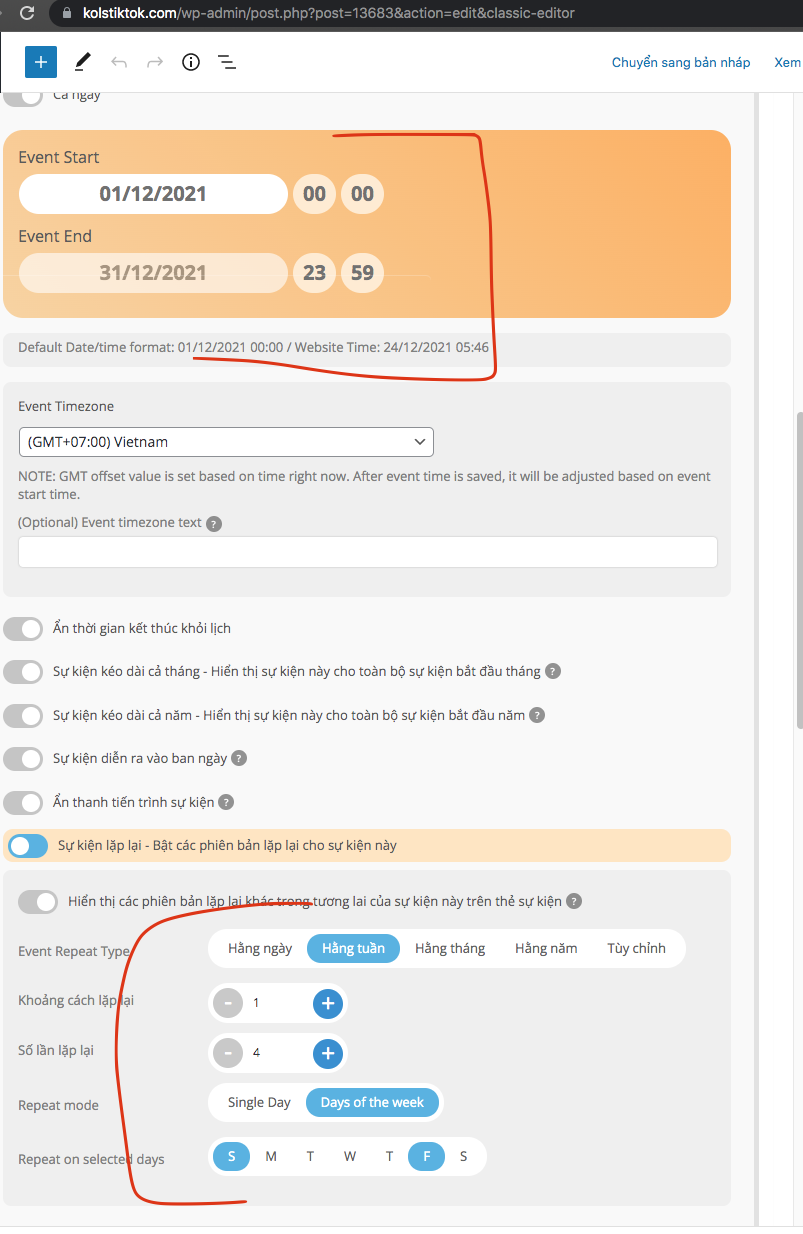
Thuc, the logic in repeat is kind of out of order. You have set end date to end of month and you are trying to repeat a whole month long event weekly?? seems not logical
What is your repeating goal?
Replies for tickets on suppota
Thuc, the logic in repeat is kind of out of order. You have set end date to end of month and you are trying to repeat a whole month long event weekly?? seems not logical
What is your repeating goal?
I wonder if this might help
I added an extra hour onto the test event and its now appearing but see the above video
thanks so I ran the sync with order button and it works great in making sure order IDs are updated for all the tickets in that order. This should from now work for future failed order > completed.
With regards to old orders. You will have to run a query, which runs through all the orders and their each order item IDs and fix them. Do you know how to do that or you want me to help with that?
Ok so Ive taken a look into this. what you are doing does not make sense logically. 10:30pm is > 2:30am 2:30am comes before 10:30p. the end date must be after start date. You need to set end date as jan 2nd not 1st. Once that is done the end time will show correct on repeats.
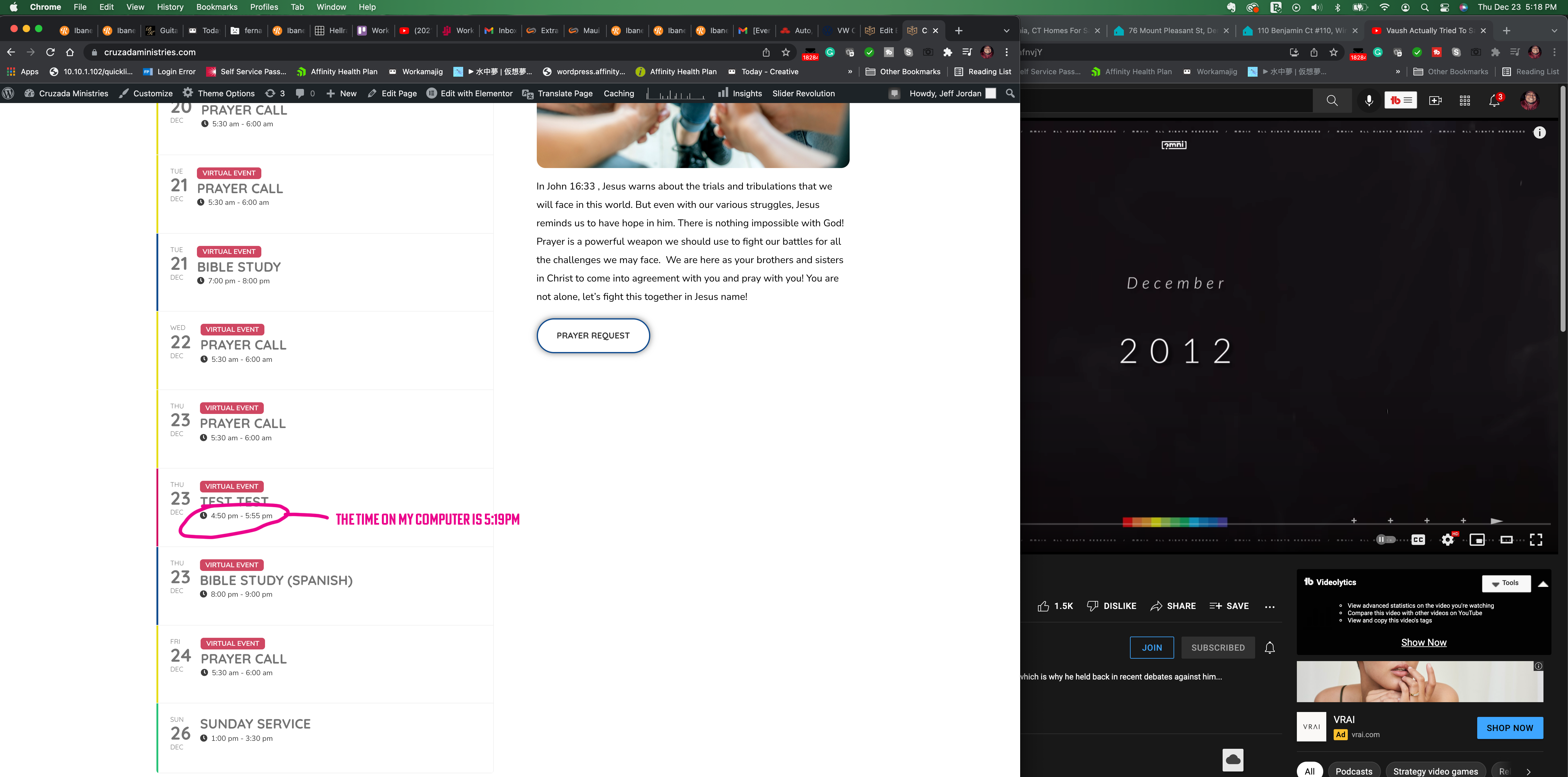
I did what you said. It appeared for about 5-10 minutes before disappearing. Image attached.
Okay, done.
Now because its xmas- there will be a delay from Ashan so as a temporary fix you may wish to hide end times for that event
(theres a toggle under the date picker)
and simply put the times in the main description
test here
https://dev2.myeventon.com/weekly/
and the event https://dev2.myeventon.com/events/test-106/
For Ashan
See video below of the error happening in weekly view confirmed same issue on the dev site
I can duplicate this issue on the dev site So this error comes in when using repeats
I’ll create a video documenting it and Assign Ashan to this ticket (the boss) so he can create the fix