Now your event starts 13nth and ends 16nth, so the bar isn’t visible because the event hasn’t started yet.
It seems that what you need to use is Countdown add-on:
https://www.myeventon.com/addons/event-countdown/
Try on
https://dev.myeventon.com/wp-admin/
Try adding the code to Appearance > Customize > Additional CSS. Unfortunately, we have limited support for customizations so cannot help with extensive CSS editing.
Hello,
You can just hide it with this code:
.evoau_submission_form .row p.checkbox_row .evoau_cat_select_field span.event_type_50 { display: none !important; }
Please add it to EventON > Styles (If you don’t see any change, EventON > Scripts & Styling > turn off Write styles to header > save settings > turn on Write styles to header).
Solved! I turn of the button “Month Long Event – Show this event for the entire start event Month”
now doesn’t appear the progress bar. I would like this bar until the finish, if this is possible,
thanks for your patience!
xavier
Hello
with the responsive checker i see the changes
on my real Iphone in safari and chrome not?
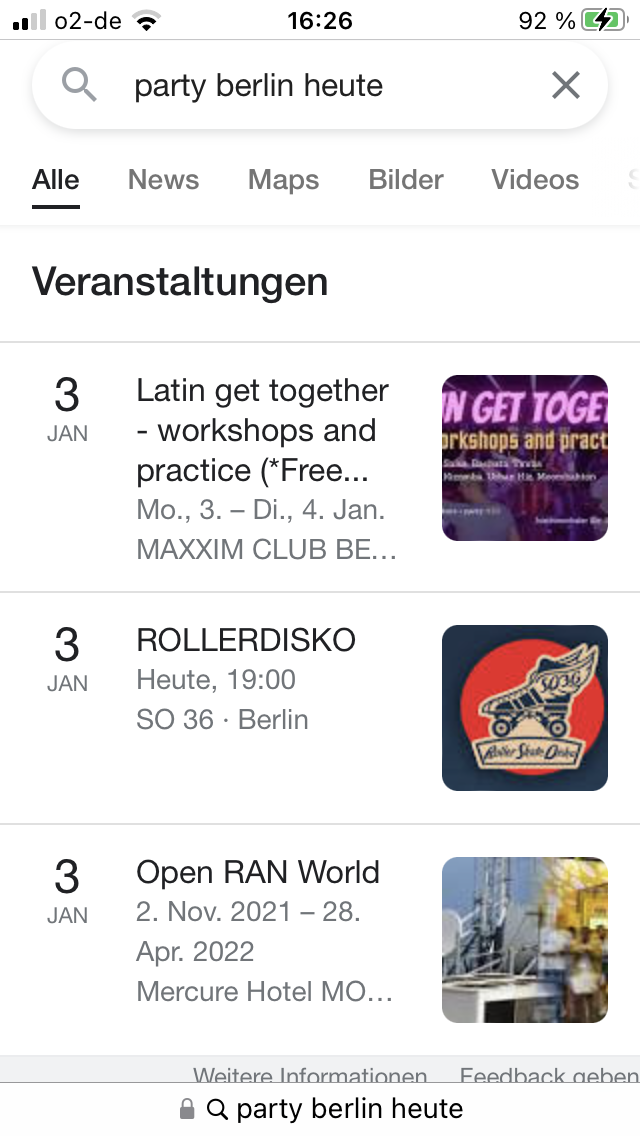
my end goal is a mobile design like google as in the attachment, is that possible with css?
best would be the image to the right
i know in the shortcode i have to enter (show_et_ft_img=’yes’) for the image
Hi,
You are rigth! My web provide security gave no acces to USA, by default. Now you have to be able to get acces. Are you at USA, correct? I’ll be waiting news from you.
Thanks!
Xavier
Please send us FTP access to your site as a private message, so we can perform several tests from our end and resolve your issue fast!
THANK YOU! Does that mean for any new events that come in, I don’t have to select a color? It’ll auto-color depending on which calendar it’s on?
Hello,
Unfortunately, login info still doesn’t work for me.
what do i have to set in the css that the text starts right next to the date in mobile view.
Please add this CSS code to EventON > Styles (If you don’t see any change, EventON > Scripts & Styling > turn off Write styles to header > save settings > turn on Write styles to header):
@media (max-width: 568px){ .eventon_events_list .eventon_list_event .evcal_desc, .evo_pop_body .evcal_desc, #page-content p.evcal_desc { flex-basis: min-content !important; }}
My goal is to show 3 events in mobile view at the same time.
Try adding event_count=”3″ to the shortcode. You can use ESE Widget for this:
https://docs.myeventon.com/documentations/use-eventon-shortcode-executor-widget/
When you go to https://www.schulferien.org/media/ical/deutschland/ferien_bayern_2022.ics it says:
Access to www.schulferien.org was denied
You don’t have authorisation to view this page.
Please make sure that the file is publicly available.