Hello,
EventON doesn’t have such functionality, but you can use Tickets add-on
https://www.myeventon.com/addons/event-tickets/
with WooCommerce.
Woo is responsible for the checkout process so you can use https://wordpress.org/plugins/woocommerce-digital-signature/ or similar plugin.
Ashan,
Is it possible to help them somehow? Otherwise they may refund.
For me it works quite fast.
Thank you for your messages, I am going to assign this ticket to Ashan and he will be able to take it from here and find you a solution. Please allow some time for him to get back to you, we greatly appreciate your patience and thank you for being a eventon customer! Also please disable any IP blocking on your site if there are any.
Hello,
I went to https://www.cpacognitiva.com/wp-admin/admin.php?page=eventon&tab=evcal_tx and selected Default event ticket stop selling time base: When Event Ends.
The issue is that your event ends 31 March of 2021. Try changing it to 2022.
The best solution is to add “Load More” button:
[add_eventon_el event_count_list=”yes” show_limit=”yes” show_limit_ajax=”yes” number_of_months=”12″ event_count=”5″]
Hello,
Please go to https://mf.wxp.io/wp-admin/admin.php?page=action_user#evoAU1a and click on SELECT THE EVENT CATEGORIES CATEGORY.
Hello,
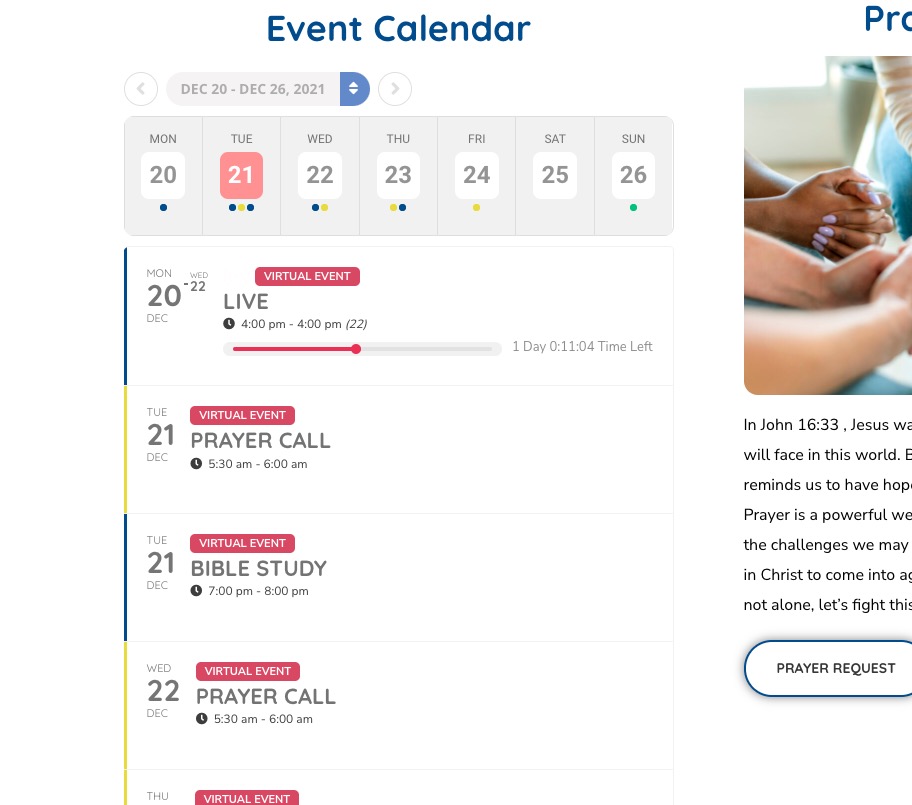
You don’t have any live events at the moment. Please check how my test event looks like:
I had trouble creating a user don the website, the new access information is below…
Username: 98e7ydtgfr345-1
Password: j9rZyloE59bI2RxTjQUED2lN