see video
this page has the changes: https://www.myeventon.com/news/eventon-4-0/
Replies for tickets on suppota
see video
this page has the changes: https://www.myeventon.com/news/eventon-4-0/
Hi James,
You can use the custom CSS code below:
.eventon_events_list .eventon_list_event .ev_ftImg {
background-repeat: no-repeat;
width: 150px;
height: 100px;
max-height: 100px;
}
Add the code in EventON > Styles ( (If you don’t see any change, EventON > Scripts & Styling > turn off Write styles to header > save settings > turn on Write styles to header):
from wordpress
in Appearance>>>>customize>>>>additional CSS
I added some css to remove the strike through
Hi James,
You are welcome. If you have any other questions, please feel free to create a new ticket.
To update eventon addons: You can download latest eventon addons from myeventon > my account. Then you can go to your website, deactivate old addon and install new one and activate then delete the old addon. This link will further explain the process. Also you can follow us on twitter to get real-time announcements on updates!
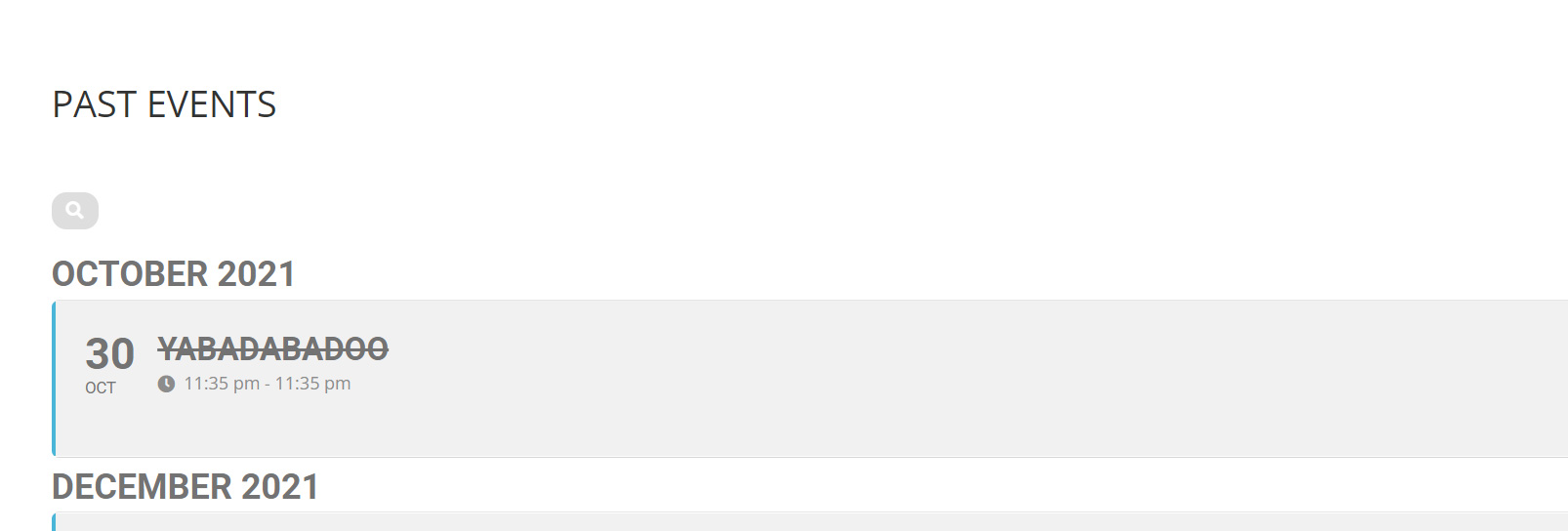
Thanks a mil.
That is a great help.
1 more question: How do I undelete the past events title.

..instead of this:

amazing – thanks.
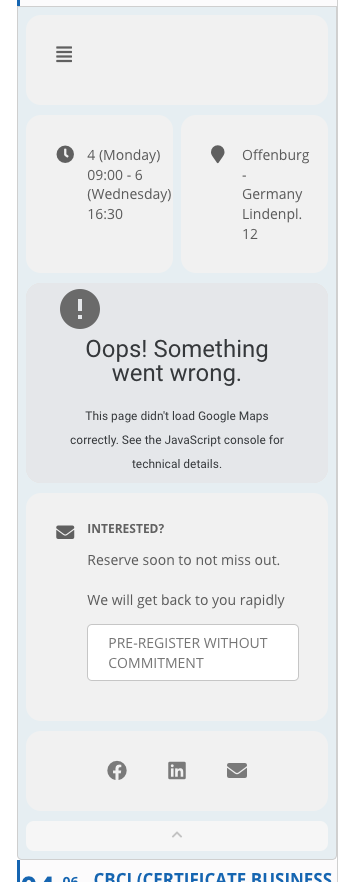
The first image is from the live site. The second from the staging where the description does not show.
The Google maps error is normal, due to the staging URL.
Thanks