Hello,
Try using this shortcode:
[add_eventon_list number_of_months=”12″ hide_empty_months=”yes” hide_month_headers=”yes” hide_mult_occur=”yes” event_past_future=”future”]
However, in order to show only the event you want you need to filter them with event types:
https://docs.myeventon.com/documentations/confused-event-type-categories/
The issues stops when I am logged-in. Could you try disabling your cache plugins?
We are glad your issue is resolved, if you have any further questions or concerns please create a new ticket.
Could you try adding it to Appearance > Customize > Additional CSS?
https://dev.primedigital.co.za/youview/eventson/ shows 404 error.
https://dev.primedigital.co.za/youview/events/ shows events no matter how many times I refresh it.
Could you send us a screenshot?
Hello,
Could you update EventON to 4.0.2?
To update eventon to latest version: If you are unable to do autoupdate, you can go to codecanyon your account > download and get the latest eventon version as zip file. Then you can go to your website, deactivate old eventon, activate (Do not delete eventon settings & data when EventON is uninstalled) from eventon settings, delete old eventon, install new one and activate. This link will further explain the process it. Also you can follow us on twitter to get real-time announcements on updates!
Hello,
You can just remove “Stop selling tickets X minutes before event end” to allow users to buy again. Just make sure to go to EventON > Tickets > set Default event ticket stop selling time base: When Event Ends.
Hello,
Thank you for your great suggestion, at the moment it is not supported. However please create a new ticket and select Feature Request as category so others can vote on your idea and get it moved into development faster.
Hello,
The only option available is evc_open=”yes”. It opens eventCards on load.
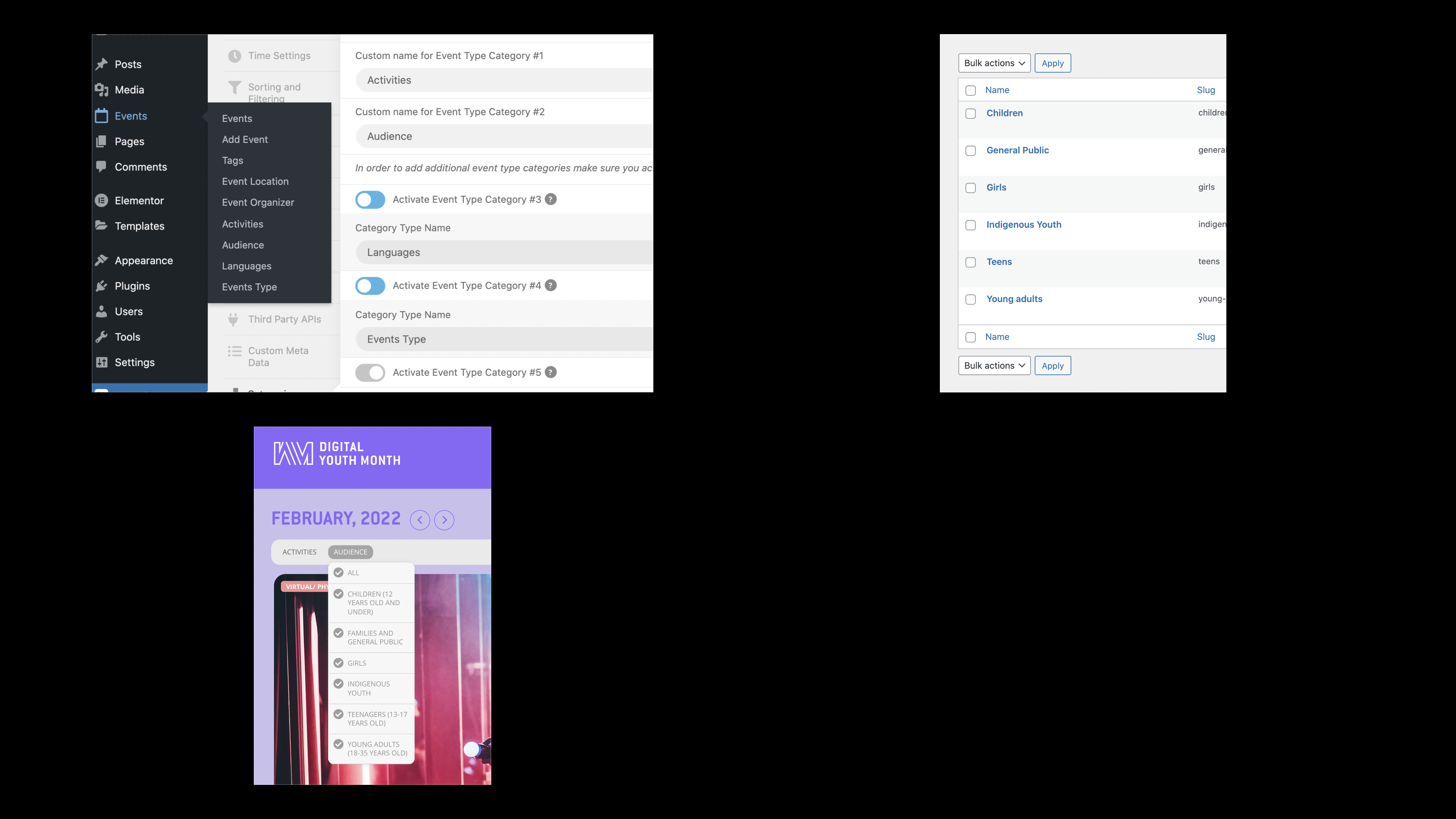
In addition see attached
a) event categories display correctly in backend.
b) the front end displayed categories name. Display the old ones, even if it has been updated.
c) updated names in the backend.
Hope you may help.
Best regards