-
-
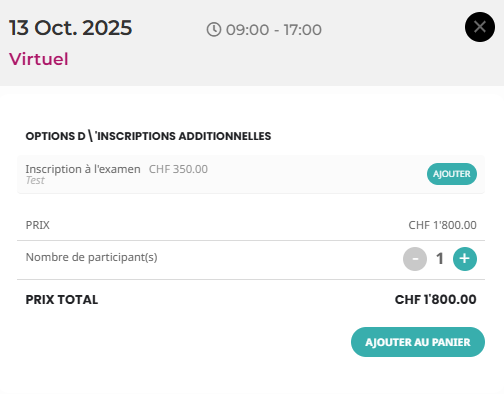
Hello, here is the screenshot, where it shows ‘Option D’. How can I remove this? Thank you in advance. : https://www.itta.net/formations/informatique/cloud-computing/microsoft-365-fundamentals/
-
Replies for tickets on suppota
Hello, here is the screenshot, where it shows ‘Option D’. How can I remove this? Thank you in advance. : https://www.itta.net/formations/informatique/cloud-computing/microsoft-365-fundamentals/
Hello, here is the screenshot, where it shows ‘Option D’. How can I remove this? Thank you in advance. : https://www.itta.net/formations/informatique/cloud-computing/microsoft-365-fundamentals/
Thank you for your messages, I am going to assign this ticket to Ashan and he will be able to take it from here and find you a solution. Please allow some time for him to get back to you, we greatly appreciate your patience and thank you for being a eventon customer!
Hello,
The latest version of Tickets add-on is 2.4.20. Could you update it?
Please also send us a link to this event:
https://helpdeskx.s3.amazonaws.com/wp-content/uploads/2025/09/28180850/SCR-20250929-fbh.png
Hello,
Could you find the order that was supposed to lower the number of tickets:
https://depotterij.nl/wp-admin/edit.php?post_type=shop_order
If you go to this event, each repeat has different number of tickets, so EventON does change the capacity:
https://depotterij.nl/wp-admin/post.php?post=4448&action=edit
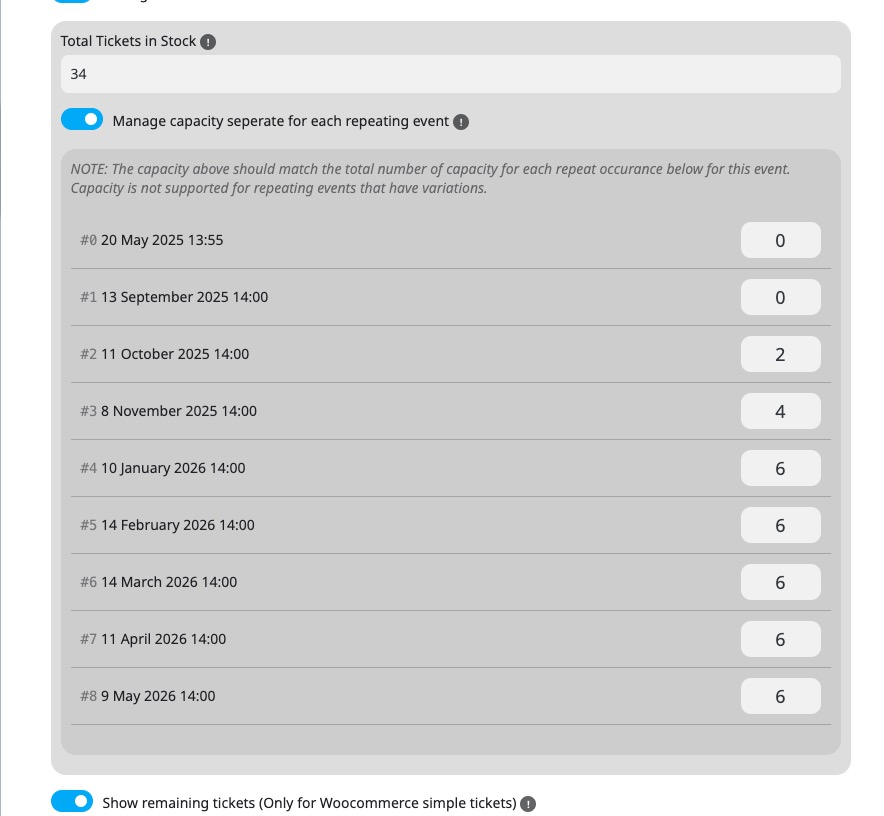
Please check and let me know.
Hello Support Team,
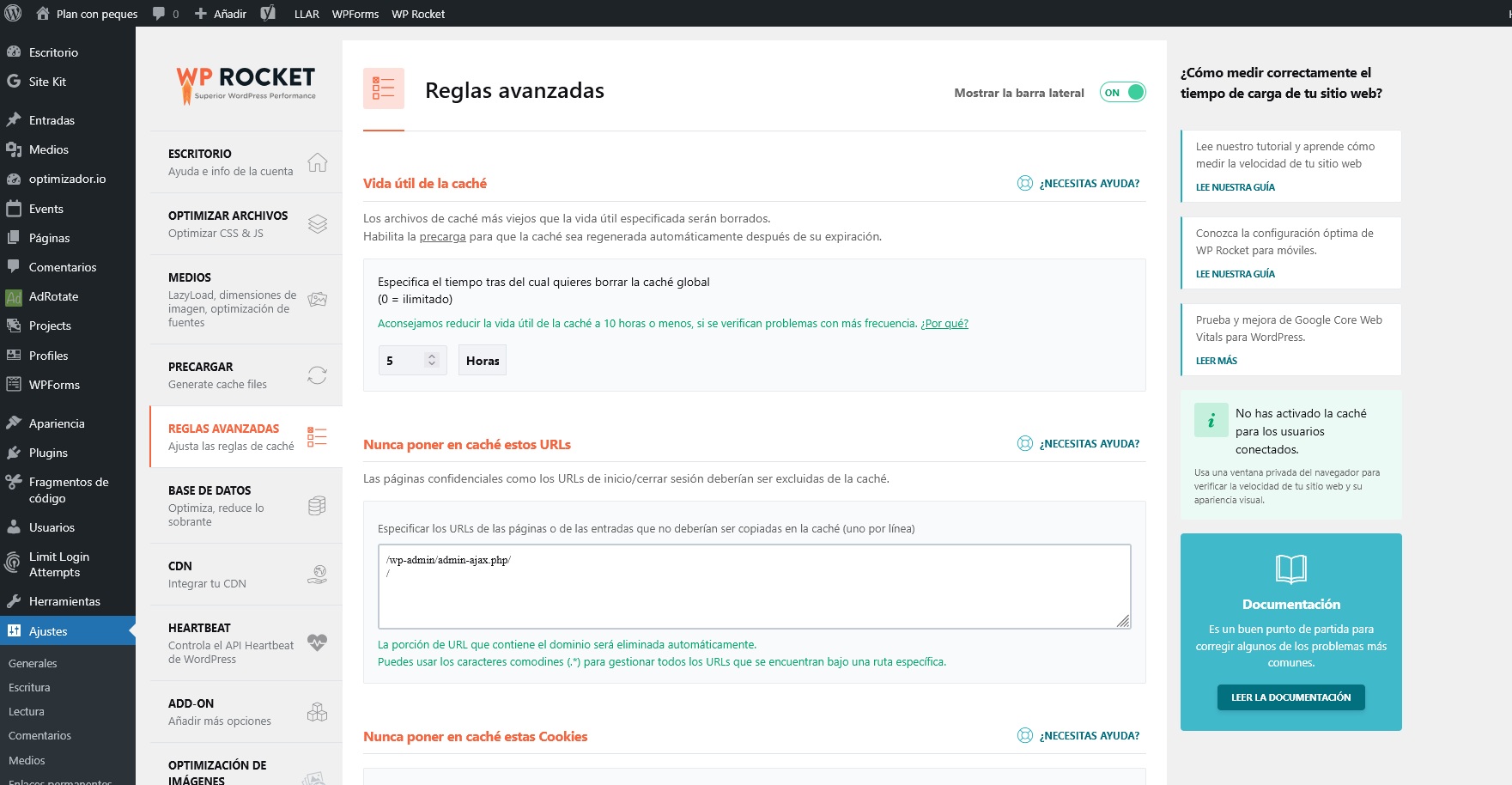
We have added exclusions in WP Rocket for / and /wp-admin/admin-ajax.php from the panel (please find attached a screenshot).
In addition, with the help of ChatGPT we have inserted a snippet in the functions.php file of our child theme to also exclude any URL with the ?evo-ajax parameter. The code added at the end of the file is:
// Prevent WP Rocket from caching URLs with the ?evo-ajax parameter
add_filter( 'rocket_cache_query_strings', function( $query_strings ) {
    $query_strings[] = 'evo-ajax';
    return $query_strings;
});
With this setup, we understand that EventON should no longer be affected by WP Rocket’s cache.
Could you please confirm if this configuration is correct or if we should apply any other additional adjustment?
Thank you very much for your support.
Best regards,
Ana
Sorry : I’m still getting an error message for: #evo_search_bar_in_1
Hello,
I no longer have any errors according to the RGAA guidelines, but my website is now running very slowly. When I deactivate your plugin, it works normally again.
Do you have any idea what might be causing this?
Thank you
That fixed it!
Hi Support,
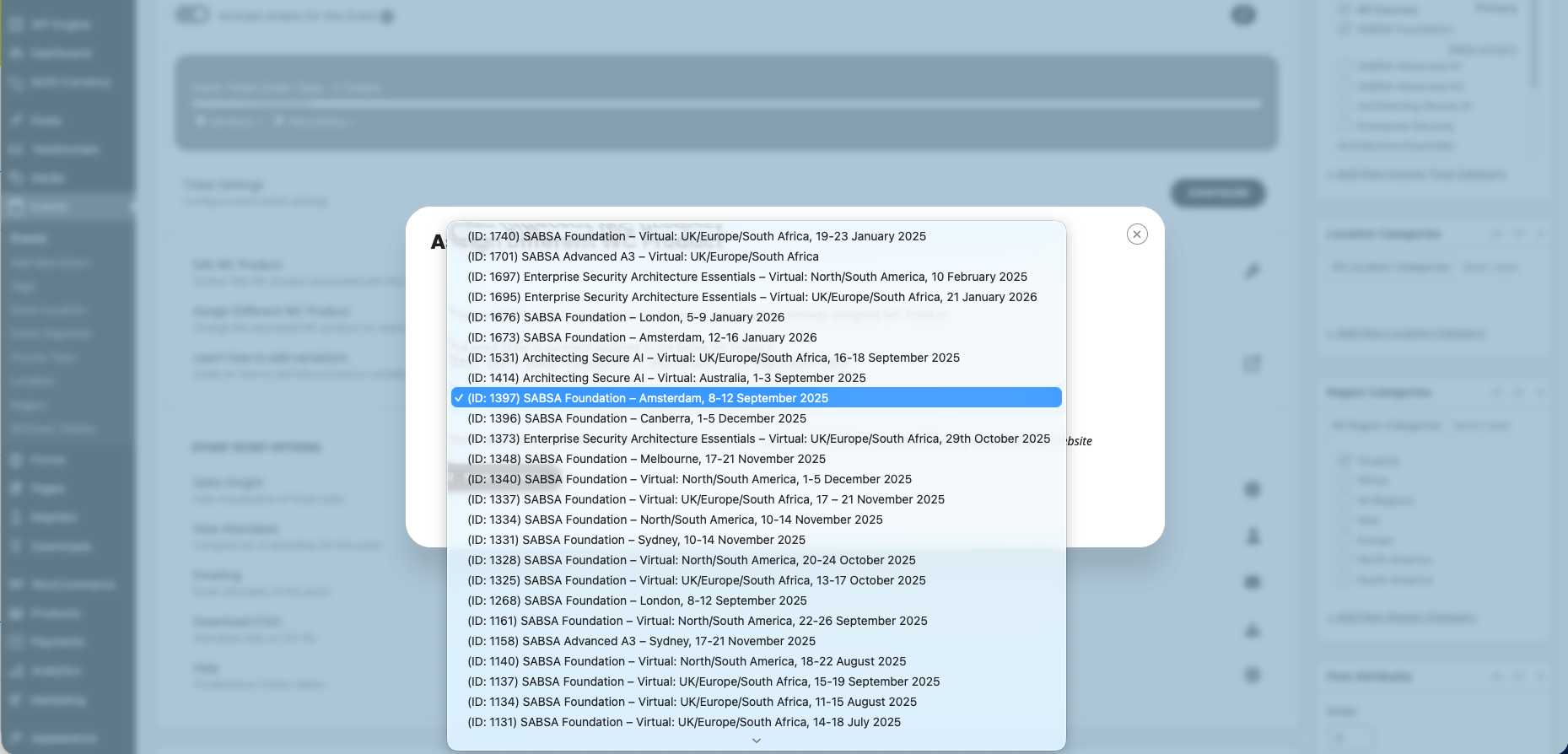
This issue has come back again. An existing event has switched to a different product after it was published.
https://davidlynas.com/sabsa-training/sabsa-foundation/
The December 01 – 05 event in Canberra for some reason pointed to an old WooCommerce product in Amsterdam in September. I’ve since reassigned it to the correct Canberra product (see screenshot below).
I also noticed the permalink for the old event was very odd:
https://davidlynas.com/product/ticket-sabsa-foundation-january-1-1970-january-1-1970-8/
We have the latest EventON and Event Tickets plugins.
Why would this be happening and how do we avoid it?
Cheers, John