You can install the same twice: https://winnmarketing.ca/2018/04/11/installing-the-same-theme-twice-how-to-double-dip-a-wordpress-theme/
So you can install a new version alongside, check if it works and then delete the old one.
Replies for tickets on suppota
You can install the same twice: https://winnmarketing.ca/2018/04/11/installing-the-same-theme-twice-how-to-double-dip-a-wordpress-theme/
So you can install a new version alongside, check if it works and then delete the old one.
Hello,
1. You need to manually create a new seat layout:
https://docs.myeventon.com/documentations/set-seat-layout-map-admin-side/
2. Yes.
3. Yes.
4. Could you elaborate more?
5. You can only have one per event. Also you cannot select it, you need to create it for each new event. However, you can duplicate events.
Hello,
Please take a look at my answer in your other ticket: #260761
Hello,
You need to use Event Lists: Ext add-on https://www.myeventon.com/addons/event-lists-extended/
Try on https://dev.myeventon.com/wp-admin/
[add_eventon_el number_of_months=”12″ event_count=”3″ event_count_list=”yes” hide_empty_months=”yes”]
Hello,
Could you please try the instructions mentioned in this documentation?
Also could you contact the slider developer on the product page and ask about the issue: https://codecanyon.net/item/eventon-slider-addon/11063359/comments
Hello,
EventON doesn’t have such functionality as well as WooCommerce by default. It seems that you need to use some kind of third-party plugin for this.
But so far I have not been able to change the colour of the event days in the full Calendar with heatmap.
On this screenshot https://helpdeskx.s3.amazonaws.com/wp-content/uploads/2021/11/25040903/problems-eventon.jpg which color is the wrong one?
I also have another problem.
The problem is in this strange style that completely hides a elements:
https://diocesis.versionesbeta.net/wp-content/uploads/bb-plugin/cache/5-layout.css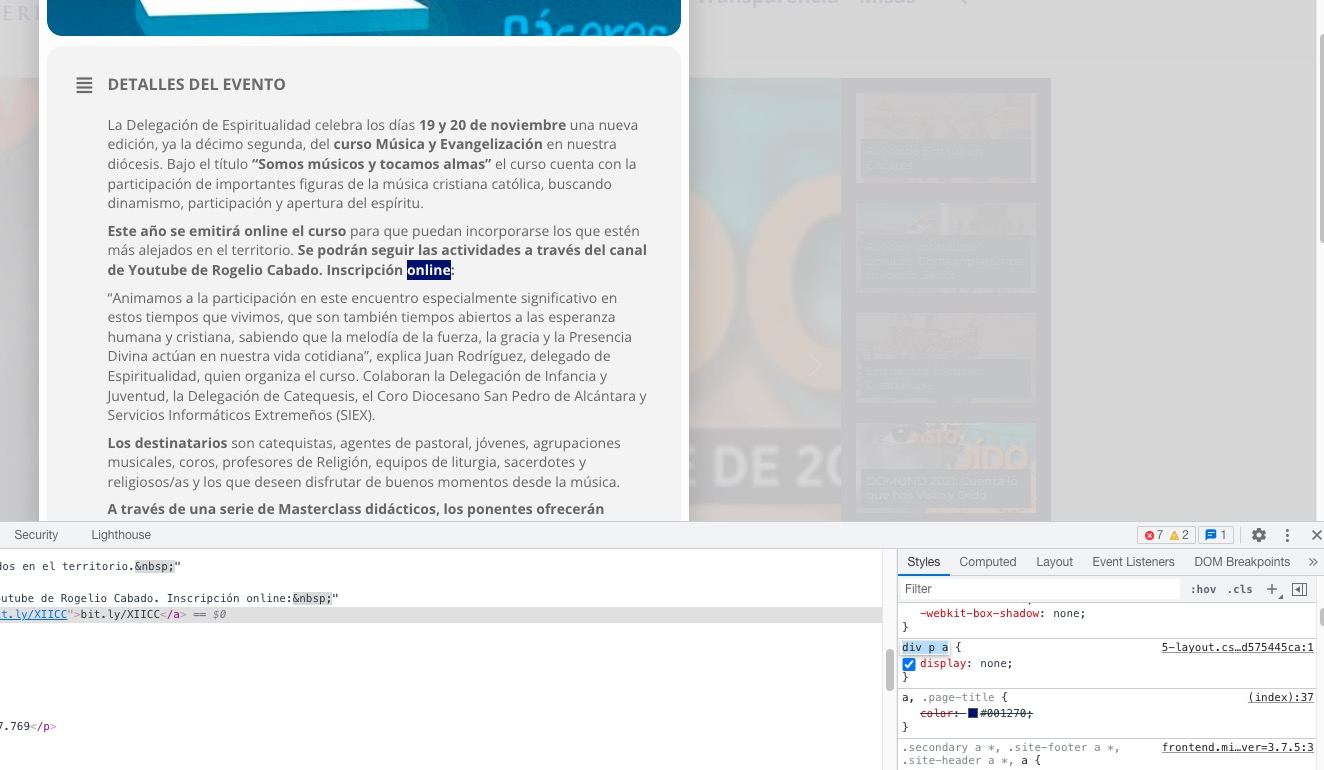
Hello,
You need to use Event Countdown: https://www.myeventon.com/addons/event-countdown/
Try on https://dev.myeventon.com/wp-admin/
Hey guys,
this is a follow-up with a very similar minor issue (hope you could help with this info)
Action User – front end form fields:
For further customization purposes, could you pls let us know,
in which plugin + file the original PRICE field (code) is located?
AND… how do we make sure, that our work (customization) isn’t lost, when we update the event-ON plugin + addons?
We are glad your issue is resolved, if you have any further questions or concerns please create a new ticket.
If you have a moment, we would greatly appreciate if you could kindly leave us a review at codecanyon! from your account > downloads. Cheers!