Hi Sara,
1 & 2. Top is yellow – You can change the color by going to Eventon > Settings > Single Events and change the Event top style.
3. The social icons are now showing, please take a look
4. The header photo – please try the custom CSS code below: Please add this CSS code to EventON > Styles (If you don’t see any change, EventON > Scripts & Styling > turn off Write styles to header > save settings > turn on Write styles to header):
single-ajde_events div.evocard_box.ftimage{height:300px;}
Hi!
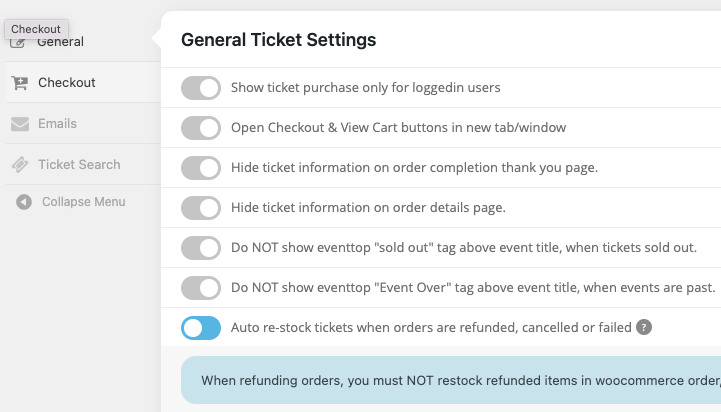
Yes it’s enabled but doesn’t work with Variations created with EventON – Ticket Variations & Options
I already checked that.
I can’t send you access, need to ask my client and he’s away for a couple of weeks. I guess you can recreate on your side easily.
What have you seen that makes you move the ticket to someone else?
Thank you this is great…….but….
This problem still exists in the lists. Is it easier to somehow just do a dark background with white text via the appearance settings?
If not could I ask you for styles so we can get dark text visible in place of white as you have done for the others.
See https://love.golf/sarah-bennett/
And https://love.golf/events/three-rivers-golf-club-purleigh-essex-3/
Thanks
Hi Andreas,
Thank you for your messages, I am going to assign this ticket to Ashan and he will be able to take it from here and find you a solution. Please allow some time for him to get back to you, we greatly appreciate your patience and thank you for being a eventon customer!
That works,
please let me know, if the fixed version is ready to download.
tanks!
https://empowerment.community/wp-admin/
Temporary Login
temporary-login-9900
Ashan,
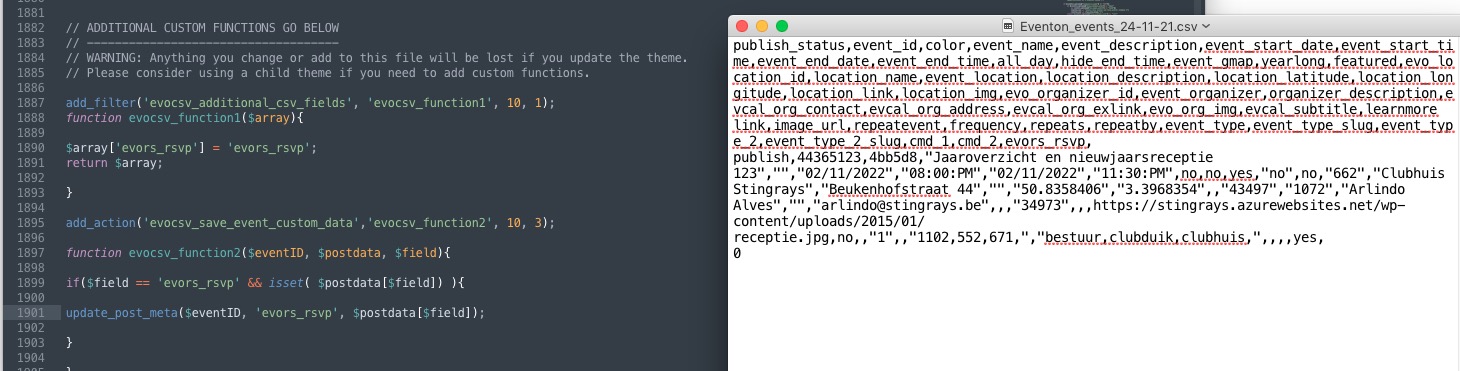
The code seems correct, however it doesn’t enable RSVP
Could you check and let me know?
Ok it works, thank you!
Thank you for your messages, I am going to assign this ticket to Ashan and he will be able to take it from here and find you a solution. Please allow some time for him to get back to you, we greatly appreciate your patience and thank you for being a eventon customer! Also please disable any IP blocking on your site if there are any.