Thank you 🙂
Archives: Replies
Replies for tickets on suppota
Reply to: tickets(260450)
Hello,
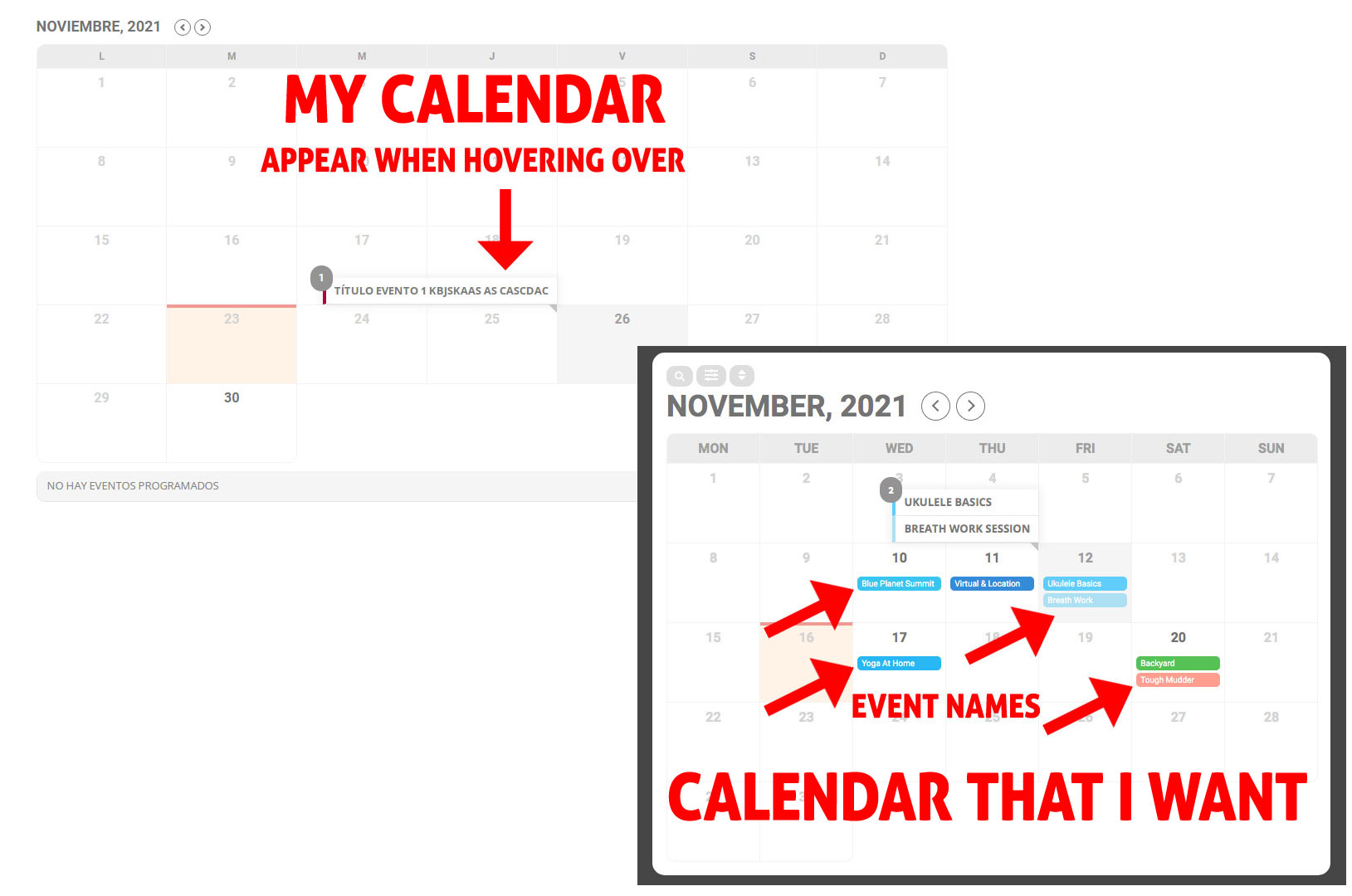
I can only see the event names when hovering over with the mouse.
I want them to look as you have in the example on your site.
I attached image of my calendar and image of the calendar I want.
Thanks a lot
Oriol
Reply to: tickets(260490)
Thank you for your messages, I am going to assign this ticket to Ashan and he will be able to take it from here and find you a solution. Please allow some time for him to get back to you, we greatly appreciate your patience and thank you for being a eventon customer!
Reply to: tickets(260489)
I have now activated them both in RSVP and tickets
Myeventon>>>>>tickets/rsvp >>>>pdfer settings
so they should now be sent with the order?rsvp confirmation email
Reply to: tickets(260494)
see video below
Reply to: tickets(260493)
in myeventon>>>>.settings>>>>event card design
look for the “add to calendar” section and simply click the eye icon on the left to not display it (or you could click the minus sign on the right)
Reply to: tickets(260456)
Okay.
They just told me that it may come from a problem with how the plugin is created.
They just added this code to the file. I say this in case it would help you. Thank you so much for everything.
if ( ! $extra_fonts || ! is_array( $extra_fonts ) ) {
$extra_fonts = $template_fonts;
continue;
}
Reply to: tickets(260479)
Hi Artem
I’ve bought, but don’t think it can do what I’m looking for. Eg Attendee 1 books the first date and they are assigned the slot on the other 4 days.
The attendees need to be the same for each of the 5 events. So somebody can’t just jump in on event 2 as they need to have completed event 1.
Reply to: tickets(260411)
thanks, let’s hope they can have the solution soon
Reply to: tickets(258492)
With the default theme Organizer pages start working:
https://au-centre.ch/event-organizer/anke-gafner/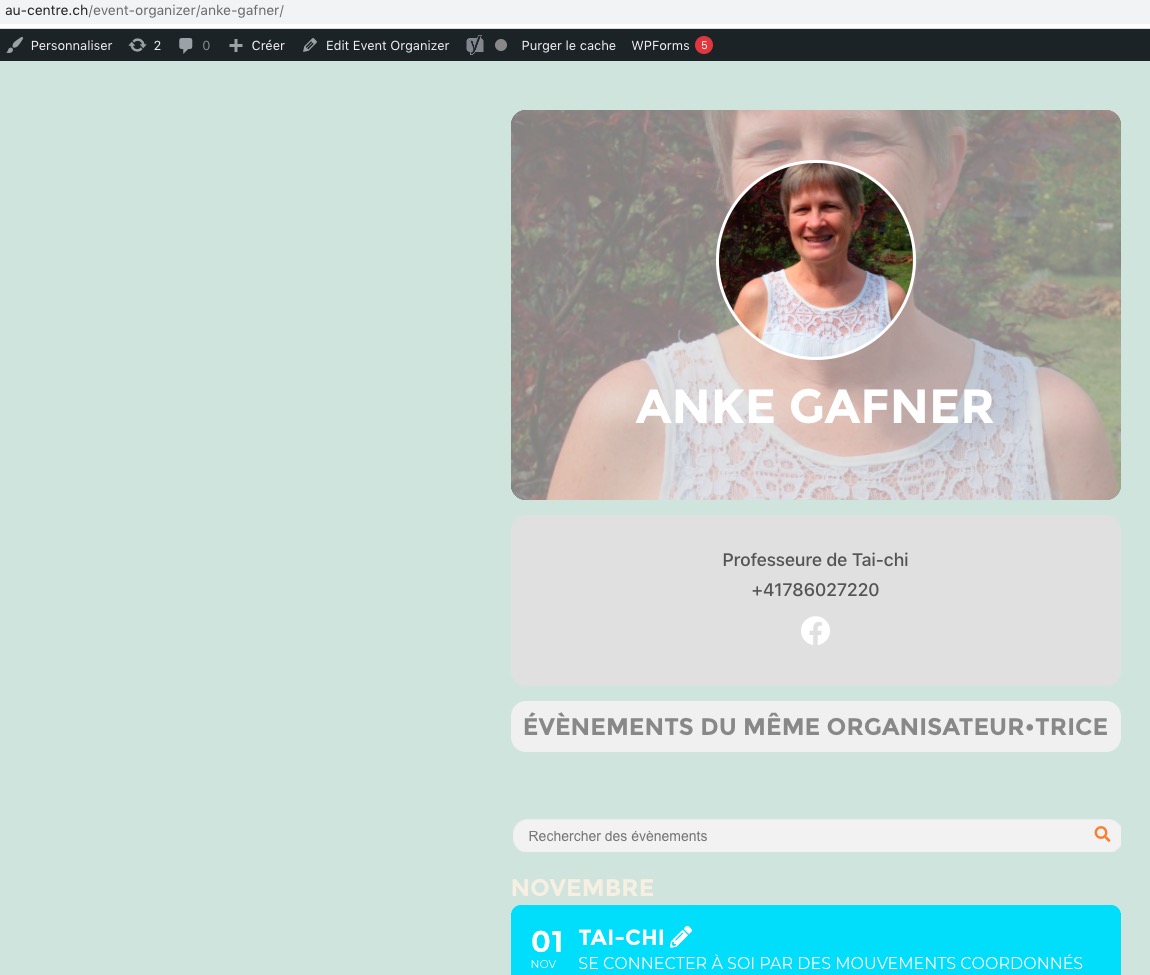
Could you contact Themify Split developers and ask why when their theme is activated this page isn’t available anymore: https://au-centre.ch/event-organizer/anke-gafner/