please resave your permalinks
so in wordpress dashboard look for Settings>>>>permalniks
then simply resave the permalinks page
Replies for tickets on suppota
please resave your permalinks
so in wordpress dashboard look for Settings>>>>permalniks
then simply resave the permalinks page
Ashan – just need to know where to edit the email subject line to remove the rsvp ID
I have a feeling that that is in includes/class_emailing.php
as the template files are really for the content of the email- not the other parts of the email
in line 92 I believe but before you edit that- I’ll assign this to Ashan as he’s the boss and should know
I solved the 404 error by following instructions on your site to open Settings-Permalinks and saving without changes.
I am so sorry, but it now appears that the URLs for the event pages are generating a 404 error. You can test this by going to https://seattlewaterfront.org/whats-happening and clicking on any event. It worked before. I will start working on it now. Thank you. Gerard
Thank you so much for this. Yes, the 2nd option will do.
This may sound like a silly question, but where do I find the eventon id for an event?
Hello@themsartbear is my developer and I am helen1 – the account is the same.
we would like to cancel the order as we are not able t use it. Could you please cancel so we are not charged again – I can’t see where to do this in the back end as it’s showing cancelled for me
Thanks
Helen
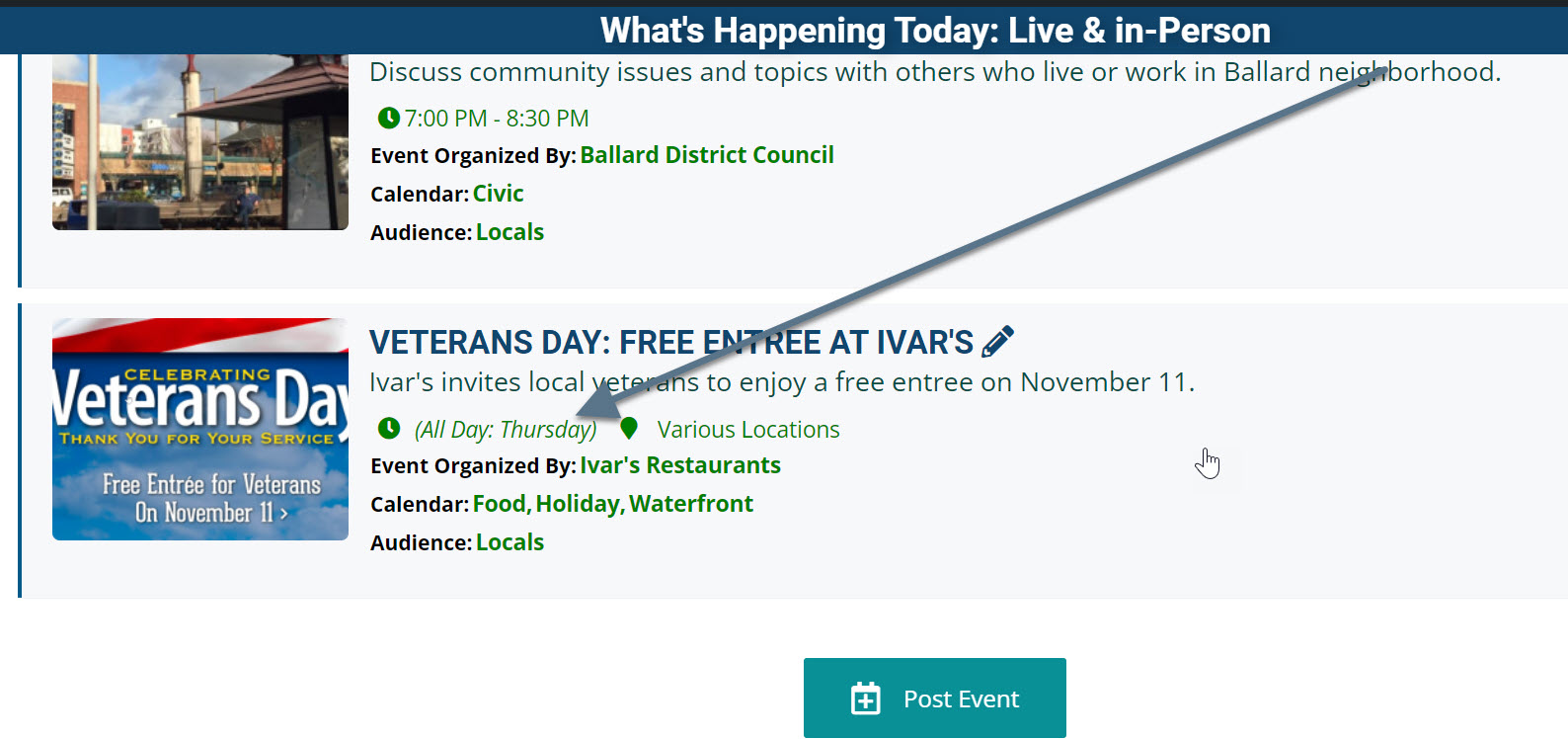
I am noticing another issue. The event for Ivar’s Veterans Day is appearing in today’s list of events (see screenshot) or the last event at https://events.iloveseattle.org. This event should appear under tomorrow’s events (it even says Thursday in the eventtop). I tried the UTC Beta setting – no change. Can you help with this one too, please? Thank you. Gerard
Thanks Kenneth.
I’ve already installed a caching plugin, and verified that the issue is not database related. I’ve upped the resources on the server with my host and verified that the site is not hitting any resource limits.
The issue I have is specifically when logged in to the site, the Events Map addon shortcode that generates the Google Map is taking upwards of 5-10 seconds to load. This is an issue for us because we also have the Action User addon so that front end users can manage events. Since those users will be logged in, they will be impacted by this performance issue.
Can you please take a look and give me any insight as to why being logged in would affect the Events Map addon performance so greatly?
Thanks.
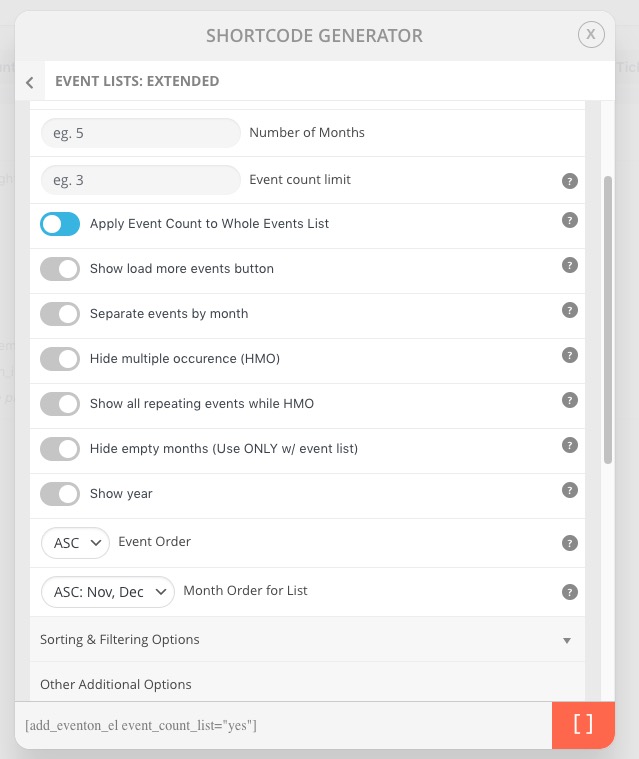
1. “Apply Event Count to Whole Events List” (event_count_list) is already available:
2. About the styling issue. Could you try adding eventtop_style=”0″ to the shortcode?