Please send us wp-admin access to your site as a private message for us to further assist your situation.
Archives: Replies
Replies for tickets on suppota
Reply to: tickets(258356)
Thank you for this. Very much appreciated. Great job!
Reply to: tickets(257499)
Cool 🙂
Reply to: tickets(256111)
please update to tickets addon latest version https://docs.myeventon.com/documentations/changelog-event-tickets/
Reply to: tickets(253367)

Reply to: tickets(253367)

image again lets see if it comes correct 🙂
Reply to: tickets(253367)
Hello Susanne if you look at the API addon you can see the code you can use to paste on external sites to show just one event.
You can use similar code to paste created event using event ID to show the event on external website.
Reply to: tickets(254309)
At the moment you do not have any future events. That is why the slider is showing as empty.
https://wvsnits.nl/eventon-test/
Reply to: tickets(257499)
Ok, great – we’ll give it a try. Thank you.
Reply to: tickets(253941)
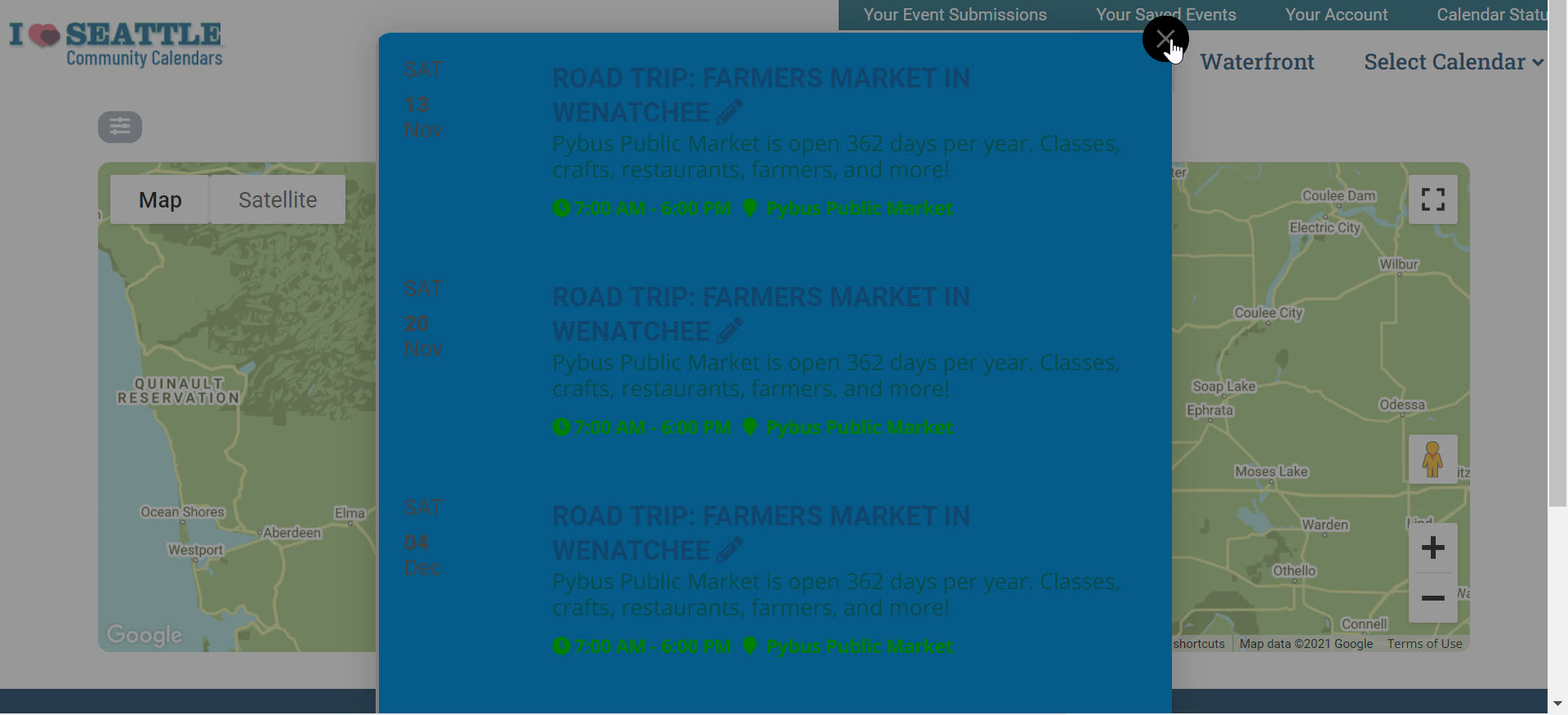
Hello. I am also interested in this issue. We have been evaluating EventON for several months. We maintain the calendar of a partner organization and they display that calendar on their website through the EventON API at: https://seattlewaterfront.org/whats-happening/
As you can see, the background colors have turned blue on the partner site. There is no shortcode to adjust, so is there an easy CSS fix? I would like to revert to the appearance it had before updating to 4.0.
Similarly, clicking on any event in Map or Search also shows a color change to blue following the 4.0 update, even with the eventtop_style=”0″ added to the shortcode and single page set to Clean White. Here are links to these two fussy calendars https://events.iloveseattle.org/event-map-seattle/ and https://events.iloveseattle.org/search/
Thank you!