And I just wonder why RSVP is not looking properly. Please have a look here:
https://bettfedernfabrik-oberwaltersdorf.com/veranstaltung/tricky-niki-3/
Please press button “Ticket yes”.
Thanks you
Replies for tickets on suppota
And I just wonder why RSVP is not looking properly. Please have a look here:
https://bettfedernfabrik-oberwaltersdorf.com/veranstaltung/tricky-niki-3/
Please press button “Ticket yes”.
Thanks you
I need to be productive, ask for an answer!
thank you for your understanding
Hello,
Please send a screenshot of how the image appears on your phone so that we can try to replicate the issue.
Hi Corey,
Please try again, maybe it was a temporary error.
If it does not work, you can update eventon manually.
To update eventon to latest version: If you are unable to do autoupdate, you can go to codecanyon your account > download and get the latest eventon version as zip file. Then you can go to your website, deactivate old eventon, activate (Do not delete eventon settings & data when EventON is uninstalled) from eventon settings, delete old eventon, install new one and activate. This link will further explain the process it.
Hi Jordan,
Please add eventtop_style = “0” to your shortcode. That should fix it.
Hi Sergio,
To downgrade, download the previous version then you can go to your website, deactivate the current eventon, activate (Do not delete eventon settings & data when EventON is uninstalled) from eventon settings, delete current eventon, install new one and activate. This link will further explain the process it. Also you can follow us on twitter to get real-time announcements on updates!
thanks for your answer,
I tried to do as you say but the result does not change.
What procedure should I follow to downgrade to the previous version? Where can I find the documentation to do this?
Sergio Maria
Hello thans for your help. It is still not working.
I referr to the image i sent you.
1) is not working (please see here : https://bettfedernfabrik-oberwaltersdorf.com/)
2) is fine
3) is fine
Any help most wellcome! Thanks.
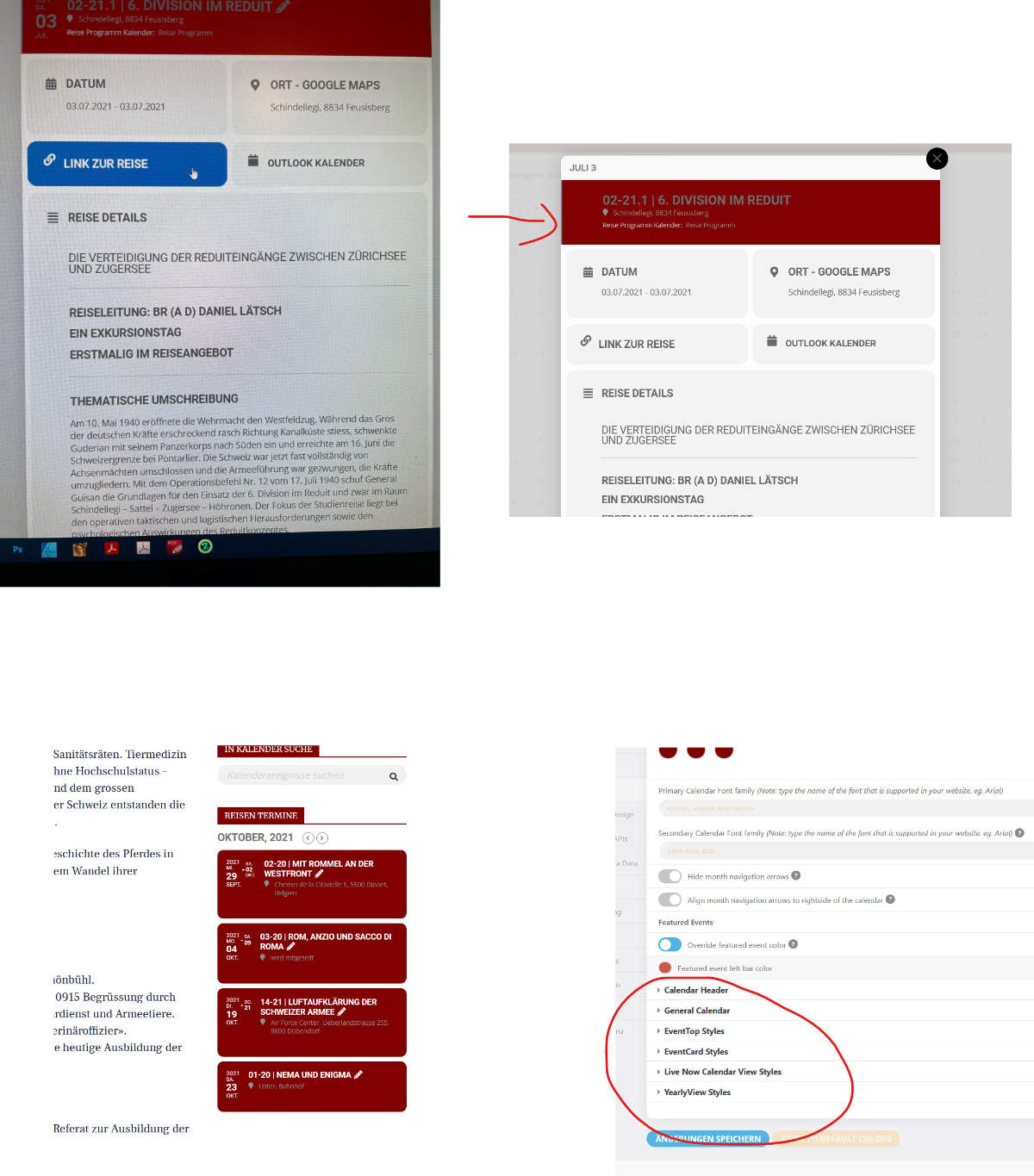
This morning I got the message that a new update is available, V 4.0.1
There are still some details different from the old version, please help.
Link color, where can I use that like the other elements without this blue background?
Background color not red and text black
Background color not red and text black
Where exactly can I make these changes?
Please answer quickly, I have several licenses and I need to adjust everything!
Can you please attach a larger screenshot, a small image is attached