We are sorry for the delay.
because the icon for each section moves the text and is difficult to read
Could you send us a screenshot of this part so we can give your the code?
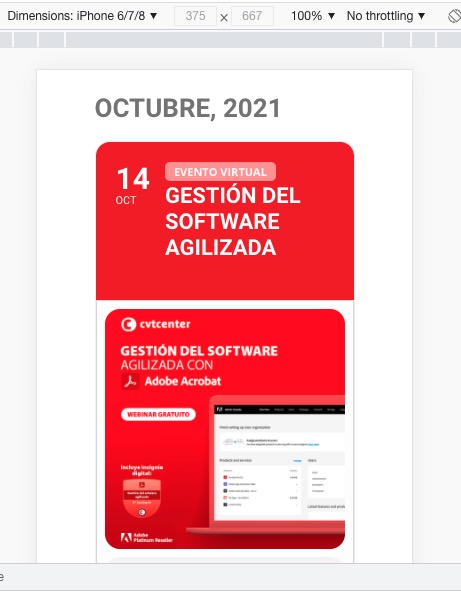
of the event type text and its symbol, or the color of the thin white border on the top of the card
This part as well.
hmmm what should be happeneing is the words change to something like
“RSVPing is closed at this time.”
for example the dev site does it right https://dev2.myeventon.com/events/xcfdffg/
Could you please try the instructions mentioned in this documentation to make sure your issue is indeed coming from eventon. This helps us pin point that the issue is not coming from another plugin or theme
Hello,
Could you also clean browser cache? 
you put that in the calendar shortcode
I may have fixed it? but I don’t have a frame of reference
see video
is that the right color?
If you get on and his initial reply makes sense to you let them know
you can add an image to your replies now
This ticket is private so only you and staff can view this entire ticket.The email address: master@bkc.nu
doesn’t appear to have any eventon purchase or addon purchase connected to it
Hi,
Thanks for your reply but I think you didn’t understand my issue.
If you click the right arrow on a 27 inches screen you will see in total 6 events. If you look on a 13 inches screen you will see only 5 events clicking on the right arrow. One event disappears completely on smaller screens. It’s not a responsive displaying issue.
Could you look again and let me know please?
Thanks in advance
We can’t access the wp-admin to check see video below-(possibly IP address country blocking) and after that is explained in the video it shows you some errors in your shortcode
[add_eventon_fc eventtop_style =”2″ lang =”L1″ show_et_ft_img =”yes” event_type_2 =”42″]
if that doesn’t fix things please ensure we can get in to diagnose
Please send us wp-admin access to your site as a private message for us to further assist your situation.