All good. Thanks for the clarification!
Archives: Replies
Replies for tickets on suppota
Reply to: tickets(254968)
Okay, I will assign this ticket to Ashan so that he can do that.
Reply to: tickets(254966)
Hello,
Could you update RSVP add-on to 2.7.4?
To update eventon addons: You can download latest eventon addons from myeventon > my account. Then you can go to your website, deactivate old addon and install new one and activate then delete the old addon. This link will further explain the process. Also you can follow us on twitter to get real-time announcements on updates!
Reply to: tickets(253463)
Unfortunately, no. However please create a new ticket and select Feature Request as category so others can vote on your idea and get it moved into development faster.
Reply to: tickets(254912)
Hello,
Could you please update EventON to 4.0.1 and check with clean cache?
To update eventon to latest version: If you are unable to do autoupdate, you can go to codecanyon your account > download and get the latest eventon version as zip file. Then you can go to your website, deactivate old eventon, activate (Do not delete eventon settings & data when EventON is uninstalled) from eventon settings, delete old eventon, install new one and activate. This link will further explain the process it. Also you can follow us on twitter to get real-time announcements on updates!
Reply to: tickets(253136)
We are glad your issue is resolved, if you have any further questions or concerns please create a new ticket.
If you have a moment, we would greatly appreciate if you could kindly leave us a review at codecanyon! from your account > downloads. Cheers!
Reply to: tickets(254769)
Unfortunately, we unable to help with customizations. Please search for “evo_ics_gCal” in the code and then copy it to the email template.
Reply to: tickets(254998)
Hello,
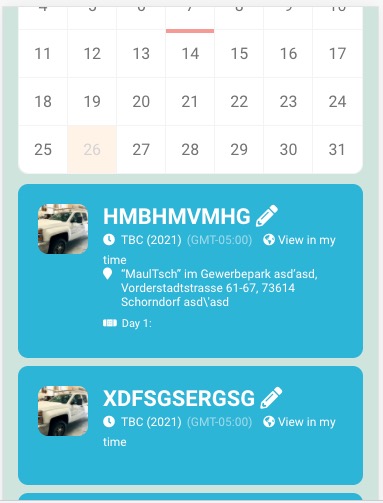
Do you have similar issue with the calendar on our test server: https://dev2.myeventon.com/?page_id=28185? Seems to be working:
Reply to: tickets(255001)
Hello,
Could you try adding ux_val=”4a” to the shortcode?
Please make sure that “Learn More” is visible: https://docs.myeventon.com/documentations/make-sure-eventcard-data-visible/.
Reply to: tickets(255002)
Hello,
Please take a look at how it looks from the inside:
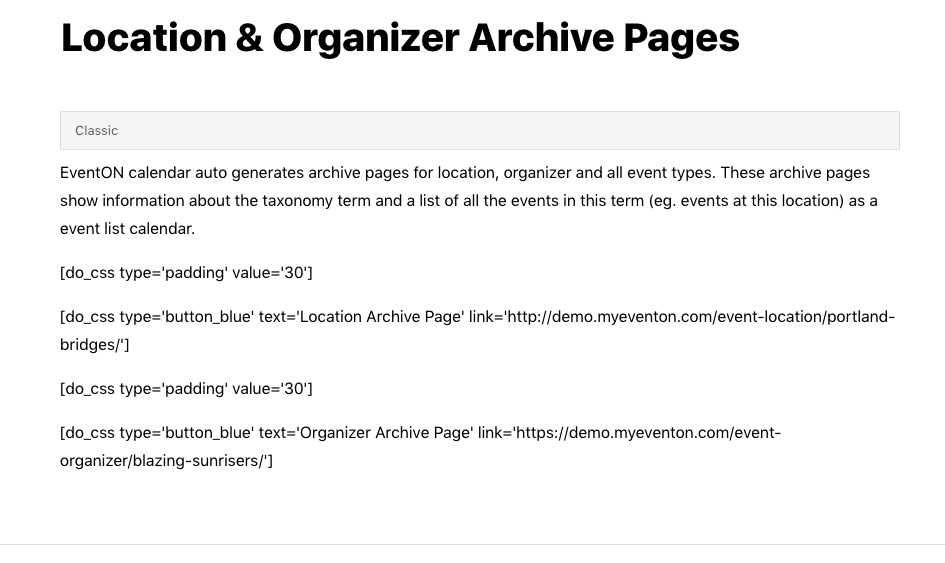
We used do_css shortcode.
Please also note that we unable to help with customizations. However, you can do var_dump($event_organizer_term) and see which variable holds the required value.