hi, i have same error also after last update (eventon v. 4).
Archives: Replies
Replies for tickets on suppota
Reply to: tickets(254318)
AH! I think I found it and understood it. The X means “delete”
I have now removed these lines, now the view fits again!
Reply to: tickets(254362)
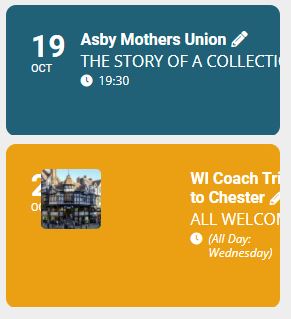
New Format
Reply to: tickets(254362)
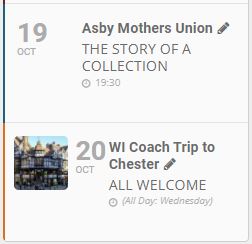
Reply to: tickets(254318)
Hi, Hi, unfortunately the graphics cannot be enlarged so that I cannot even see what I should delete or change.
Reply to: tickets(232990)
You are very much welcome. I will go ahead and close this ticket now.
Cheers!
Reply to: tickets(232990)
Will do — sorry for the 64!! And thanks for this. Will start new ticket if additional questions.
Reply to: tickets(253372)
EventON 4.0 is available. Could you try updating and let us know?
To update eventon to latest version: If you are unable to do autoupdate, you can go to codecanyon your account > download and get the latest eventon version as zip file. Then you can go to your website, deactivate old eventon, activate (Do not delete eventon settings & data when EventON is uninstalled) from eventon settings, delete old eventon, install new one and activate. This link will further explain the process it. Also you can follow us on twitter to get real-time announcements on updates!
Reply to: tickets(253910)
Could you add this to both shortcodes:
eventtop_style=”0″
We apologize for the inconvenience.
Reply to: tickets(253767)
Please go https://www.artsixmic.fr/wp-admin/edit.php?post_type=shop_order.
More info on how to manage orders: https://docs.woocommerce.com/document/managing-orders/