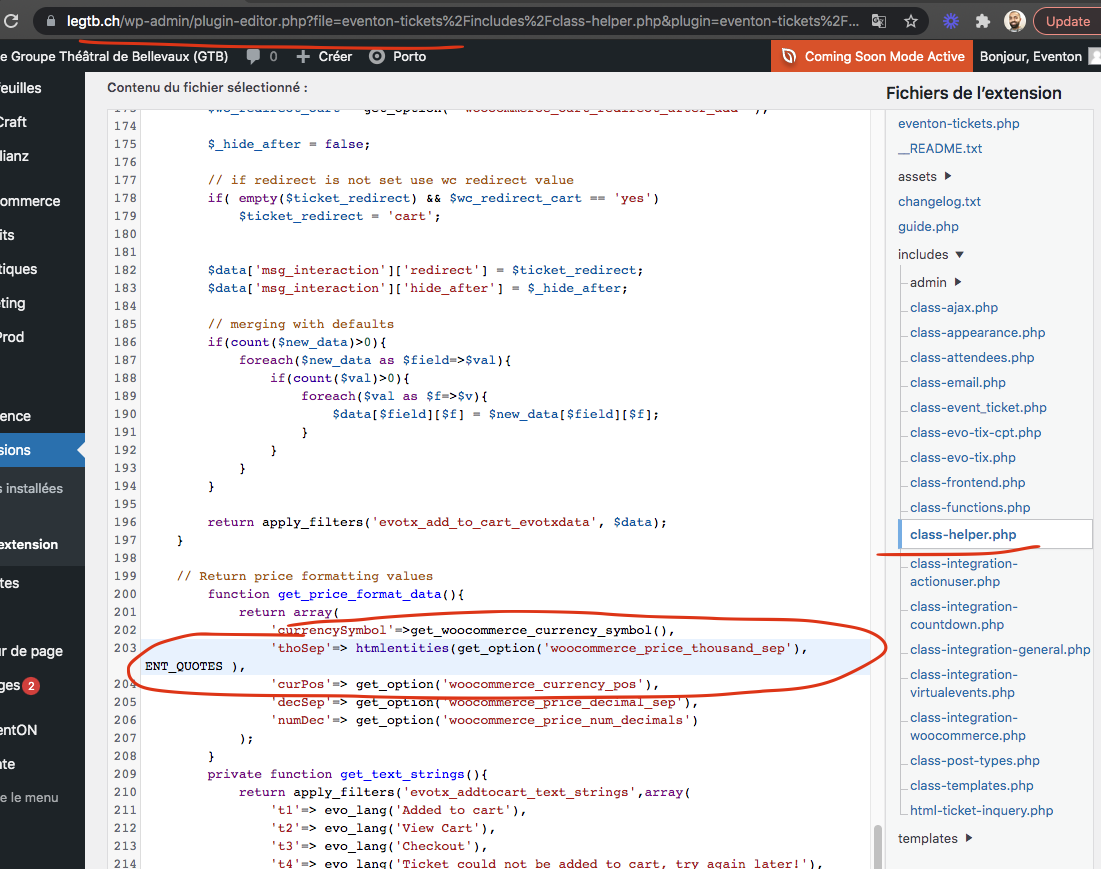
Unfortunately, the WordPress email also cut off in that line. Looking at the server error logs, I have this, though it doesn’t give much more information:
PHP Fatal error: Uncaught Error: Call to undefined function EVO_Error() in /nas/content/live/speakfs/wp-content/plugins/eventON/includes/products/class-evo-products.php:227nStack trace:n#0 /nas/content/live/speakfs/wp-content/plugins/eventON/includes/products/class-evo-product.php(232): evo_prods->get_remote_prods_data()n#1 /nas/content/live/speakfs/wp-content/plugins/eventON/includes/products/class-evo-product.php(202): EVO_Product->_check_remote_updates_reload()n#2 /nas/content/live/speakfs/wp-includes/class-wp-hook.php(305): EVO_Product->check_update(Object(stdClass))n#3 /nas/content/live/speakfs/wp-includes/plugin.php(189): WP_Hook->apply_filters(Object(stdClass), Array)n#4 /nas/content/live/speakfs/wp-includes/option.php(1977): apply_filters(‘pre_set_site_tr…’, Object(stdClass), ‘update_plugins’)n#5 /nas/content/live/speakfs/wp-includes/update.php(357): set_site_transient(‘update_plugins’, Object(stdClass))n#6 /nas/content/live/speakfs/wp-includes/update.php(899): wp_update_plugins()n#7 /nas/content/live/speakfs/wp-inc in /nas/content/live/speakfs/wp-content/plugins/eventON/includes/products/class-evo-products.php on line 227, referer: https://www.franchisespeakers.com/wp-cron.php?doing_wp_cron=1633461029.8081638813018798828125
Jessie, so sorry for the late reply. First of all I love how you used fullCal on your site! great job!
Could you kindly send me admin and subscriber user logins again they do not seems to be working.
Also are you wanting subscribers to edit events via event manager on frontend of be able to edit on backend?
EventON is only available on CodeCanyon. Please follow this guide:
To update eventon to latest version: If you are unable to do autoupdate, you can go to codecanyon your account > download and get the latest eventon version as zip file. Then you can go to your website, deactivate old eventon, activate (Do not delete eventon settings & data when EventON is uninstalled) from eventon settings, delete old eventon, install new one and activate. This link will further explain the process it. Also you can follow us on twitter to get real-time announcements on updates!
We are very sorry but no updates yet. We are working on a huge update so Ashan will check this ASAP.
Pierre, kindly test your site I made this change in the code which works on our end. This will be in the next tickets addon update
We are very sorry for the delay. You can open as much tickets as you want.
About your last question. Could you go to EventON Settings > enable Remove schema data from calendar and/or Remove JSON-LD data for events?
Bill, we have been testing the new version for quite some time, however if you’d like to test future versions I’d love to take your offer 🙂
Ah no worries Morten 🙂 glad you figured it out! Thank you for offering to test. The current version is ready to go now. However if you would like to test future versions, I’d love to take up on your offer. Please let me know and I will add you to our beta tester list and you will get a email to test new features of new version before its released AND some goodies 🙂
About the original issue. There is not much you can do since the issue is with with the theme itself. Maybe you can somehow disable it’s counter and only leave EventON’s?
We are very sorry for the delay.
You can either go to Events > Edit Event > Tickets > Emailing or go to WooCommerce > Orders > Re-send Ticket(s) Email.