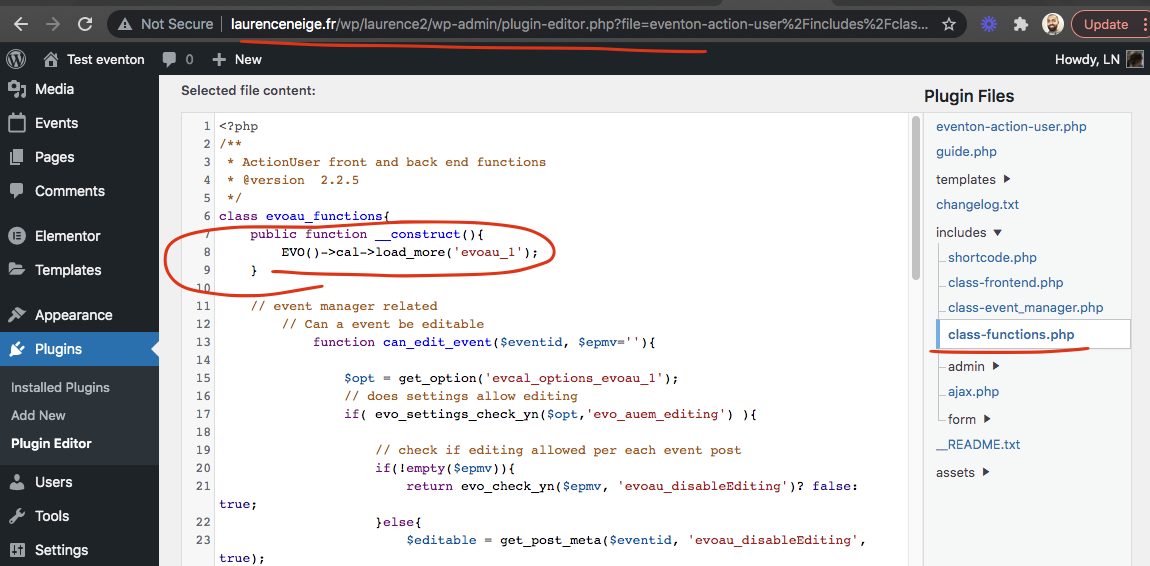
Hey, thanks for the patch. It works perfect.
Now we can plan further projects with event on.
Great plugin.
Regards Michael
Replies for tickets on suppota
Hey, thanks for the patch. It works perfect.
Now we can plan further projects with event on.
Great plugin.
Regards Michael
Hi Brad,
Kindly grant that user admin access so that we can able to troubleshoot the issue effectively. Meanwhile, could you please try the instructions mentioned in this documentation to make sure your issue is indeed coming from eventon? Also, ensure that you are using the latest version of Eventon and all addons. You can check for the latest versions here http://www.myeventon.com/documentation/latest-versions-of-addons/
Hello!
Im glad you have a resolution and i understand you are working as fast as possible but do you have a rough estimate so i can tell my client. They want me to test other replacement solutions and i’d prefer not to.
thank you for letting us know of this. I think the issue is with wp_query taking so much data on the initial ajax call that is just doesnt return anything.
In eventON 4.0 (which we are working right now as fast as we can) we are hoping to add support for weeklyview to load calendar initially without ajax using cal_init_nonajax=’yes’ shortcode.
Please stay tune.
So the speaker and schedule IDs will be in the eventCard in the next version release to speaker and schedule addon update 🙂 If you have more questions, kindly send us a new ticket and we would be more than happy to help you resolve your issues!
If you have a moment, we would greatly appreciate if you could kindly leave us a review at codecanyon! from your account > downloads. Cheers!
order refunded.
Hi there Morten, really sorry for my delay we have been working on the new eventON 4.0 and been caught up on that 🙂
I can also see this when I tried to save this https://viborgfolkeuniversitet.dk/wp-admin/post.php?post=723&action=edit
I think your site is running out of php memory. please try increasing the limits https://docs.myeventon.com/documentations/increasing-wordpress-memory-limit/
Hmm it could also be the web hosting account you are given only certain amount of data bandwidth and with other plugins and themes + eventON it is just pushing it over the allowed limit.
EventON save all the event post meta into custom post meta database table. Please try increase memory and see if that helps?
admin login:
support@eventon.com
N2jQq(%Hb5gff**lbl(qmdUM
login page:
https://iwpportugal.org/login?redirect_to=https%3A%2F%2Fiwpportugal.org%2Fwp-admin%2F
found the error and fixed it for you 🙂
here is the patch fix/