Hello,
Please add exp_so=”yes” to the shortcode.
Replies for tickets on suppota
Hello,
Please add exp_so=”yes” to the shortcode.
…is is added automatically by the EventOn plugin.
EventON doesn’t have such functionality.
In functions.php of the theme there are some custom code that is referring to EventON. But it’s commented:
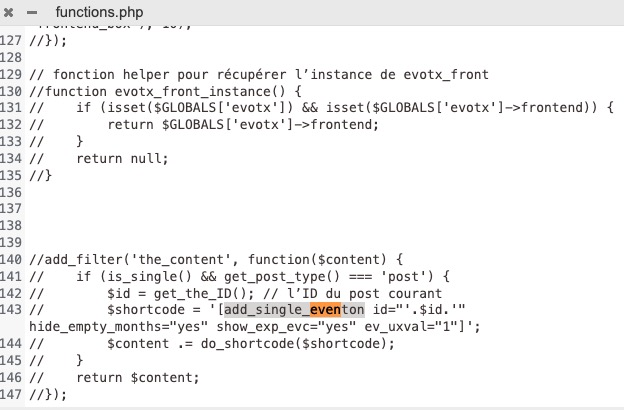
Could you tell us if there is more custom code that uses EventON to add it’s shortcodes directly to pages through the source code.
In French, it’s an abbreviation for “Réservation” (Reservation).
I only found the Resa ID in a temp file in one location. “Resa”
After some research, I get the impression that the code after the posts is added automatically by the EventOn plugin.
And most importantly, I only want to add the upcoming dates related to the show, as we don’t see all the shows for all the events.
Thank you for your help.
Hello, the Order ID of the purchase is #215364, so you can process the refund.
Thank you
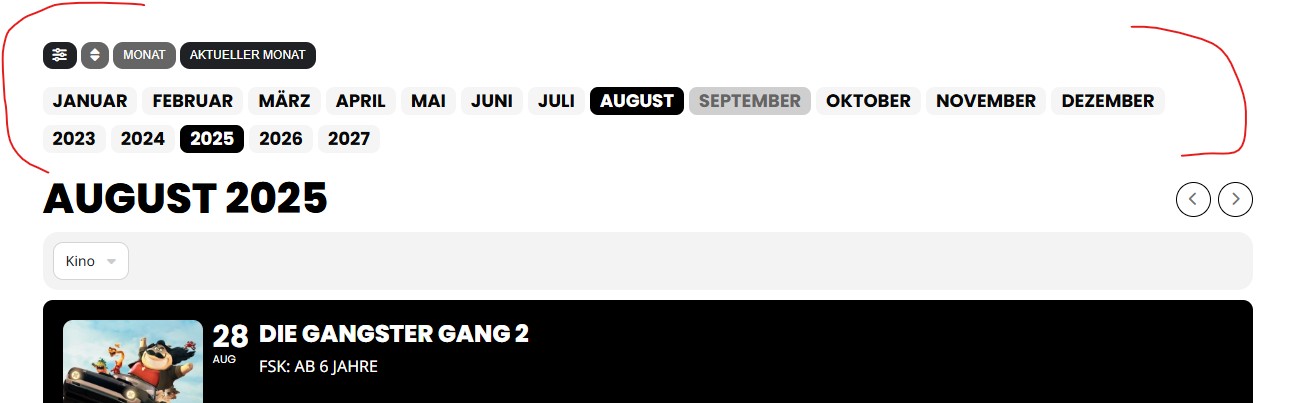
Hallo, ich möchte gerne das die Filter immer geöffnet bleiben (siehe Screenshot) was für einen Shortcode brauche ich da? Danke!
Thank you for your messages, I am going to assign this ticket to Ashan and he will be able to take it from here and find you a solution. Please allow some time for him to get back to you, we greatly appreciate your patience and thank you for being a eventon customer!
Please also send us Order ID of the purchase.
Hello Ashan,
Sure, here are the admin credentials I’ve set up for you:
URL: https://hispanauta.com/wp-admin
User: eventon
PW: nthsF2a2N6Ps!CqHU$)sHdjt
I’ve tried the above alternative and sure, I guess I could use that. The background image in the tiles however, until clicked on and fully opened,, is quite out of focus or blurry, so it’s not so nice… I mean, it doesn’t look clean so to speak. Any way I can improve that?
Thanks so much!
Maybe you should take a look at Event API:
https://www.myeventon.com/addons/event-api/
I believe that it should be the easiest solution for you.
Please check and let me know.
Try on
https://dev.myeventon.com/wp-admin/
We are sorry for the delay. I contacted Ashan about this. He’ll reply ASAP.
Hello,
By default Event Slider shows one event at a time. Please remove this custom CSS code to fix the issue:
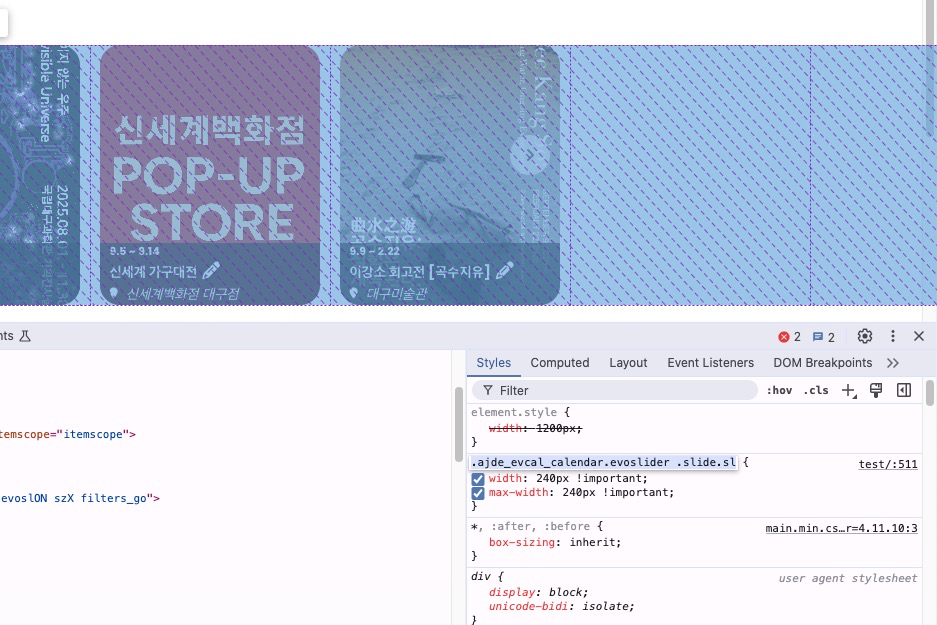
It should be located in wp-admin > Appearance > Customize > Additional CSS.