
)) I know how to do it on the event page. But how can I put it inside other pages?
Here for example https://dk28.site/spectacles/varyatka/
Replies for tickets on suppota
)) I know how to do it on the event page. But how can I put it inside other pages?
Here for example https://dk28.site/spectacles/varyatka/
Just an update on this, I ran a test on the staging environment.
The order was for one, but it reduced the ticket stock by 2 and sent 2 emails for the same order ID ( staging.arts1.co.uk ) – same login credentials.
I refreshed the cart page, I’m not sure if this is helpful or not.
Let me know if you need any further details. Thank you.
hello,
it seams that I messed up with WP Rocket. Ich changed setting,For now I think ist work fine. Can you please check the widget again?
Thanks.
Hi there,
If only eventON add-ons are at http://myeventon.com, then it clear that I don’t need login information.
Sorry for the inconvenience!
The ticket can be closed.
Kind regards,
Maurice.
Ashan,
Partially refunded order:
https://dev2.myeventon.com/wp-admin/post.php?post=27997&action=edit
Event:
https://dev2.myeventon.com/events/seats-7/ (C2 and C3 both are unavailable)
We are very sorry for the delay. Ashan is working on the issue. Please allows us some time to fix this.
Please take a look at https://www.wpbeginner.com/wp-tutorials/how-to-fix-fatal-error-maximum-execution-time-exceeded-in-wordpress/ > Fixing Maximum Execution Time Exceeded Error.
Please go to wp-admin > Events > View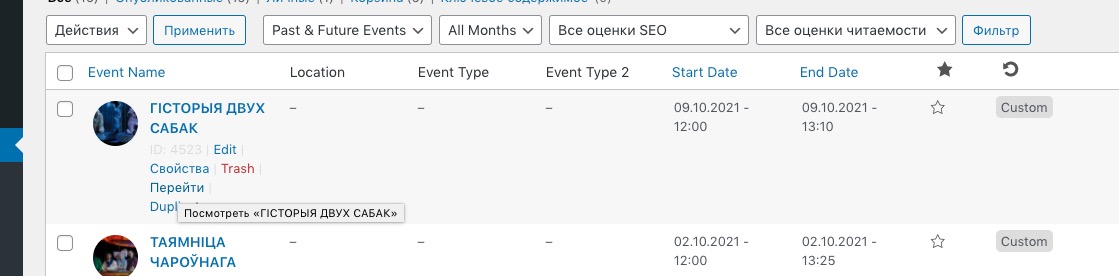
Ashan
https://dev.myeventon.com/events/test-booking/
the booking info does not siplay on the event