Please send us wp-admin access to your site as a private message for us to further assist your situation.
Archives: Replies
Replies for tickets on suppota
Reply to: tickets(251924)
i had a look and your current rsvp version 2.6.12 is not compatible with 3.1+ (eventon is now at 3.1.7)
however i see you have a customization which we don’t know what that does so who did that customization?
i cannot access the myeventon>>>>>settings
when you have a customized variation of eventon- you need to contact by name the person who did the customization as the staff here don’t know who does what kind of customizations- they are the ones to tell you to update so tell us who did the customization and we can assign them
now with regards to this event: https://staginghrs.wpengine.com/wp-admin/post.php?post=47401&action=edit
you have set that to send to training@hawkridgesys.com
is that the right email address or the second unwanted email?
Reply to: tickets(249120)
already did it 🙂
Reply to: tickets(251924)
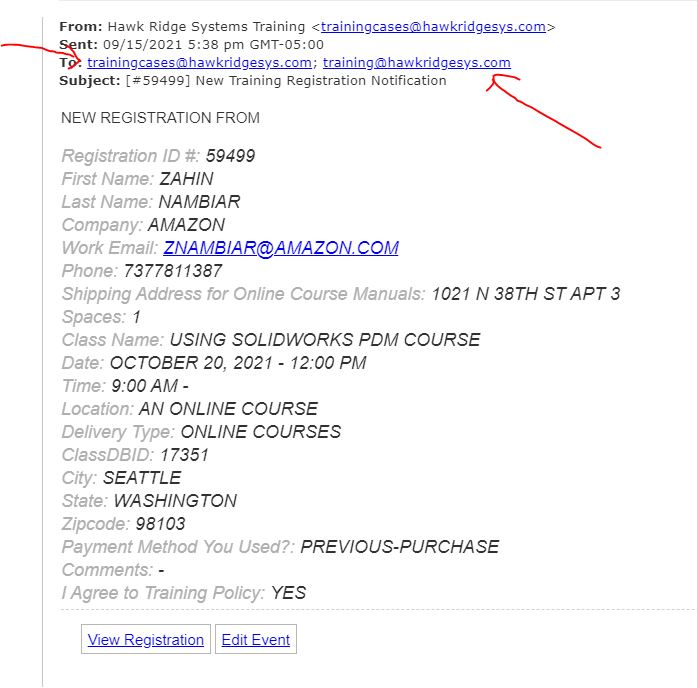
please see image below. I cant update RSVP. can you please just take a look
Reply to: tickets(251494)
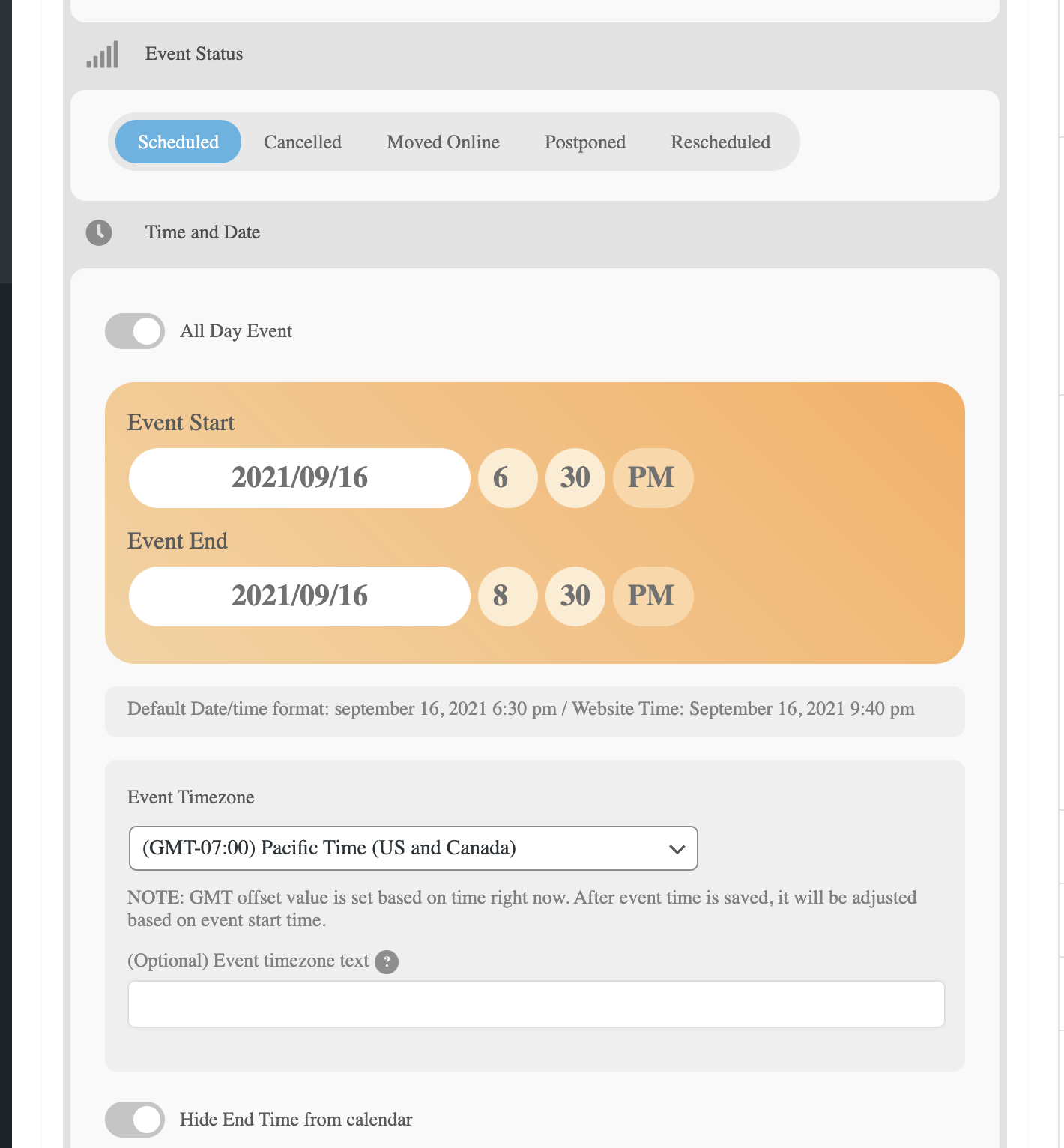
See attached screenshots showing events in future (ie. in a few hours later today) ALL EVENTS set to the same TIME ZONE Pacific Time – ONLY show up when you choose the filter for Past & Future events. Not for FUTURE events only. I WANT ALL FUTURE EVENTS and ONGOING events to show up in FUTURE EVENTS!! Often people are checking the events calendar the day of the event and if it disappears that is ridiculous. It should not go away until the DAY AFTER the event is over!!!
Reply to: tickets(251991)
Hello,
Please add
number_of_months=”12″
to the shortcode.
Reply to: tickets(251518)
Hi Ashan,
I think I bought EventOn by using e-mail address scorpiocrew@zonnet.nl or mail.fiyah@gmail.com. A couple of months ago I cleaned up some e-mail addresses including the mentioned ones. They are cancelled, I can not use them anymore.
Therefor I asked you kindly to change the account’s e-mail in scorpiocrew@pm.me, this address is in use/active.
I herewith send you my Item ID and Item Purchase Code:
Item ID:
1211017
Item Purchase Code:
b50a3e30-d0b2-40e6-a8da-78cebf8d0d7c
If you need any other information, then please let me know.
Kind regards,
Maurice.
Reply to: tickets(251916)
Hello,
The only other option is wp-admin > Edit Event > Event Status.
You can also replace Cancelled with Finished by following https://docs.myeventon.com/documentations/how-to-translate-calendar-front-end/
Reply to: tickets(251765)
Some parameters may not be available when creating the event, because of how Tickets (and WordPress) works. Do you need our help with anything else or can I close the ticket?
Reply to: tickets(251599)
Hello,
I am sorry, the access information you have provided did not work for us. Please check them and post the correct login information as a private message, thank you!
Please also take a look at this guide: https://docs.myeventon.com/documentations/make-sure-eventcard-data-visible/