With RSVP you could try using https://docs.myeventon.com/documentations/set-additional-fields-rsvp/ > Drop Down Options. Add Booking Block times manually for customers to choose from.
Archives: Replies
Replies for tickets on suppota
Reply to: tickets(251762)
Hello,
Please follow the instructions in this documentation to activate debug in your site to see any PHP errors recorded that can provide insight on to whats going on. Please reply with a link to debug.log file. If you are not able to do this please send us FTP access to your site so we can do this for you.
Reply to: tickets(251765)
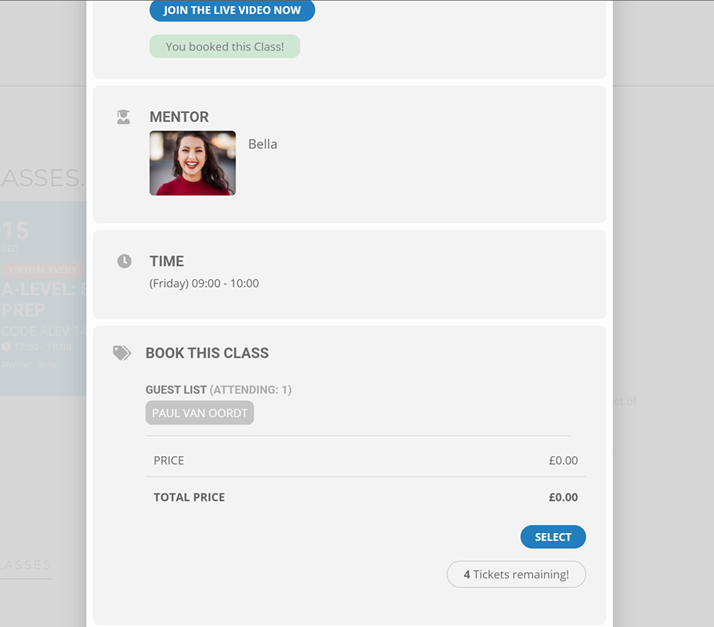
The screenshot of the issue.
Reply to: tickets(251698)
Well no, I need to manage blocks of time, but without woocommerce … it’s a nuisance for nothing!
Reply to: tickets(251492)
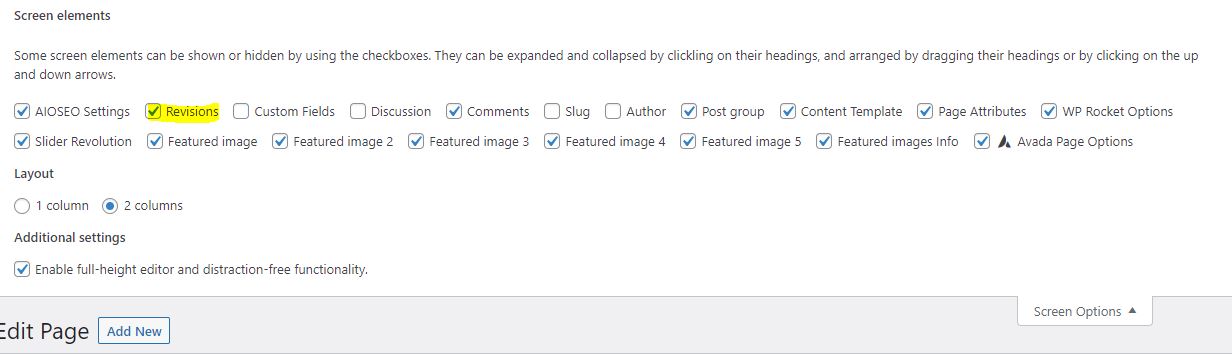
please see attached. thank you.
Reply to: tickets(251741)
what normal updates did you do?
Reply to: tickets(250260)
SEE VIDEO BELOW
fort us the issue can only be duplicated by playing around with the size which is something only a web developer does.
Reply to: tickets(250073)
Of course. Thank you for looking into the issue. Very happy to answer Qs any time about this. I’ve been fiddling with it for a while, trying to understand the cause but so far I’m still struggling to reproduce the issue. Happy to hear from you any time and grateful that you are looking into it.
Clark
Reply to: tickets(251717)
Thank you! That seems to have resolved the time zone issue, however, the duplicate issue still exists and there are now actually 3 instances of the same event rather than 2 as before for the Principal Service on Sep 19 (duplicates still for all following Principal Services such as Sep 26).
https://churchoftheincarnation.org/wp-login.php
eventonsupport
Z^WSoj4Yy*tFSX!09WFtmD0q
Reply to: tickets(251588)

Just another quick thought. See attached.
- Virtual Events Details shows … in blue, how can I make it show a countdown?
- Virtual Event Details, please sign in to access the virtual event information.
But yet, I am signed in. when I click the sign in nothing happens?
I must be doing something wrong.
- When someone RSVP’s can it trigger the purchase now feature?