no sorry my fault or a minunderstanding.
What I need is the php code for that “Location Archive Page” button to add that to my customized data box.
Replies for tickets on suppota
no sorry my fault or a minunderstanding.
What I need is the php code for that “Location Archive Page” button to add that to my customized data box.
Attached PDF with the issue
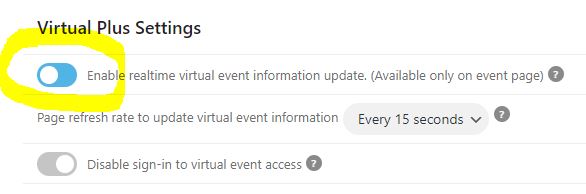
The 401 error occurs again. But I found the cause. It’s because of the Virtual Plus plugin. As soon as the above setting is activated, the error occurs. If the above setting is disabled, no error will appear. I ask you to fix the problem soon.
Hi David !
Thank you very much for your reply and video walkthrough!
I think this is a step in the right direction, but not entirely 😉
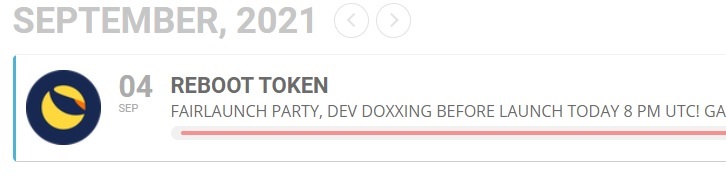
The thing is that i want to have a logo from a cryptocoin in front of the title in the list view.
The only way to get this done is to add this logo as “Event Image”.
Upon opening the event, i dont want it to show this logo as “Event Image” inside the event, but rather have an image from the “Event Extra Images” to be shown.
Is there a way to add a custom image field to add a logo (100×100) in front of the title ?
Than in only have to turn off “Show featured image” in “Event List” settings.
I have seen this in a theme before, but cant find it anymore, nor any plugin which does this.
Eventually i will get the Action package as i want people to submit/list their own event, but need to get this working first, the icon is a crucial detail for me…
Hope you an help me out David !
Gr. Alvin from the Netherlands
http://pumper.io/
so for me the map is now working
if its not for you please clear your browser cache
@infotainerdave
Thank you for the method to find the console… very helpful (and simple!)…I have added my credit card.
@Artem
I have seen the error and read through the guide that you forwarded. I had added the url exactly as you’ve referenced. Funny, though, I did find that I had a typo in the url but now that it’s fixed, I don’t see the Oops message come up in a box where the map would be (as I did before). Now, nothing shows up at all. The console message now reads, “js?key=AIzaSyB5rSx6_MuRrIhICGS9ohdLtsFolZehFDE&ver=1.0:72 Geocoding Service: This API project is not authorized to use this API.”
Please take a look at this screenshot:
Just copy the HTML tag (a) and also styles from .style.css file.
Great! Do you need our help with anything else?
Please also take a look at this add-on: https://www.myeventon.com/addons/rsvp-events/