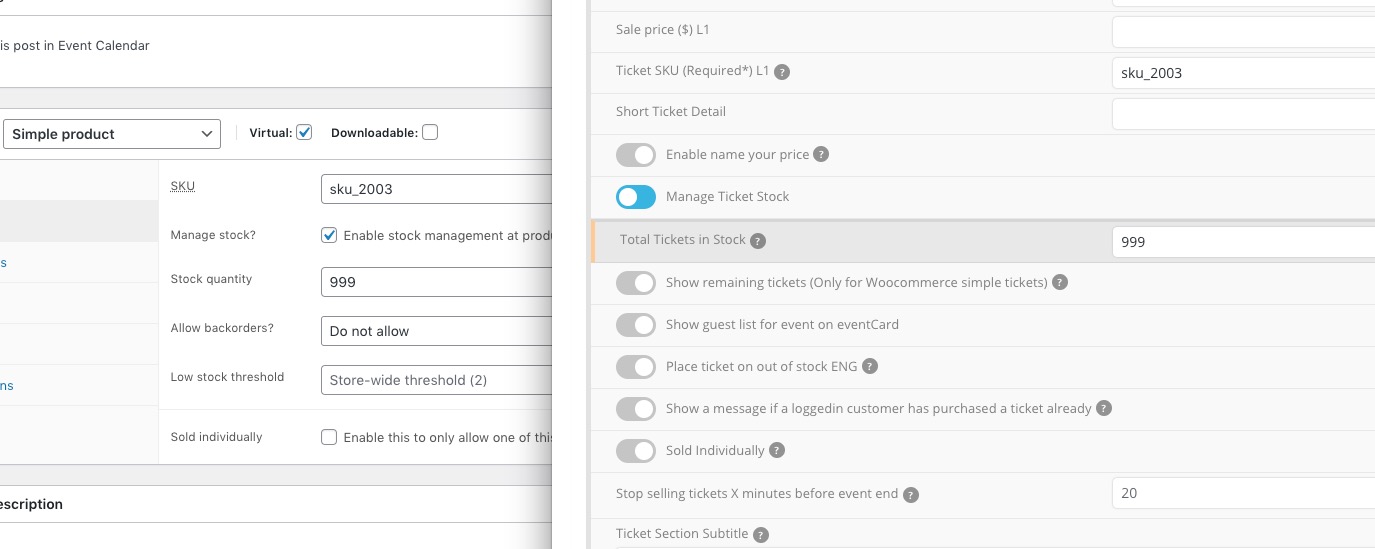
EventON uses Woo’s “Stock quantity”:
Replies for tickets on suppota
EventON uses Woo’s “Stock quantity”:
I should clarify … Is there a way to display the image better when in mobile view? As of not, in mobile view, most of the image gets cut off. IS there a way squish the size of the slider to make the image look better?
Thanks
Hi Erin,
Please add the custom CSS below to Appearance > Customize > Additional CSS
.ajde_evcal_calendar .calendar_header{margin-top:5%;}
Kenneth,
Thank you so much for helping me out! I was wondering how I can set it up so that I can enter specific events only …. or have only specific days or live now slides?
Also, is there code I could use to center the images a bit more on the slide?
Again, thank you for your help and quick response!
Scott
www.effenberger-immobilien.de/wp-admin
User: Eventon
PW: testuser1A*_
Hi Sofie,
Which subscription was renewed?
I am sorry but I need to access wp-admin. Could you check WP login/pass info?
We are glad your issue is resolved, if you have any further questions or concerns please fee free to create a new ticket.
Now the Password is changed.
s289.goserver.host
user: web159
PW: testuser1A*_