You can also install the HTTPS headers addon on lakecounty website and allow X-frame-options and see if that work. — and really sorry for not getting back sooner!
Archives: Replies
Replies for tickets on suppota
Reply to: tickets(223752)
Ok i am confused now. https://www.lakecounty.com/ does not have eventON. https://www.staging9.lakecountybloom.com/ has eventON but not API addon. which site is going to have Events? and which one is the external site you are trying to show events at?
Reply to: tickets(170664)
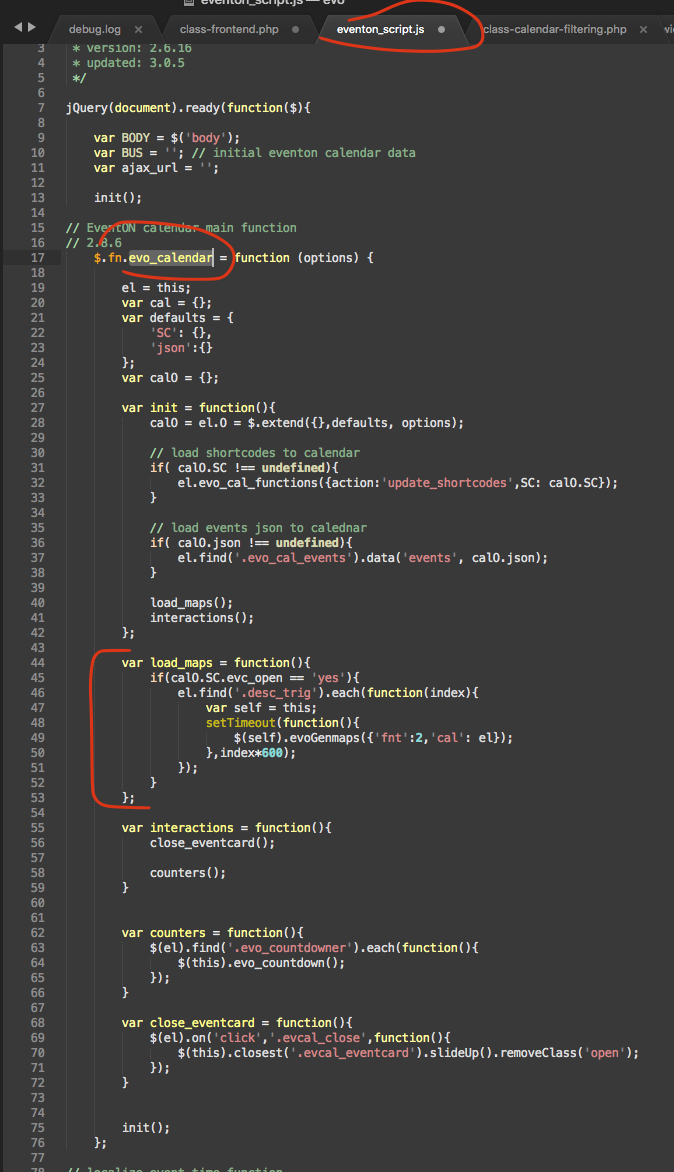
basically you can do things like outside the main jquery. just make sure the eventon_script.js is loaded before your javascript file.
BODY.on(‘calendar_month_changed’,function(event, CAL){
CAL.evo_local_time();
});
Reply to: tickets(170664)
Reply to: tickets(170664)
thank you pointing this out we will make sure implement a version of this in the upcoming updates. I am not sure if that would be the next one, but we will work on this for you 🙂 Hope you can edit the code for the moment and use it to your needs.
Reply to: tickets(246603)
Sorry for the delay in reply. you can kindly use coupon code EVO20t and that will get you 20% discount on the order 🙂
Reply to: tickets(246932)
If the vendors are checking in guests from actionUser event manager then they would only see the events created by them. But if they are using QR code checking page, then they can checkin guests for all the events there is no restriction for this at the moment.
Reply to: tickets(246729)

Reply to: tickets(247221)
you would need to request a refund for eventON direct from codecanyon. they handle payments for eventON main plugin. Thank you for your understanding! However from the other ticket seems like your web server memory limit was what causing the isssue.
Reply to: tickets(246427)
interesting. I just activated eventON and no debug.log file on wp-content/ folder either. I think you will need to contact fatcow and see if there is a location where server errors are logged at. Because this means there are errors and they must be recorded in somewhere if its not in wp-content folder.
let us know what you find out.