Do I have to add them all manually? I have paid for the CSV importer so I wanted to be able to import the fee with the spreadsheet to show up on there.
Archives: Replies
Replies for tickets on suppota
Reply to: tickets(248821)
Thank you!
Reply to: tickets(248622)
Hi Artem,
thank you very much for giving me these insights.
I am absolutely no professional concerning CSS, I only have an idea of how it works. I thought, as eventON already has a premade couple of fields side by side (time and location), that it would be no big thing to do this once again.
You already supported me so much more than I initially expected, that I have to say thank you so much for your work.
Have a great day and stay healthy!
Best
Hans
Reply to: tickets(244521)
Hi, i have the same problem. I need to move the QR-Codes out of the media library (or into a subfolder).
Addtionally the images of the QR-Codes are numbered by concecutive integers (qr_code-1.png, qr_code-2.png, qr_code-3.png,… The images are linked in the E-Mails, so if one looks into one email, one can guess qr-code-names and download them…
The best solution would be a hook to set the qr-code folder, and to name the qr-codes with a unique string.
Thanks for your effort! 🙂
Reply to: tickets(248704)
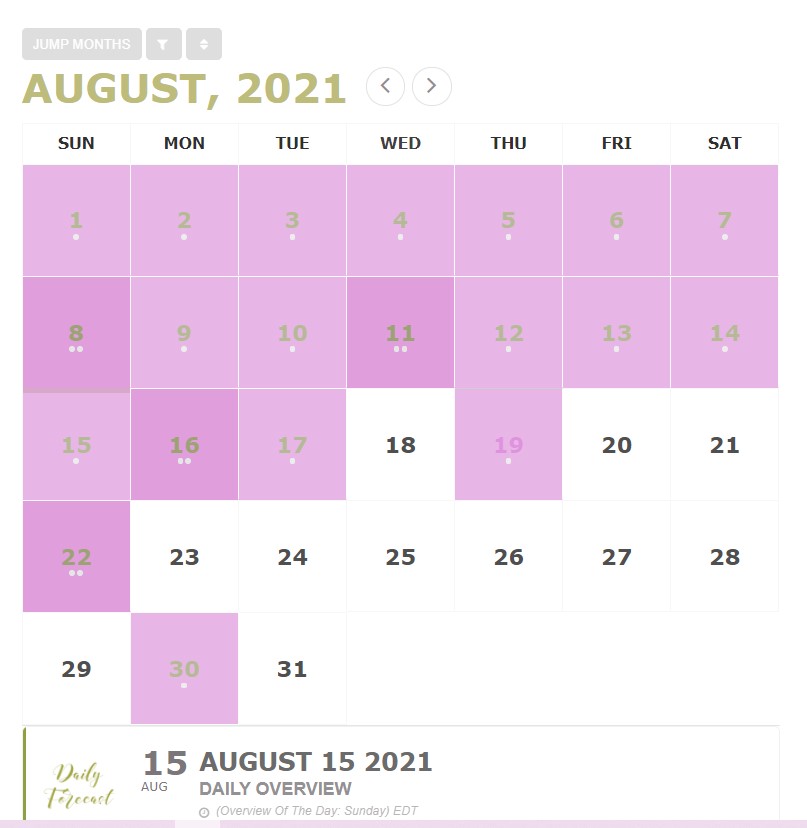
Hello, I need to troubleshoot the classic way because I never share my admin details.
To be clear, I was on version 2.7 and updated to the most recent version. I also updated my addons Full Cal and Event List. Just before updating, I took a screenshot of my Full Cal, and I
have attached it here. The picture shows that the icons and arrows were visible immediately before updating the plugin.
I cannot give you a screenshot of Full Cal after updating because the ajax calls crashed my site and I am told I cannot use the Addon without ajax. It’s difficult enough that the appearance of the calendar has completely changed from Full Cal to a list. It’s made much worse by missing icons because now my readers cannot see that they can scroll through months or sort the calendar events. I have put so much time into this calendar, and I bought EventON in the first place because of the Full Cal option. The screenshot of the missing icons after updating is above. They’re just empty boxes and circles.
Please help. There must be a logical reason for the icons to work immediately before the update and not after. I changed nothing else in the meantime. Perhaps you can give me a clue if you began treating icons differently in recent versions. For example, were they not font awesome before and now they are? I exclude your css folder in Autoptimize css options and that hasn’t changed. You mentioned earlier about hardcoding css, perhaps in a different ticket. If you tell me exactly what code and where to put it, I can add it to my site myself. Please let me know the steps you would take to troubleshoot that I can do myself. Thank you so much!
Reply to: tickets(248821)
Hello,
1. You can either follow https://docs.myeventon.com/documentations/hook-eventtop/ or use https://docs.myeventon.com/documentations/setup-use-custom-meta-fields-events/ + https://docs.myeventon.com/documentations/how-to-show-various-information-in-eventtop/ (add values manually and then show them).
2. Please take a look at this guide https://docs.myeventon.com/documentations/why-my-site-and-eventon-page-loading-slow/
Reply to: tickets(248809)
You can also use Event Lists & Items add-on: https://www.myeventon.com/addons/event-lists-items/
Reply to: tickets(248809)
Hello,
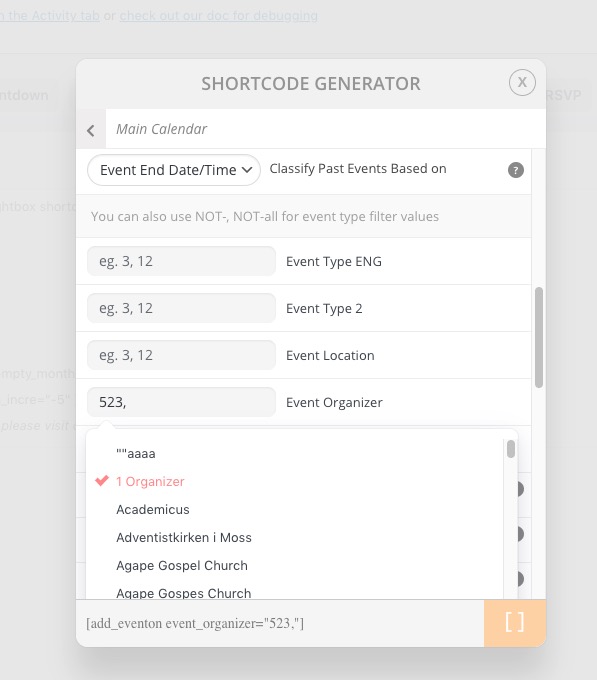
Please take a look at this guide: https://docs.myeventon.com/documentations/confused-event-type-categories/
Except instead of event_type use event_organizer:
Reply to: tickets(248622)
Hello,
The main problem is that you cannot make this work without changing the code, because of the way CSS works.
In order to put additional fields on the same row side by side you need to make sure that they are inside of container. The problem is that EventON doesn’t do this. So you need to customize it first.
Reply to: tickets(248664)
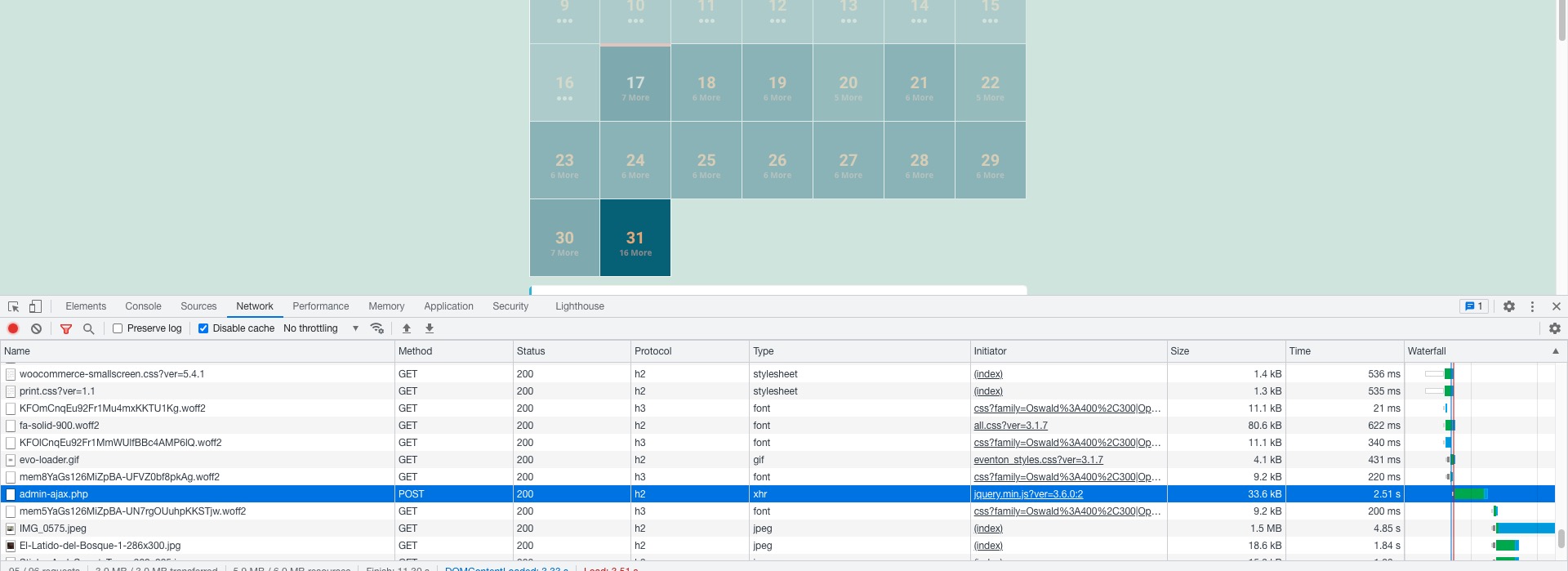
Please take a look at our server: https://dev2.myeventon.com/27501-2/.
As you can see even so there are quite a lot of events it loads for 2+ seconds:
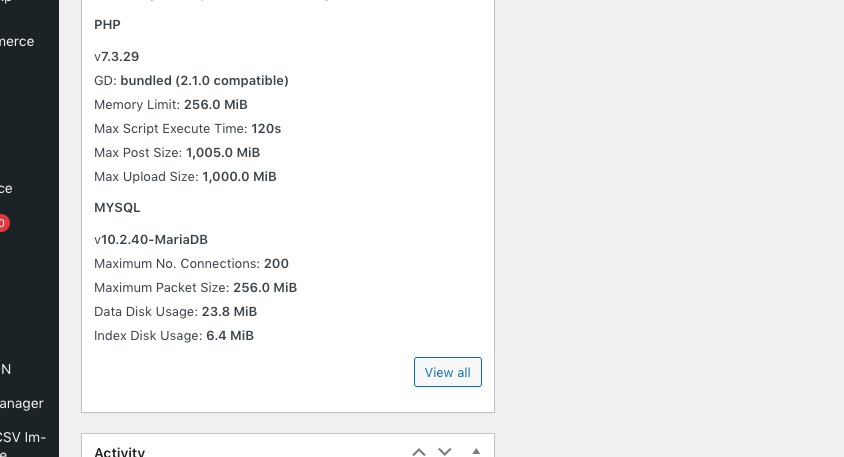
Our server’s specs:
Could you try using [add_eventon_fc] (no additional options) and let us know if it loads faster?