for your needs and the way our section works you would want to have event type 1 as (something like) choose your event or Our events or leave it as event type
and have workshops and webinars as a sub of event type 1
to put it another way think of the event type name as say
Dress regulations
and then each sub category would be , Tux, bikini, casual , business etc
alternative using a page builder’s tab layout you could have a tab that says workshops with a calendar that only shows workshops and a tab called webinars and have a cal dedicated to webinars in that tab
Vince I do see whats going on. I made a test page. https://mainstreetlaclabiche.com/eventon-text/ and you do have quite a few plugins (52 of them), could any of those block access to ajde_posts to user role “Mainstreet Lac La Biche Business Partner” ??
Sorry I made an error in my statement above. It is not this singular user account. It is any “user” account that is not and Admin. So, logged out users can see the full calendar. Admins can see the full calendar. All other user accounts see a blank calendar with no events. Thanks.
Hi there,
I am unable to make any progress with turning off and on of plugins etc. It is this specific user account. I think perhaps I will try removing and re-adding the account. This may resolve it for the user, but won’t resolve the issue. Have you been able to see anything new since receiving the web site admin access credentials?
Thank you,
Vince
Sorry for not getting back to you we have applied a different solution for this in most recent version. If you have more questions, kindly send us a new ticket and we would be more than happy to help you resolve your issues!
I am seeing this error on your debug.log file.
[11-Aug-2021 23:21:56 UTC] PHP Notice: register_sidebar was called <strong>incorrectly</strong>. No <code>id</code> was set in the arguments array for the “” sidebar. Defaulting to “”. Manually set the <code>id</code> to “” to silence this notice and keep existing sidebar content. Please see <a href=”https://wordpress.org/support/article/debugging-in-wordpress/”>Debugging in WordPress</a> for more information. (This message was added in version 4.2.0.) in /home/customer/www/lakecountybloom.com/public_html/wp-includes/functions.php on line 5535
please check this forum https://wordpress.org/support/topic/rest-api-returns-500-error-code/ looks like the 500 error we are getting is caused by redirecting issue on your server. Can you please reach out to your web host and see if they can help with htaccess for this?
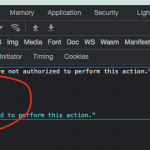
I am sorry I do not have any other solutions on how to get this to work…
https://www.namecheap.com/
could you please follow up on your previous tikcet 244479 thank you! makes it easier for us to follow.
that works, but how can I replicate the issue on your website? https://icainsuranceeducation.com/event-test-page/?preview_id=5711&preview_nonce=92d8ad3258&preview=true everything seems to be working corect.
Hi Mirko, you are back after a month and since then we have released tickets version 1.9.5 please try that out and let us know if you are still having issues with , make sure to clear cache after updating the plugin.