Almost! Now both of them are pointing to the left. Any idea how to get a left and a right arrow? Thanks again!
Archives: Replies
Replies for tickets on suppota
Reply to: tickets(246651)
Hello,
Add the custom CSS code below to Appearance > Customize > Additional CSS
.evo_widget .ajde_evcal_calendar .calendar_header .evcal_arrows:before, .evo_widget .evo_footer_nav .evcal_arrows:before {
margin: 14px;
}
Reply to: tickets(246651)
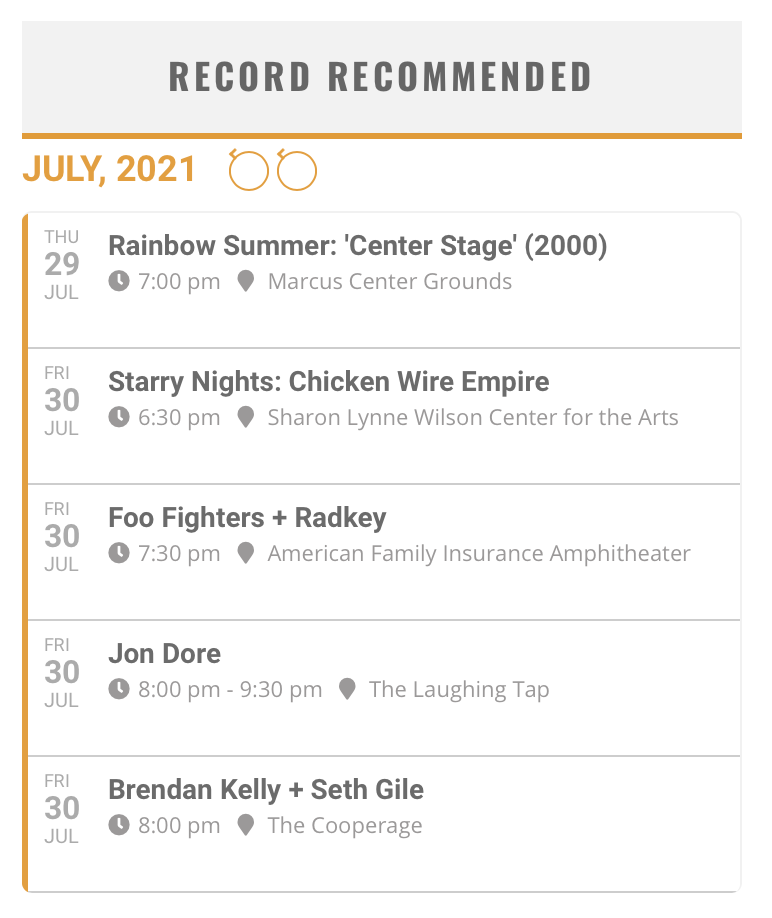
Here’s a picture…
Reply to: tickets(223752)
Thank you for sharing David.
Reply to: tickets(246497)
these are from our system log notes.
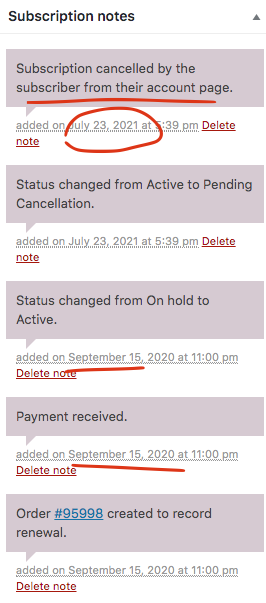
Your subscription will expire and auto switch to cancel on Sep 15, 2021.
Reply to: tickets(246497)
If you have cancelled after the subscription was charged, then your license will expire at the date of the new subscription expiration date, and on that date the subscription will cancel and no more payments will be charged.
Reply to: tickets(246445)
Hi there Jack. We havent been asked to do this before by others. But we are seen more and more people wanting this. Until we get an easier process developed. We would need to follow this process for it to work.
Please have your client purchase this addon https://www.myeventon.com/addons/qr-code/ so then when they checkout they will have to enter their payment information and create an account. And then let us know what the order ID was for that.
And then we can refund your client for that addon and assign all those addons to their account.
The only reason for asking the client to buy the $15 addon is so their payment info is saved to paypal or stripe for subscription payments and it also allow them to create an account.
Look forward to hearing from you and helping you with this 🙂
Reply to: tickets(234178)
There is no money return, no need you ask this again.
have you tested the work and if yes how?
Reply to: tickets(246498)
Hi,
Again – reply to your ticket 😉
Reply to: tickets(246631)
Hi Brant,
You can use the custom CSS code below to fix the font size
#evcal_list .eventon_list_event .evcal_eventcard p, .ajde_evcal_calendar .eventon_events_list .eventon_desc_in ul, .evo_lightboxes .evo_pop_body .evcal_evdata_row .evcal_evdata_cell p, .evo_lightboxes .evcal_evdata_cell p a{font-size:12px;}
You can remove the close div using the custom CSS code below
.event_description .evcal_close{display:none;}
You can add the custom CSS code in Appearance > Customize > Additional CSS