Hello Artem
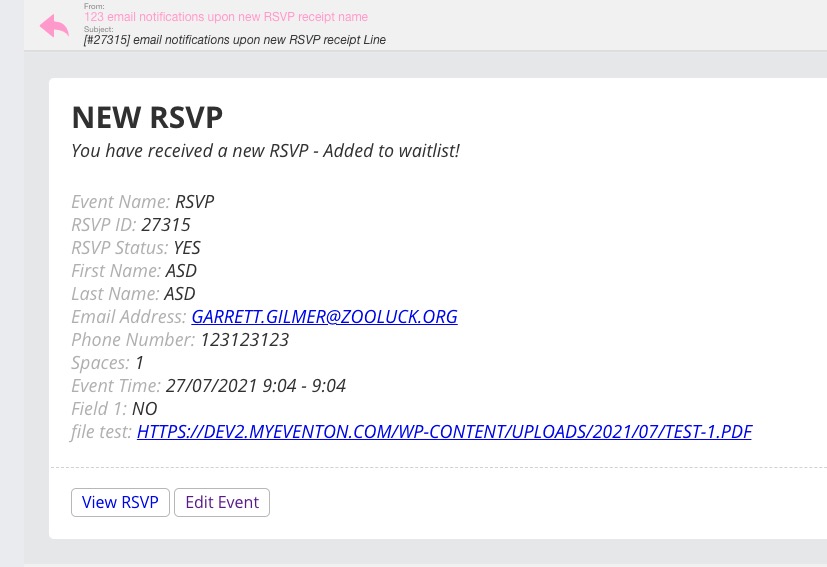
Yes, the link is listed correctly, but Files are not attached to the Mail (directly).
And: files are stored in the wrong folder. They should be 1) „sent & then deleted“ or 2) „sent & then stored in the folder RSVP“.
1) is how it used to work before the update. How can I fix this?
yep. looks awesome now. thanks!
Ashan,
I enabled WP_DEBUG but no errors related to https://helpdeskx.s3.amazonaws.com/wp-content/uploads/2021/07/26131509/Screenshot-2021-07-26-at-22.14.43.jpg
Hello,
I cannot see your website because of
WE ARE MAKING A PIT STOP
We have a few quirks to fix, but we will have everything up and running in no time. Please come back in a few days.
Please send us wp-admin access to your site as a private message for us to further assist your situation.
Please also try following https://docs.myeventon.com/documentations/why-my-site-and-eventon-page-loading-slow/
Hello,
I added new code. So please go to https://spuklabyrinth.de/wp-admin/admin.php?page=eventon&tab=evcal_3 and change red and white with colours you like.
Links to files should be included in “New RSVP” notifications:
I also tried to RSVP to one of your events and you can see that the file https://www.altemarkthalle.ch/wp-admin/upload.php?item=391282 was attached correctly.
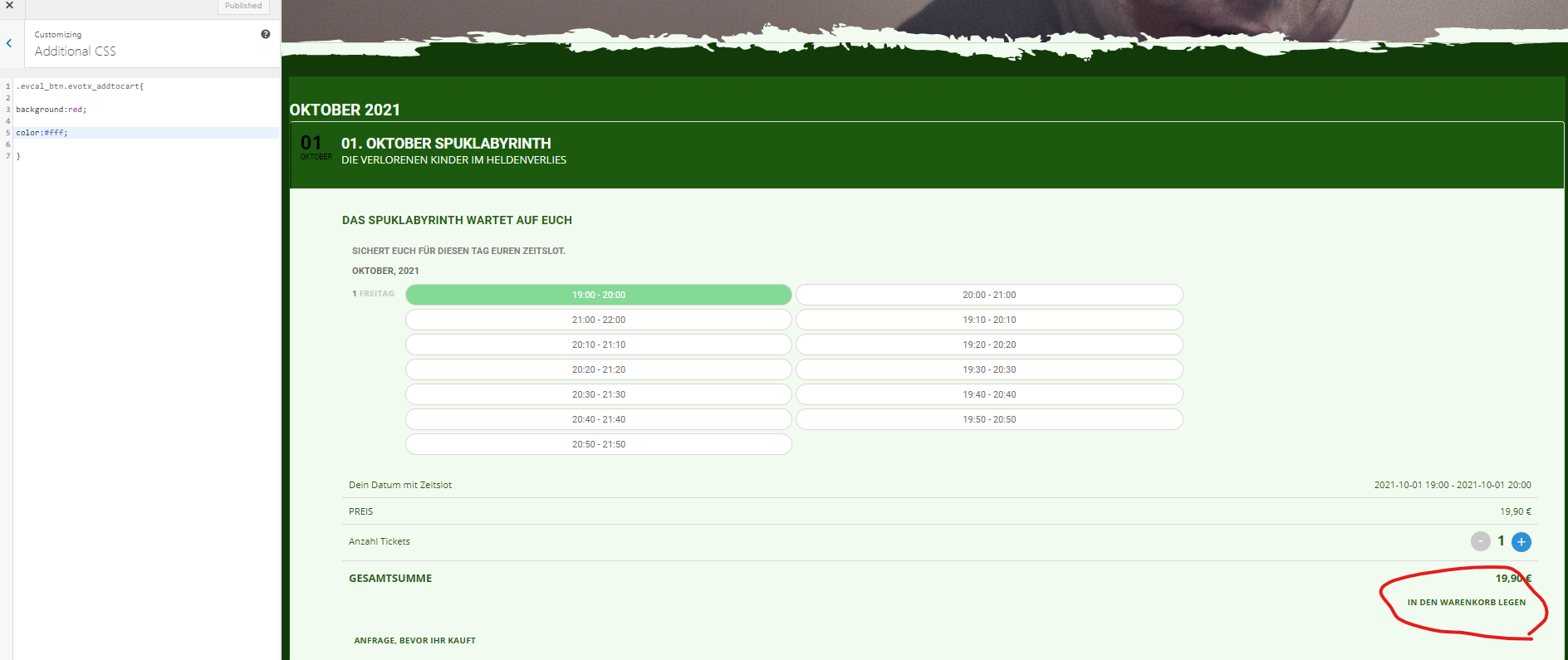
nop.
Entered it exactly as described. The button does not change.
It doesn change at hover. But in green background
Hello Infotainerdave
I set a new password: HSMRoxK!g34NKgOEsI$bpUi*
I do not want to install another plugin. It was also working before – is it compulsory to install the plugin?
Hey,
I tested this and yes it seems to be a bug from us, I have asked our CEO to review it