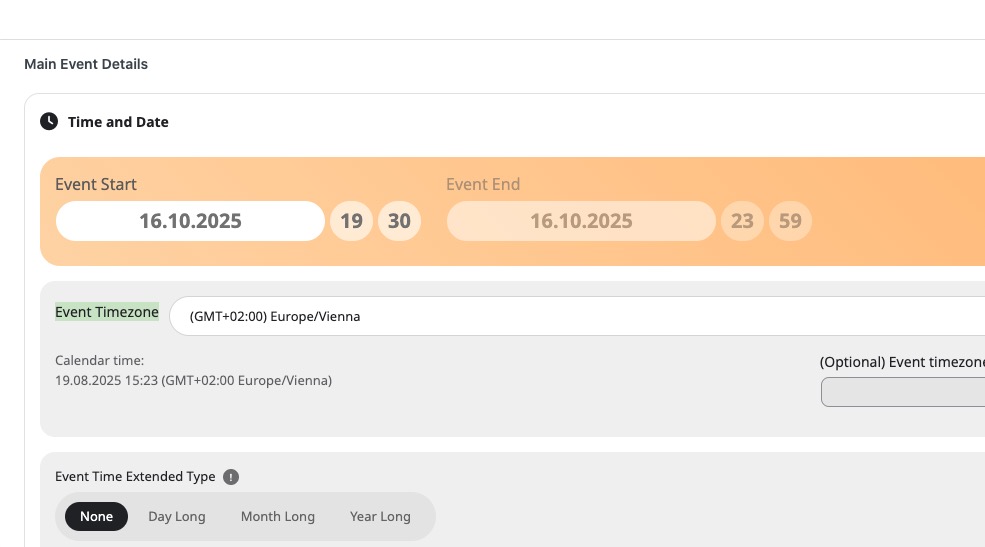
Hello,
…a second email that is throwing a “You must provide at least one recipient email address.”
Could you please send us a screenshot of this part?
Also if possible, please send us wp-admin access to your site from “Access Info” box on right side menu, to further assist your situation.
Perfect! Please keep us updated.
Thank you for your messages, I am going to assign this ticket to Ashan and he will be able to take it from here and find you a solution. Please allow some time for him to get back to you, we greatly appreciate your patience and thank you for being a eventon customer!
Hello,
Please add this CSS code to EventON > Styles (If you don’t see any change, EventON > Scripts & Styling > turn off Write dynamic styles to header > save settings > turn on Write dynamic styles to header). You can also add this code to wp-admin > Appearance > Customize > Additional CSS.
.ajde_evcal_calendar.boxy .eventon_list_event.hasbgimg::after { content: none !important; }
You can use any email you like. Just create a new user and then send us email + password from “Access Info” box on right side menu.
Please also send us links to the original event and it’s duplicate.
Hello,
I am sorry, the access information you have provided did not work for us. Please check them and post the correct login information as a private message, thank you!
Please make sure to follow this guide since you use WPML:
https://docs.myeventon.com/documentations/wpml-eventon-front-end/
Event Timezone was empty:
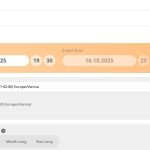
Could you go to each event and check if it’s empty as well?
Hi Artem, Disregard my last message. I think we’re good for now. Thank you so much for your help!!
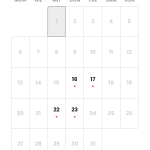
As you can see from the attached screenshot from October, October 16th and October 22nd are the correctly entered dates. The dates of October 17th and October 23rd were added by Eventon itself. Furthermore, the appointments are only scheduled from 7:30 p.m. to 10:00 p.m. and not across multiple days.
We were just adding one event and saw these previous events multiple.
I don’t know who it multiplied as there’s only one person who always add events on that calendar.
Try to login again at a specific time , or give me an email of yours and i’ll create a user for you on the wordpress as administrator.
Thanks.