Hello,
Could you try updating RSVP to 2.7.3 and EventON to 3.1.6?
To update eventon to latest version: If you are unable to do autoupdate, you can go to codecanyon your account > download and get the latest eventon version as zip file. Then you can go to your website, deactivate old eventon, activate (Do not delete eventon settings & data when EventON is uninstalled) from eventon settings, delete old eventon, install new one and activate. This link will further explain the process it. Also you can follow us on twitter to get real-time announcements on updates!
To update eventon addons: You can download latest eventon addons from myeventon > my account. Then you can go to your website, deactivate old addon and install new one and activate then delete the old addon. This link will further explain the process. Also you can follow us on twitter to get real-time announcements on updates!
Also can you clear https://mooiwerkbreda.nl/wp-admin/edit.php?post_status=trash&post_type=evo-rsvp?
Hello,
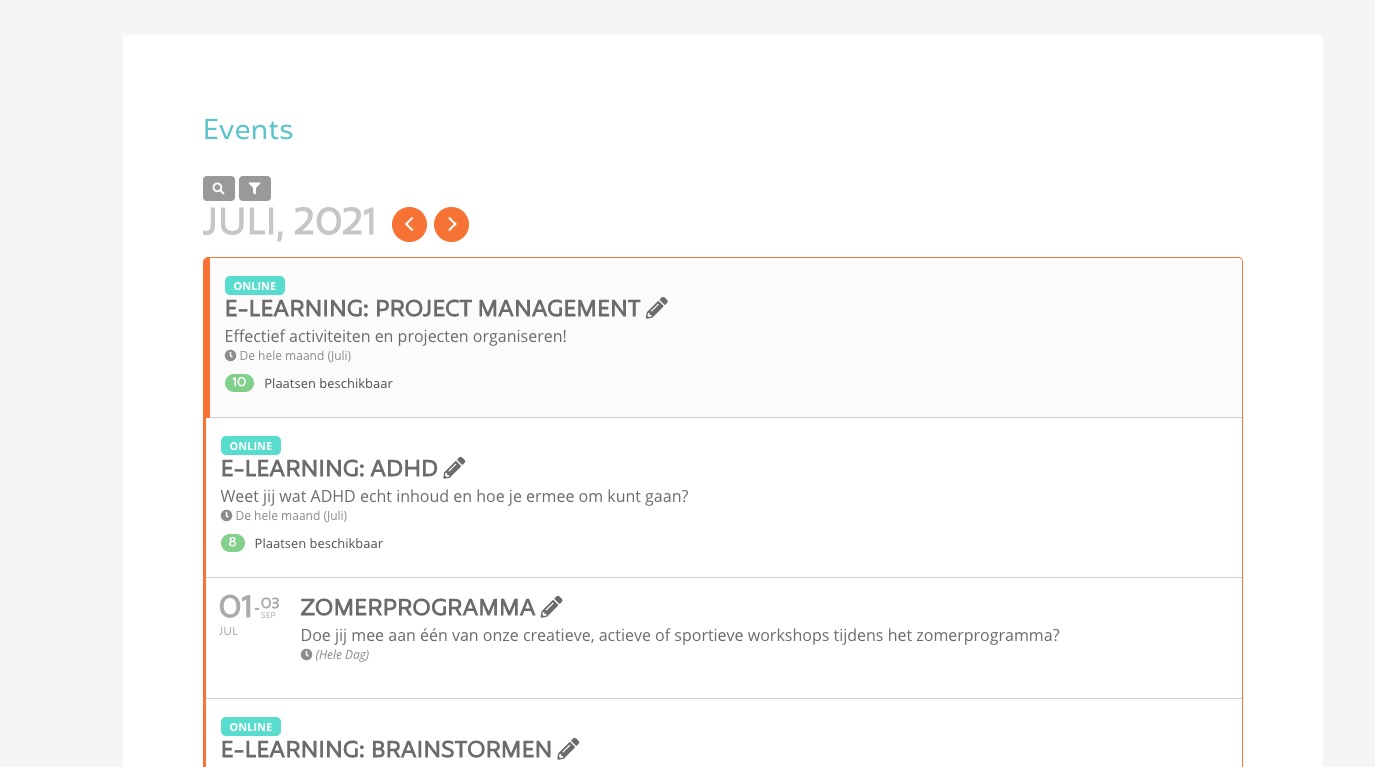
It does work for E-LEARNING: PROJECT MANAGEMENT:

Could you try updating EventON to 3.1.6 and then cleaning your cache?
To update eventon to latest version: If you are unable to do autoupdate, you can go to codecanyon your account > download and get the latest eventon version as zip file. Then you can go to your website, deactivate old eventon, activate (Do not delete eventon settings & data when EventON is uninstalled) from eventon settings, delete old eventon, install new one and activate. This link will further explain the process it. Also you can follow us on twitter to get real-time announcements on updates!
Done give access to spain for editing
Aaarg! I missed an error message. Sorry! Ok, here we go:
User: event-on
PW: j29jTh!&^8!E^IXj^5olL9xT
Link: http://www.queererherbst.de/wp-admin
Hi Kevin,
You are very much welcome. If you have a moment, we would greatly appreciate if you could kindly leave us a review at codecanyon! from your account > downloads. Cheers!
Thank you very much. I’ll re-generated the API key and now the map shows up!
TheThank you very much. I’ll re-generated the API key and now the map shows up!
The only thing left for me to do is change the scale size of the map, because it is zoomed into tightly. I will work on that later tonight, but it should work out fine.
I will work on that later tonight, but it should work out fine.
Thanks again!
Strangely, but now it says that your API key is expired:
Google Maps JavaScript API error: ExpiredKeyMapError
https://developers.google.com/maps/documentation/javascript/error-messages#expired-key-map-error
Could you try following the link?
Ah yes I knew that. I just want to know what the issue is with this view: https://helpdeskx.s3.amazonaws.com/wp-content/uploads/2021/07/08015754/Screenshot-2021-07-08-at-10.57.11.jpg
Why do you want to use the code? Maybe we can change it somehow?