Hello,
Could you try removing show_et_ft_img=”yes” from the shortcode?
This code makes titles smaller:
.eventon_events_list .eventon_list_event .evcal_desc span.evcal_desc2, .evo_pop_body .evcal_desc span.evcal_desc2 { font-size: 13px }
Replies for tickets on suppota
Hello,
Could you try removing show_et_ft_img=”yes” from the shortcode?
This code makes titles smaller:
.eventon_events_list .eventon_list_event .evcal_desc span.evcal_desc2, .evo_pop_body .evcal_desc span.evcal_desc2 { font-size: 13px }
Hello,
Thank you very much for the info! We are aware of this and going to fix it ASAP.
Hello,
You can hide “Join the Live Stream” with this code:
p.evo_vir_access_actions { display: none !important; }
If you want to remove it through the code or somehow extend Virtual Event functionality you can submit a customization request to 3rd party developers via Customize EventON Page.
Hello,
WooCommerce doesn’t support 0, only 0.00:
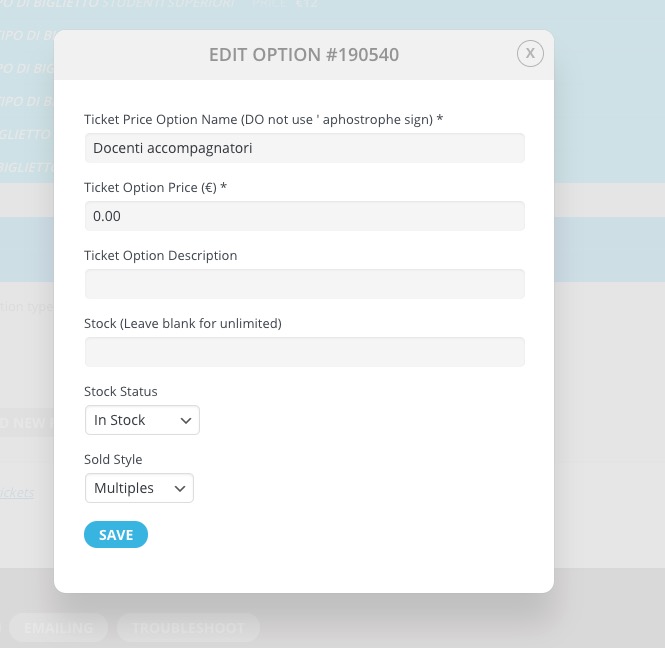

Please check now and let me know.
Thank you for all of the help! The elfsight link took me to the extra step to let Google know which credit card to use, so that should be working now.
So I went back and added the Google API ley:
AIzaSyAO_5cwImLvkFudJaz5J4u-kJGczPJG2G0
I modified the “Girard Park” event to show the Google Map. It _does_ open correctly and has the window for placing the Google map – that is good news because before, it would not expand. But the map is still empty…
ALSO??? If I open any Girard Park event with Chrome, there is the placeholder space for the Google Map. But if I open it with Firefox (even after clearing the browser cache), there is no window for the Google Map…
USER: myeventon
PASS: c5#Kxwq4IyxVv5zwLfRZJetQ
web address: box5tv.com/wp-admin/
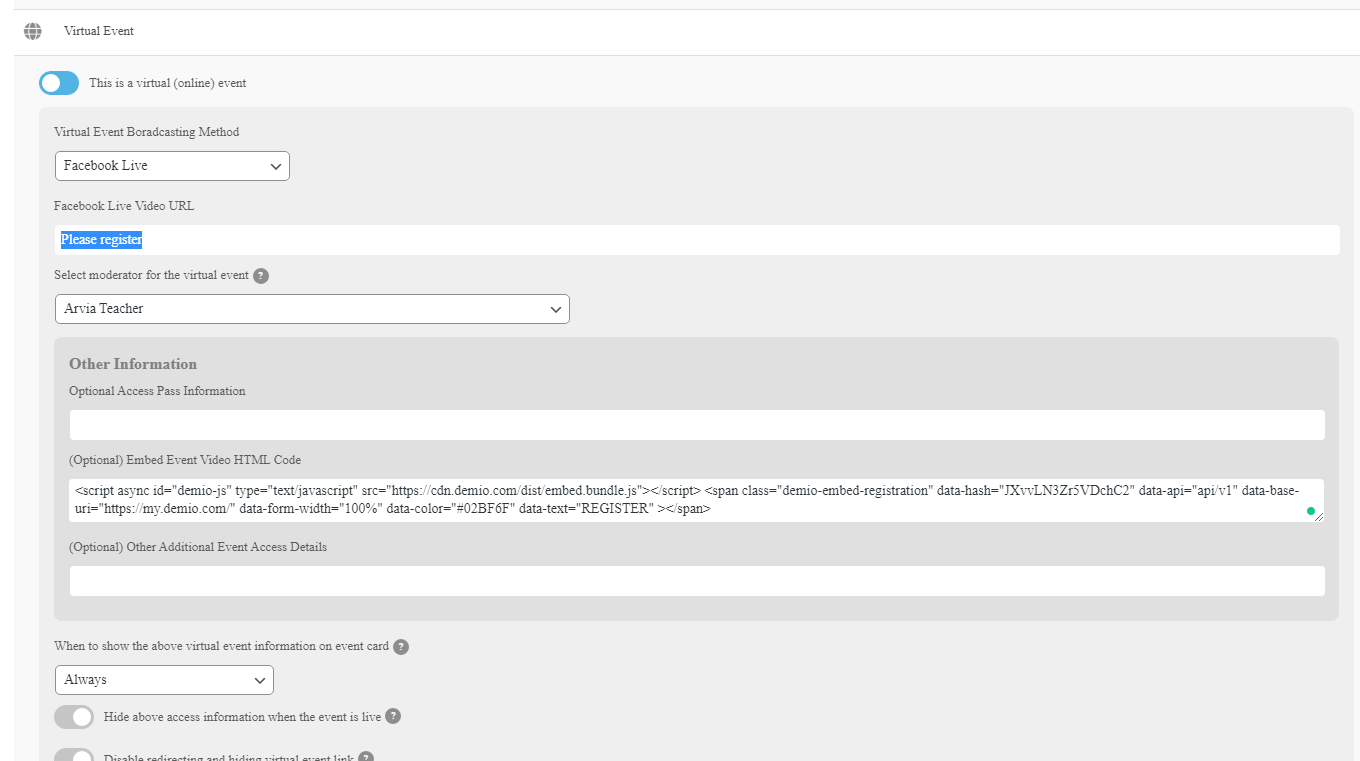
screenshoot adding/editing event. allow embed code in of the options instead of URL link
Hello,
I have two (02) overdue customizations, the payments were made to Basilis Kanonidis, see the conversations line of the following tickets:
Many thanks,
I found this snippet for autocomplete
https://docs.woocommerce.com/document/automatically-complete-orders/
Maybe its better to use snippet then adding another plugin. Also last plugin-review complains plugin is not working with stripe.
Can you tell me how to change snippet, so that it will only auto complete orders with a ticket in basket / order? all ticket-products have category “ticket” (at my website it is ID 32), so i hope it is just a simple question for you.
Thanks again.
and do you have the the ticket number