That seemed to work – ty!
Archives: Replies
Replies for tickets on suppota
Reply to: tickets(242996)
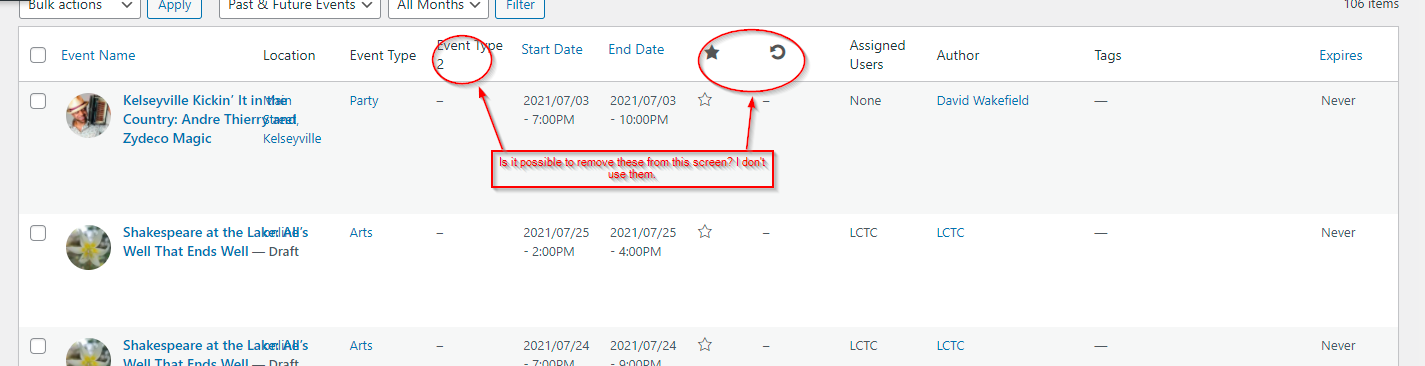
It’s showing the screenshot in my message list. But here it is again. I hope you can see this one.
Reply to: tickets(243695)
*oath consent
Reply to: tickets(243695)
looking at the screenshot of the api- have you configured yur oath screen- also did you add your credit card to google for the maps to work
(they don’t charge you unless you get more than 25K views per month)
Reply to: tickets(243725)
Hi Susann,
You can use the custom CSS code below to adjust the text on mobile
@media (max-width: 480px){
#evcal_list .eventon_list_event .event_description p, #evcal_list .eventon_list_event .event_description li, .evo_pop_body .evcal_evdata_row .evcal_evdata_cell p {
font-size: 14px;
}}
Let us know if this works for you.
Reply to: tickets(243607)
Yes you can add the code on the styles section. If you don’t see any change, EventON > Scripts & Styling > turn off Write styles to header > save settings > turn on Write styles to header.
Reply to: tickets(243607)
I don’t see a customize option under Appearance tab
Just the Styles Section to add custom css – add this here?
Reply to: tickets(242996)
Hi David,
Would you mind sending the screenshot, seems you missed it in the last message.
Reply to: tickets(243683)
shima.5759@gmail.com
HbQgYgOY(j&w6!lxu5leyq9J
Reply to: tickets(243683)
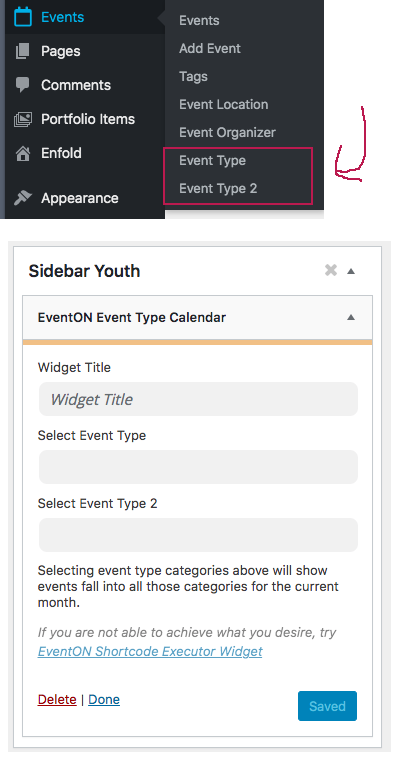
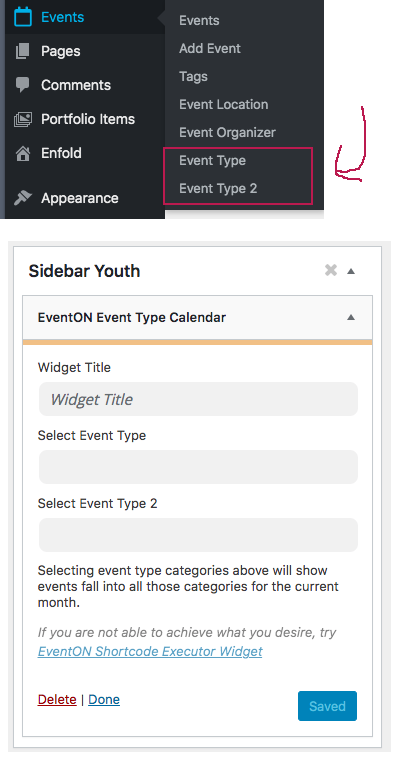
I set the sidebar widget to a pre-selected filter to display events that fall into a specific “Event Type”. (ie “Youth”) It was working fine.
Then, I made some changes to the pre-selected filter by instead filtering by both “Event Type” and “Event Type 2”, which did not display the desired results. So, I deleted all of the items within “Event Type 2” and adjusted the filter back to the original setting (“Youth”) but then it no longer worked.
I did an update. But now when I select the filter within “Event Type”, it just goes back to the “Event Type” field going to blank.