you will need to clear your browser cache
in chrome for example
ctrl H
on the left- clear browsing data
then choose for all time and only see screenshot
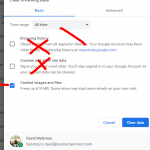
don’t clear your cookies or you will be logged out
Replies for tickets on suppota
you will need to clear your browser cache
in chrome for example
ctrl H
on the left- clear browsing data
then choose for all time and only see screenshot
don’t clear your cookies or you will be logged out
Hello,
Could you disable Autoptimize?
Please also check for latest version of this software from here Your issue might be related to an older version you are running and we might have resolved this already in the newer version update. If you are on latest version of our software and the issue still persist please let us know.
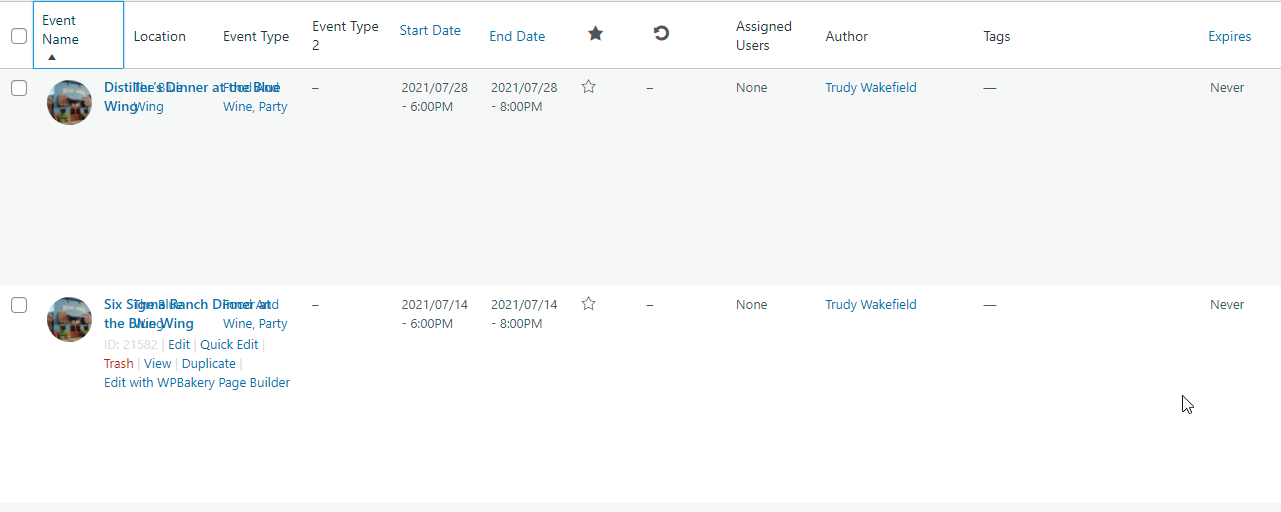
Here’s a screenshot of the issue.
Hello,
Please add this to the shortcode:
show_et_ft_img=”yes”
Now go to Edit Event > assign Event Image.
to be honest I would probably create a new page and give it a SEO style title which would be a very similar to your location archive page title
I would have the calendar and I would SEO the hell out of that page underneath the calendar using search terms within a paragraph- get my H1/h2 tags sorted (see video below) and just create that page for Google to pick up on. Leave the event directory as it is and once this new page ranks higher- iether remove the archive page- or redirect it to your google page
the title of that dedicated google page would be the exact search terms people use to google search to find what you offer
so if people search for Las vegas after Dark events- then thats what I would call that page
at the top I would have the title in H1 tags “Las vegas after Dark events” (h1 tags are explained in the video below)
a paragraph of text (for SEO purposes) and then the calendar
the yoast meta tags details would be all about “Las vegas after Dark events”
but you would have to figure out what people are using to search for your services- thats the page name you want
on your home page in the footer I’d add a text link directly to that page and I would have the events in the calendar slide down as opposed to pop up
the text link at the bottom would be that exact search term linking to the new page.
see video below on my ideas and h1 and h2 tags
Please go to https://www.truenorthband.com/wp-admin/admin.php?page=eventon# > open [ ] GENERATE SHORTCODE > Event Lists.
Hello,
Please go to https://www.whw2n.com/wp-admin/admin.php?page=eventon&tab=evcal_2 > Event Type Categories > remove Breakfast and check the rest.
Hello,
WordPress itself handles this setting so please check https://www.wpbeginner.com/wp-tutorials/how-to-completely-disable-comments-in-wordpress/
Correction – you sent the correct path and it worked great
If there was a way to fix this.. google issue…..
Ill need the exact path to that toggle as your plugin has 1000 plus settings : )
Correct I want the actual events directory showing. Not that…. mangled mess location page archive page etc.