Hi Susann,
Please use the class as shown below.
.ajde_evcal_calendar .eventon_events_list .eventon_desc_in ul{list-style: disc; color: #FF5E00;}
Replies for tickets on suppota
Hi Susann,
Please use the class as shown below.
.ajde_evcal_calendar .eventon_events_list .eventon_desc_in ul{list-style: disc; color: #FF5E00;}
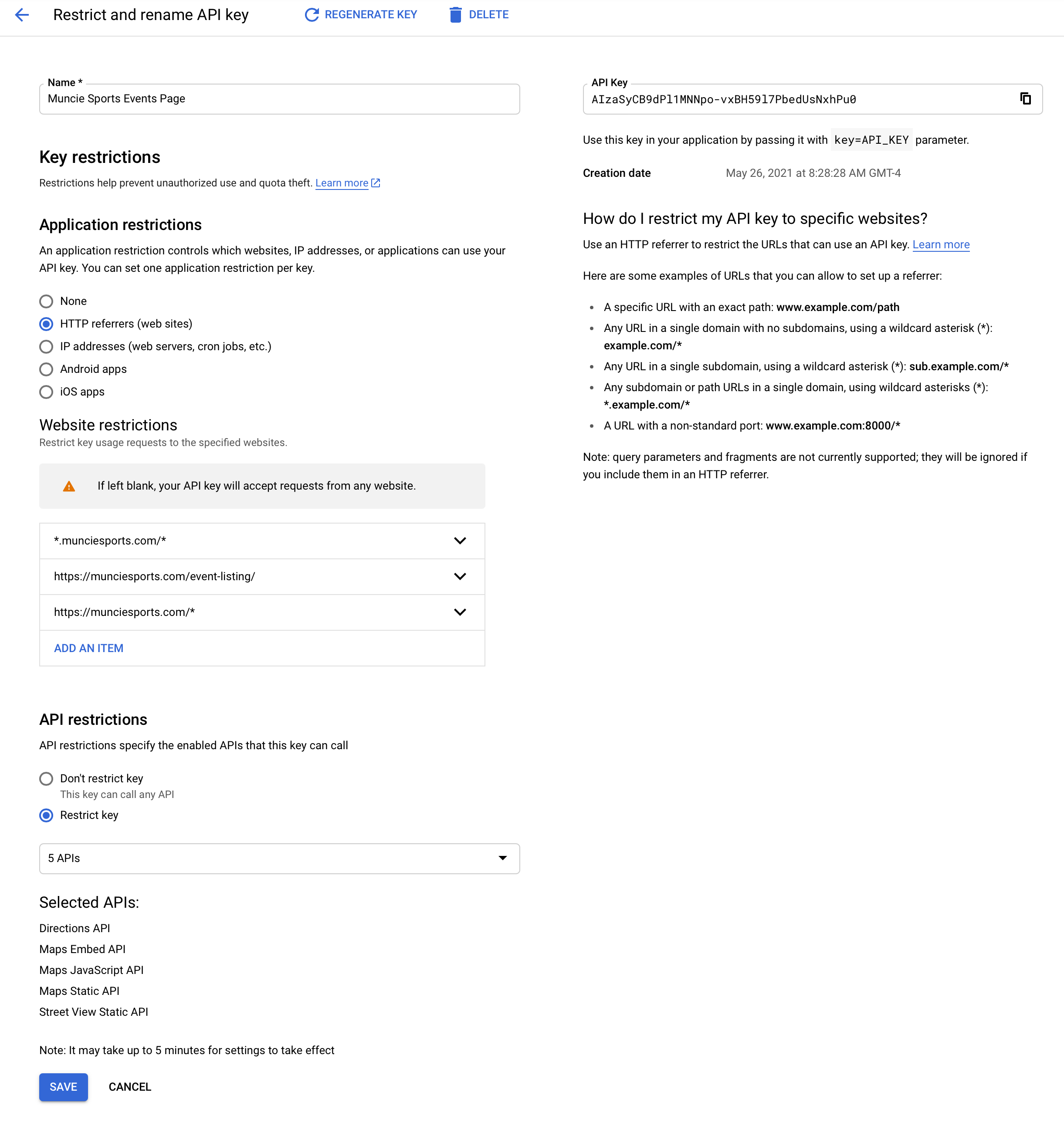
Great, thank you – the shortcode works!
However – the maps are still not showing up and we’ve enabled Google API and have that placed into the EventON settings and everything – not sure what we’re doing wrong at this point? (see attached screenshot for proof of Google API Key settings)
Thank you guys!
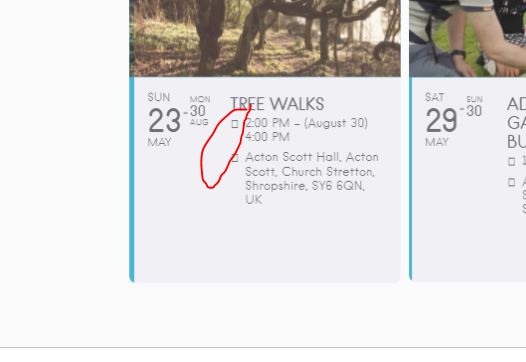
Thank you that worked great, just the icons seem to be missing
Done. But nothing changes. And btw the repeating instances loose their am and pm …
Yes that is my understanding – we have used event_order=”ASC” to list events in their chronological order within each day view. However you can see below that the top events is not in order (ignoring the event with no time listed).
We want the events to be listed in ascending order with the earlier events (starting times) at the top of the list and the later events at the bottom of the list, like a timetable.
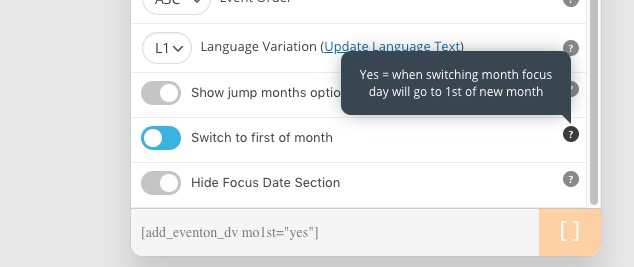
I have mo1st=”yes” and this ensures that clicking the right button takes the user from the last day of the month to the 1st of the next month. Unfortunately if they then click back they go to the 1st of the previous month. Please advise fix for this as it is confusing to the user.
Please clear your browser cache
https://helpdeskx.s3.amazonaws.com/wp-content/uploads/2021/05/26021121/add.png
This is because of mo1st=”yes”.
1. Please use this code:
.evo_eventon_live_now_section h3 { display: none !important; }
3. Please try this code:
@media only screen and (max-width: 1000px){ .q_logo img { -webkit-transition: none !important; transition: none !important; } }
4. Please go to EventON Settings > enable Set all past events as completed.