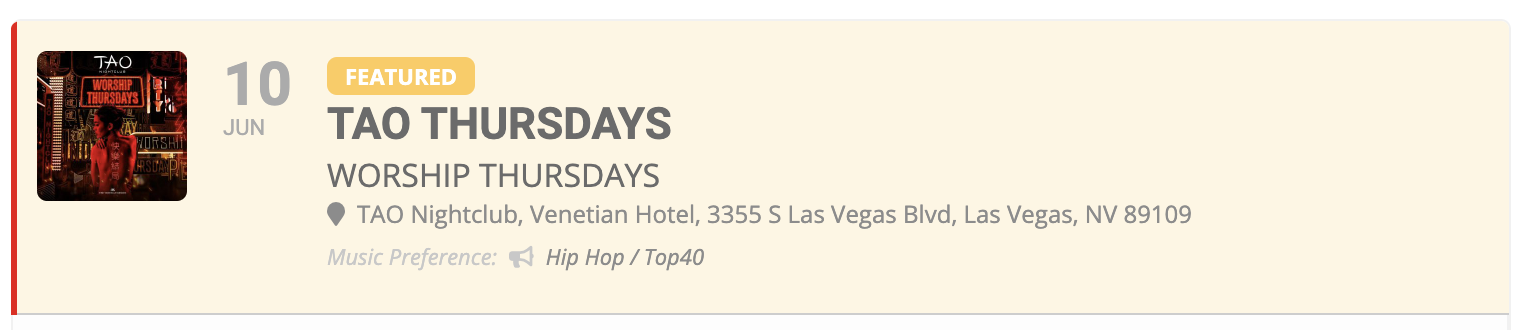
I would also like to add Event Type #2 to the undertext here (next to Music Preference) if possible. I’m not seeing an option for that.
Replies for tickets on suppota
I would also like to add Event Type #2 to the undertext here (next to Music Preference) if possible. I’m not seeing an option for that.
Did follow the instructions. Just turned everything back to the state it was on
Hi Chris,
I am not able to replicate this on my end. However, please disable Font awesome icons in myEventon > Settings > Scripts & Styling and check if that resolves your issue. Let us know how it goes.
Hi there,
Unfortunately, the link you attached leads to a 404 page error. However, if you are still having the same issue, please go to myEventon > Settings > Scripts & Styling and disable font awesome icons. Let us know if this helps.
Hi there,
You can see the MFL Family events easily in the events calendar:
https://mflworld.com/veranstaltungen/
Every single events shows up.
But if you klick as a non-member on one of those events you will not get the event details. You will see that: https://mflworld.com/mfl-family-werde-mitglied/?r=30245&wcm_redirect_to=ajde_events&wcm_redirect_id=30245
So you can’t see the description of the event.
Now there was a marketing thinking:
If you klick on the MFL-Family events there shouldn’t come up the info your’e not logged in or a non-member. In case you can’t view the event details. The costumer should see the event like everyone with a membership.
Just at the bottom of the event-detail-page there should be the info for the non member:
You aren’t a member or you aren’t logged in, please registrate yourself.
And as a member: You can see the information for the registration for the event.
Long story short:
As a non member you should see, in the category MFL-Family, all the event details an in the end there should be an option to log in or registrate yourself.
As a member you should see, in the category MFL-Family, all the event details an in the end the need to get the information about the registration for this event.
Is that maybe easy possible?
The PlugIn we use is membership from woocommerce.
Greetings
I never uninstalled eventon on purpose.
I always updated it manually via FTP and just changed the plugin-directory with renaming.
I never had problems.
But now all dates are gone. Backups not possible.
I am very sad …
OK did that – but that did not change anything. But I figured it out. What I did was changed event_count=”4″ to event_count=”5″ and now it works. Any thoughts on why need a larger event_count than tile_count?
Hi Marc,
Do you mind if we try the instructions on on the documentation just to make sure?
Still doesn’t work on my site
Hi-
I have whitelisted your IP address.
Thanks.