Somebody could help me to fix this issue please ?
Archives: Replies
Replies for tickets on suppota
Reply to: tickets(240935)
Hello-
I have the SUcuri Firewall. Can you forward your IP address and I can whitelist it in Sucuri?
Thanks.
Reply to: tickets(240924)
Oh … yes … you’re right …. the date-picker works with deactivated maplist-plugin ….
How can it be?
Both plugins worked well together all the years before ….
I definitely need both …
After the last update from eventon i lost ALL my event-data collected for years …
and now i have to start all over again … it’s so much work …. and i makes me so sad.
I definitely need a workaround, so that i can also use the maplist-plugin.
Please help.
Reply to: tickets(240896)
No worries 🙂
I know I can add an image to the event but doing that removes the product image for the WC product page and replaces it with the event image. I need a different image on the ticket and the WC product page. For some reason I thought there was a work around for this by just changing some code in the email ticket template.
Thank you for your help and quick response 🙂
Reply to: tickets(239592)
Hello Basilis,
Will you really check my tockets or are you just cheating on me?
I do not see any answer in each of the tickets, I am a bit bored of claiming and nobody answers me.
This is too bad for the Eventon team.
Reply to: tickets(240963)
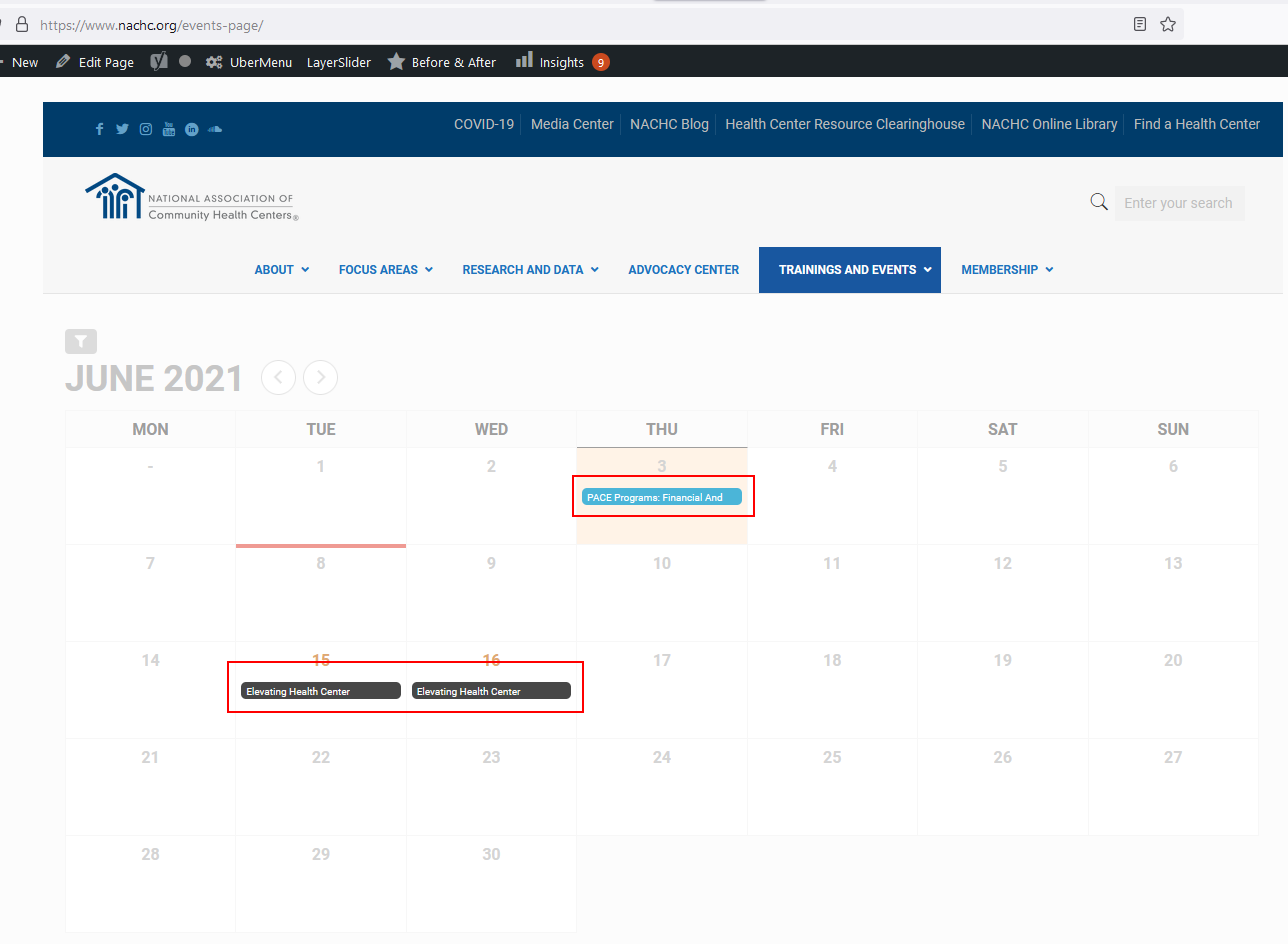
Ah, I’m sorry about that. I bet the IT guy has used WordFence to block counties. Happy to whitelist your IP if you’d like.
Attached is the screenshot.
Also, *thank you* for the tip of EventON Settings > Language > Event Card > Learn More link text. I swear I’ve looked at those settings a thousand times and never saw that.
Danna
Reply to: tickets(240963)
Entire website:
Access from your area has been temporarily limited for security reasons.
On the Grid Calendar display, only a couple of words of the Event Name displays.
Could you send us a screenshot of this part?
Reply to: tickets(240965)
Hello,
It seems that the issue is in
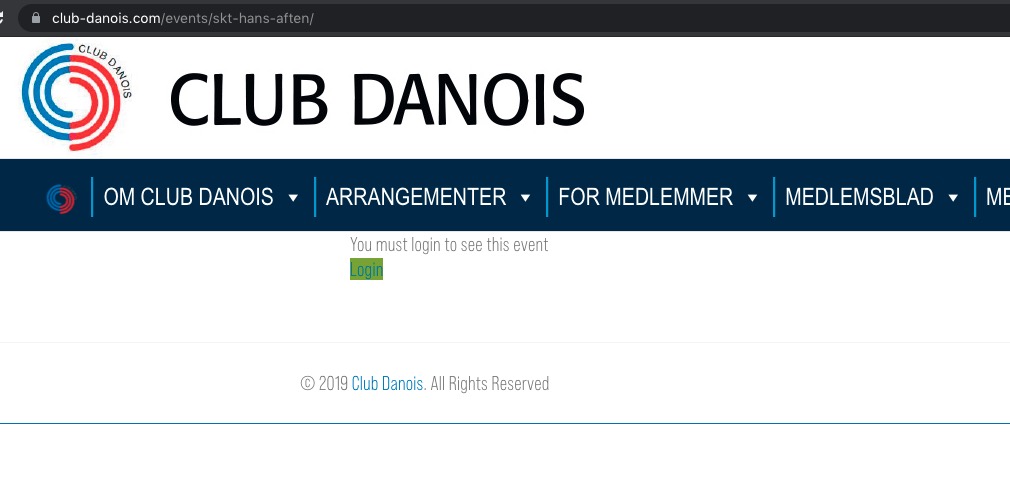
Could you make it visible for guests?
Reply to: tickets(240992)
Hello,
Please go to EventON Settings > Appearance > RSVP Styles > RSVP Form Fields.
If you don’t see any change, EventON > Scripts & Styling > turn off Write styles to header > save settings > turn on Write styles to header.
Reply to: tickets(240517)
Will this work for you?
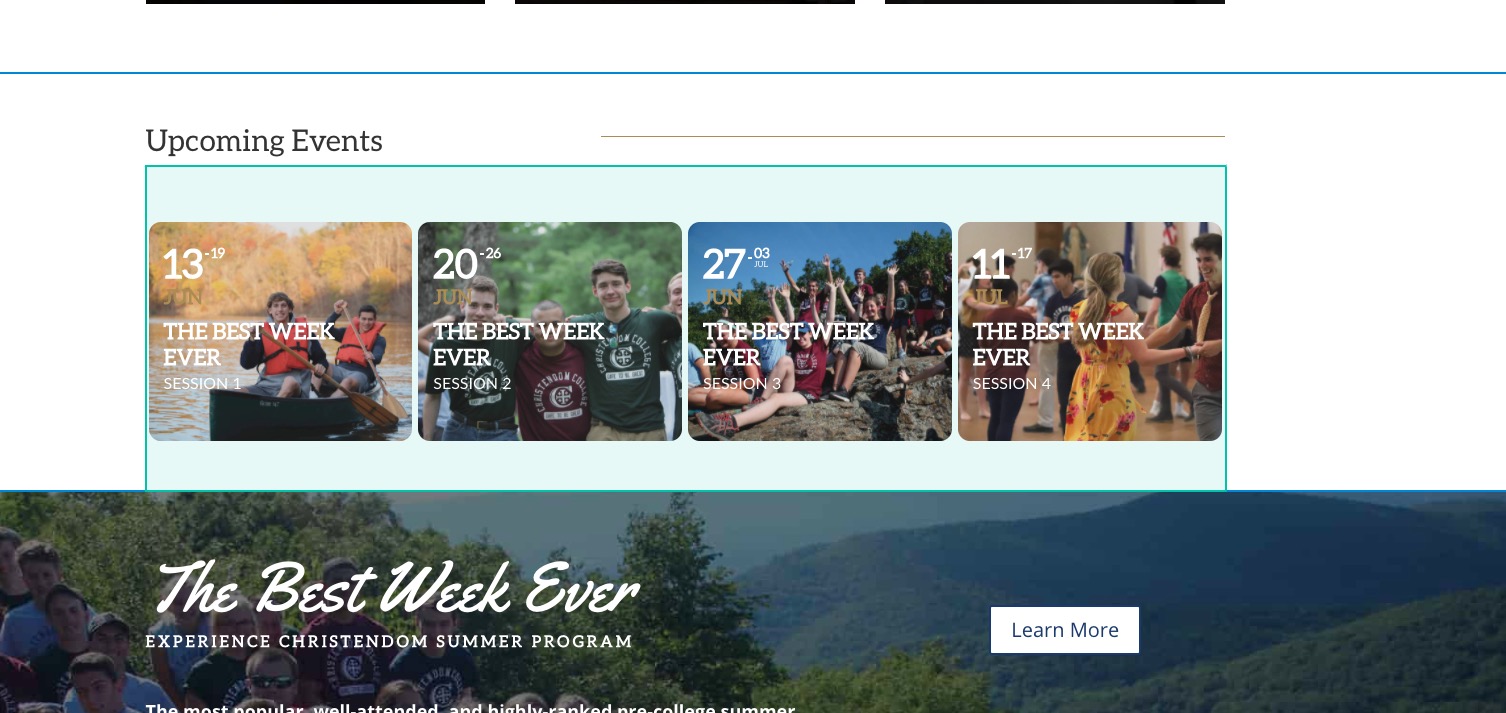
If so please add tile_count=”4″ to the shortcode.