Thank you for fixing the issue. Regarding the server load, what size memory do you recommend to get the calendar to load properly?
Archives: Replies
Replies for tickets on suppota
Reply to: tickets(239489)
Hi, we tried the sort_by=’sort_title’ as suggested but the events we then not listed chronologically, which is our priority. We have given up on this for now. I suppose you can close this thread.
Reply to: tickets(240545)
Hi Britt, I was able to increase the memory to 1000MB and get it to work. I think the issue is def in the web server. it is very slow to respond to the data. Calendar is loading now https://aquarianalchemy.org/eventon-test/ but it is taking sometime to load data. I would recommend checking into a faster server? wpengine is known for slowness and these types of issues.
Here is what I did on your site. https://www.loom.com/share/67eb5cde221345b8a59cc90b9ebf4dec
Reply to: tickets(240641)
please update to new version 1.1.8 which will resolve this.
Reply to: tickets(240580)
please update to latest version 1.1.8 https://docs.myeventon.com/documentations/changelog-qrcode/
Reply to: tickets(240482)
Repeat customizer has been refunded for you 🙂 If you have more questions, kindly send us a new ticket and we would be more than happy to help you resolve your issues!
Reply to: tickets(240178)
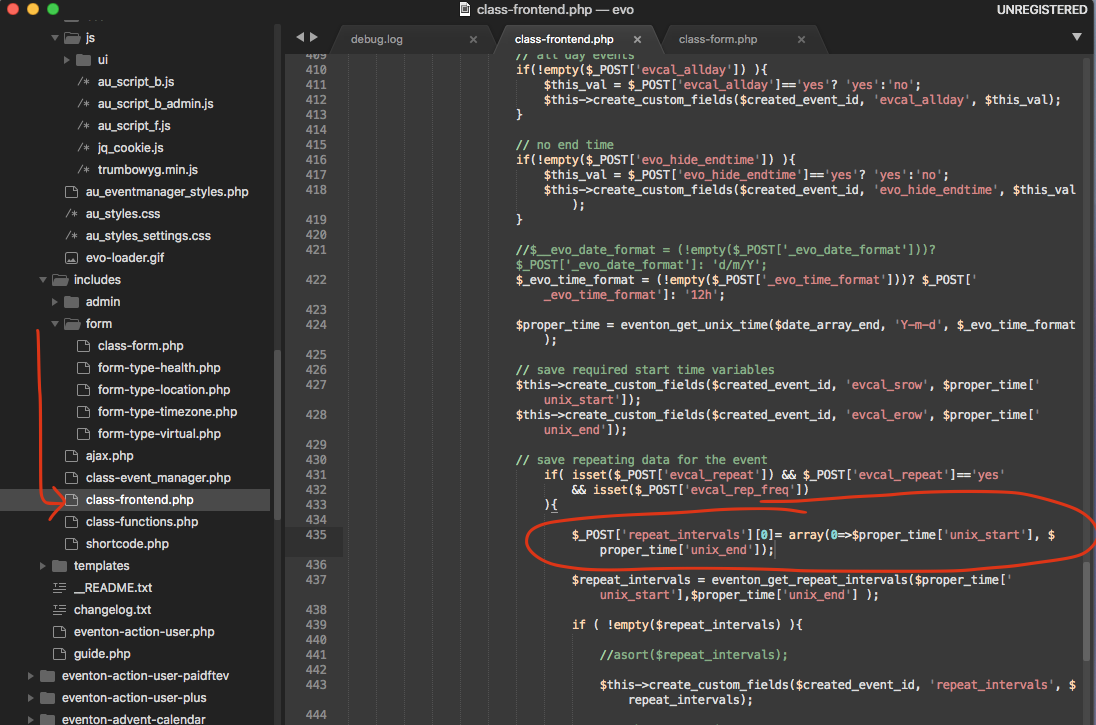
here is the patch fix to resolve repeat issue. But I was not able to replicate the user interaction for events. I will keep checking to see if we can find any issues in the code that cause ths.
Reply to: tickets(240545)
The problem is in server’s memory:
[07-Jun-2021 21:27:55 UTC] PHP Fatal error: Allowed memory size of 536870912 bytes exhausted (tried to allocate 292118528 bytes) in /nas/content/live/aqal/wp-content/plugins/eventON/includes/class-evo-ajax.php on line 102
Please follow https://docs.myeventon.com/documentations/increasing-wordpress-memory-limit/
Reply to: tickets(240517)
How many tiles do you want to show on your main page?
Reply to: tickets(238361)
This caused by Google Map API. Please go to EventON Settings > Google Maps API > add Google maps API Key.