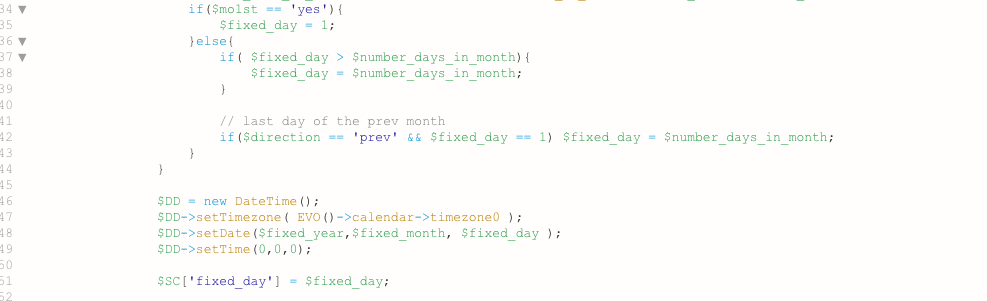
The concept of sort_posted
order would be based on adding the events to the calendar in the order you wish to have them
At this point in time there is no option to sort the order based on the end time (but also taking into account the start time)
so 2 events that start at 2:30 1 ends at 5:30 the other at 3:30
theres no current way to choose the 3:30 end time to appear above the 5:30 one
but I will assign Ashan to this ticket to see if he has a solution
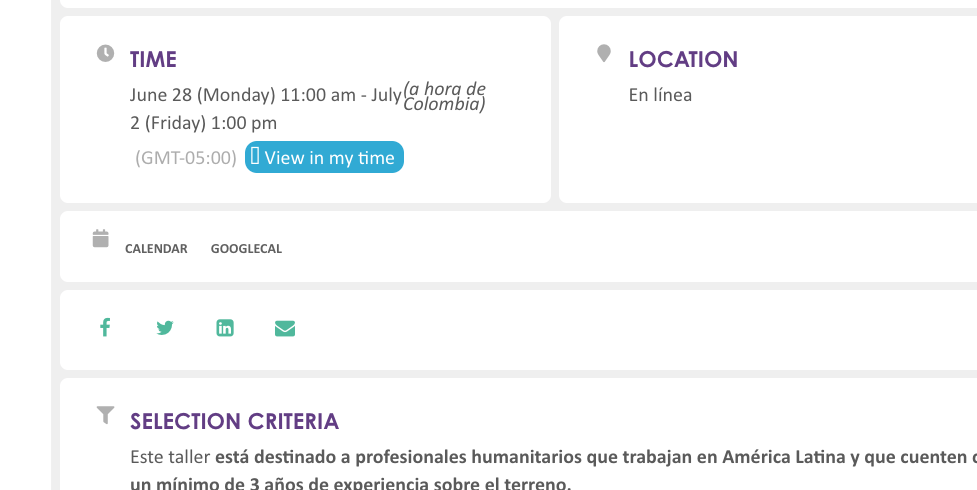
We have tested this thoroughly (previously and again just now) and the functionality is not working as required.
By activating the ‘Enable language corresponding events’ toggle and selecting the Spanish language option on a Spanish Language event has no effect on its display. This event should have Spanish headings, but headings are listed in English.
When turning on the custom option ‘Activate custom language name with multiple languages.’ has the effect of REMOVING ALL EVENTS FROM DISPLAY.
As requested the purpose of this customisation is:
- To display events in custom languages in the same calendar
- Specific language events to appear with headings, times, dates etc in own language
- Languages listed as L1, L2, L3 etc to be displayed to author as EN, FR, ES, AR etc
- User ability to filter calendar by language
We don’t want events to be sorted by posted order. We want them to appear in chronological order, and when multiple events start at the same time then we want them to display in a rational order (Alpha?)
Steffen, so the way I built booking is. It is bootstrapping using tickets. SO basically what ever booking blocks you adds, the total of those should equal to total tickets in stock. When you add variations to booking block make sure to correctly type booking block capacity. — I know it is not auto adjusted correctly now. I will get those resolved.
think we need to give you a refund on the variations addon (I am sorry- I was quickly going through tickets at 2am my time)
please see this documentation https://docs.myeventon.com/documentations/set-variable-prices-tickets/ this is for the tickets addon
the user will have to have access to woocommerce edit product in order for this method to work
here is the updated invoice.
https://helpdeskx.s3.amazonaws.com/wp-content/uploads/2021/06/01163634/invoice-31415.pdf
In myeventon>>>>settings
scroll down – there is a field to add custom login link
Interesting. I think there may be some issue with location name? because when I switch the location name to slug it works. You can check my work on your website code here.
https://www.loom.com/share/efa76252093540e58ca4fc26afc1a31f
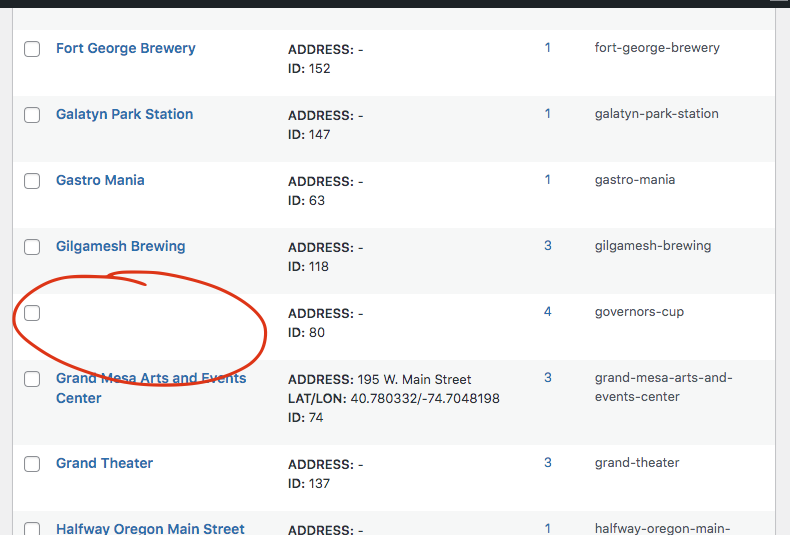
There was an empty location that I found. So please check locations list https://www.truenorthband.com/wp-admin/edit-tags.php?taxonomy=event_location&post_type=ajde_events&paged=3 one by one to make sure there are no empty or strange characters in them. I have switched the list names to slug to get it to work. You can see in the above video where I editted it.
I am able to reproduce the errors on the dev site
Thank you for your messages, I am going to assign this ticket to Ashan and he will be able to take it from here and find you a solution. Please allow some time for him to get back to you, we greatly appreciate your patience and thank you for being a eventon customer! Also please disable any IP blocking on your site if there are any.
Please provide wp-admin access for Ashan