The code is still visible:
Maybe you theme has some kind of cache?
Replies for tickets on suppota
The code is still visible:
Maybe you theme has some kind of cache?
We are sorry for the delay. It seems that the link is expired: Dein Link zum Zurücksetzen des Passworts ist abgelaufen. Bitte fordere nachstehend einen neuen Link an.
Could you re-send?
You can change these fields in each individual repeat: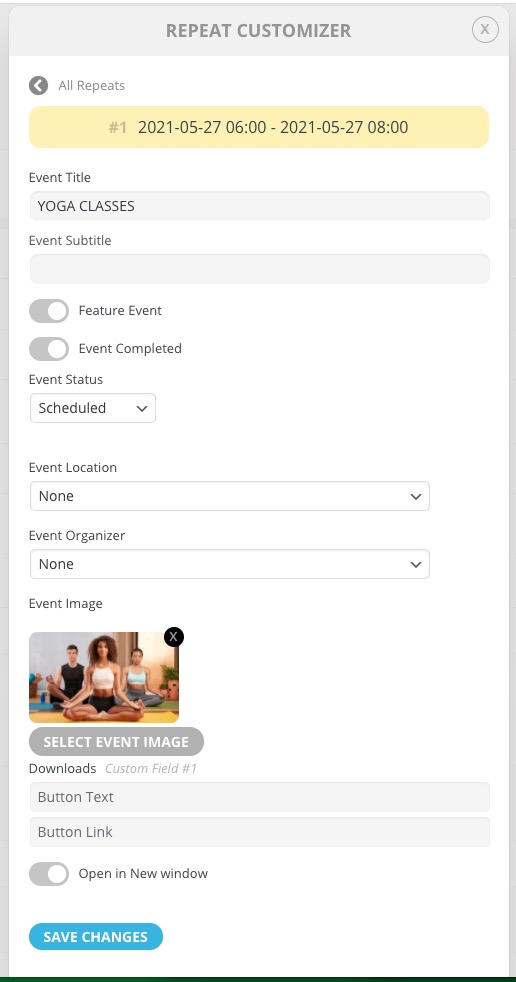
I found the code in Custom CSS in our Theme – removed it, but it did not correct the issue. Please advise
Hi, would you be able to do this do you think, and what would the likely cost be?
Thank you! However, I do not see this code listed anywhere, a previous developer may have added it. Do you know where in the Dashboard or what file this code lives in?
it seems like you have not tested adding new event or changing language to event.
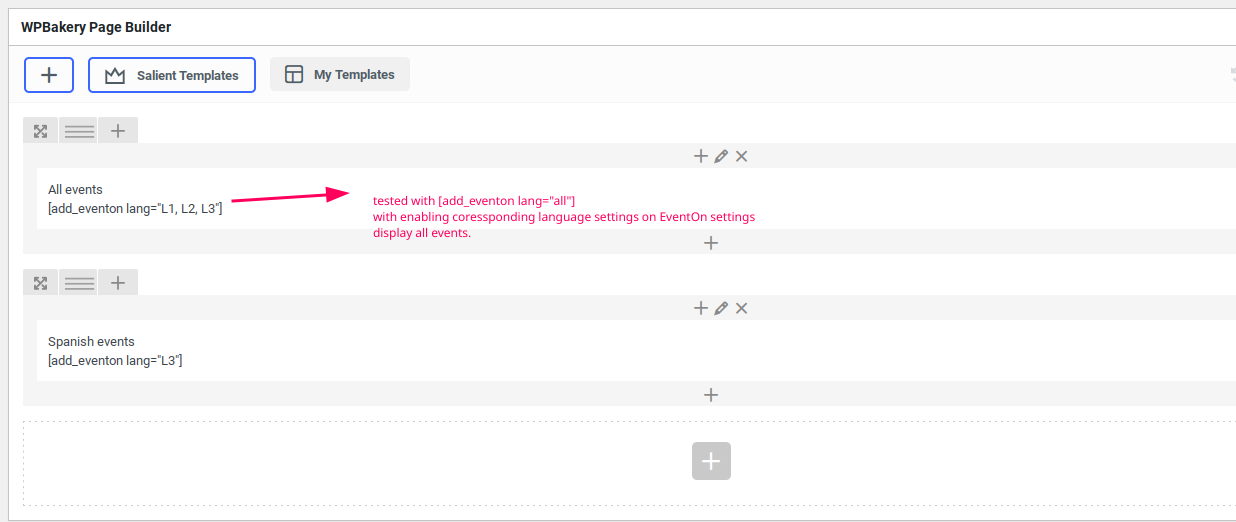
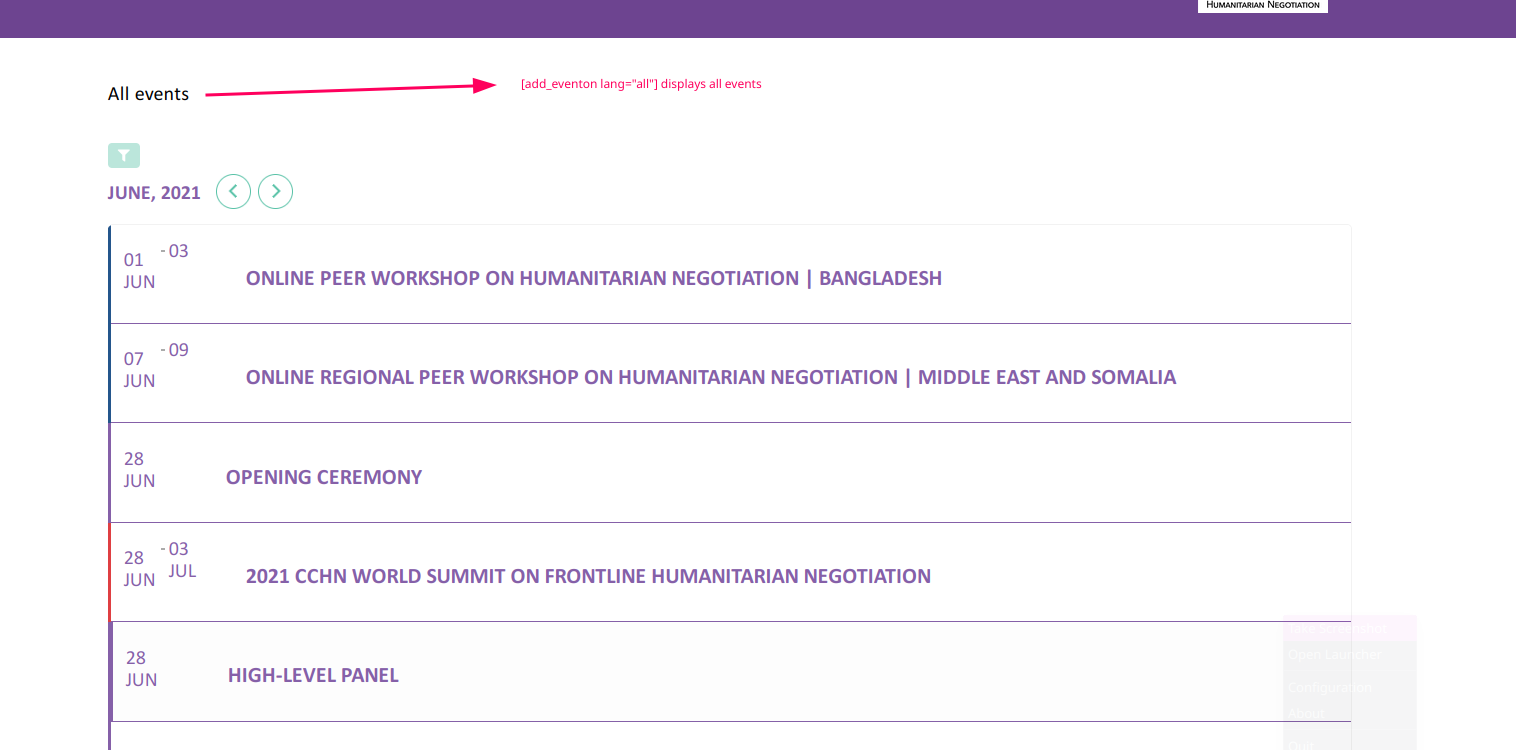
just tested lang=”all” in one of the test page where lang was ( lang=”L1,L2,L3″ ) it is displaying all the events.
if this is not the solution then test by creating a event with specific language, since there was no event that was corresponding to L3 as on test page
We – for the moment – work around duplicating the events for each instance… but that’s not the way it should work
NB: The problem occurs when using CUSTOM as repeat interval.
Well, as the problem still occurs, nothing is covered… I registered you as requested, but that’s about it…
Hello,
Thank you for your feedback.
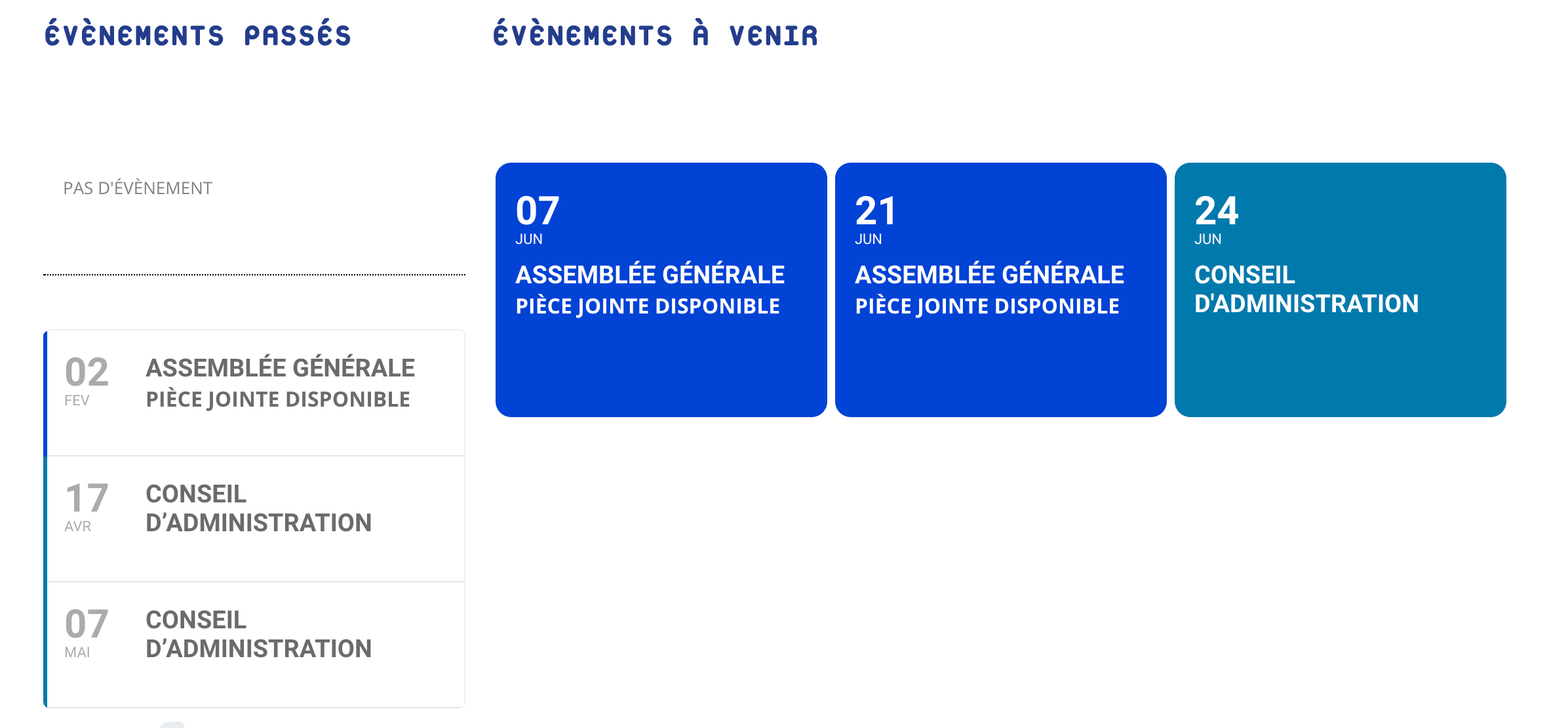
Here is my need:
I would like to display a single past event.
Example:
Thank you for your help,
Regards,