Please send us wp-admin access to your site as a private message for us to further assist your situation.
are you trying to use event bubbles or tiles in the footer?
Replies for tickets on suppota
Please send us wp-admin access to your site as a private message for us to further assist your situation.
are you trying to use event bubbles or tiles in the footer?
We are glad your issue is resolved, if you have any further questions or concerns please create a new ticket.
If you have a moment, we would greatly appreciate if you could kindly leave us a review at codecanyon! from your account > downloads. Cheers!
so in woocommerce>>>>>settings>>>>>products you are setting the shop page to something else and this is stuffing up the site- is this correct?
It would be handy to see this in action so we can diagnose why (although its a woo issue not eventon issue)
another option would be to hide the “back to shop” button with css
we would need wp-admin access in order to diagnose
On MY android phone the logo is not blinking- what phone are you using ?
and can you clear your phone browser cache
on your phone – are the blinks of the logo timed to the countdown timer seconds counting down- are they in sync
Hi
I can confirm this issue has resolved itself. Love it when that happens.
Just a quick query.
This site i am building is for a cyber security company and they are testing the site for weaknesses. Initially they picked up on two of your plugins scripts describing them as a risk of ‘HTTP request smuggling’ :
/wp-content/plugins/eventON/assets/js/lib/jquery.mobile.min.js
/wp-content/plugins/eventON/assets/js/lib/moment.min.js
My hosts remedied this with the following:
HTTP request smuggling – this is regarding the call of A JS file within a plugin, so I’ve enabled HTTP/2 Push for JS files in our caching layer, which should resolve this one.
This has fixed those, however we are now seeing the following file cause an issue this is what they say:
“Our Pentester went ahead and retested for the High finding. It looks like the previous paths was corrected, however the same issue has been found for a new path – /wp-content/plugins/eventON/assets/js/eventon_script.js.”
I asked my hosts and they came back to me with the following:
“This is primarily related to that particular script concerned not supporting HTTP/2 Push requests – there’s not a huge amount we can do from this end, it’s likely one to raise with the plugin developer.”
This is way over my knowledge and just wondering is there is anything that can be done to prevent the issue on this file?
Thanks again
Neil
Please delete the preceding duplicate comment and this line…
I’ve created a new WP instance with only your plugins…
https://eventon.beaubien.info/test-page/
It’s even worse. And no other plugins…
Regards, Antoine
$ wp @eventon plugin list
+-------------------------------+----------+--------+---------+
| name                          | status   | update | version |
+-------------------------------+----------+--------+---------+
| eventON                       | active   | none   | 3.1.2   |
| eventon-action-user           | active   | none   | 2.1.14  |
| limit-login-attempts-reloaded | active   | none   | 2.22.1  |
| installatron_hide_status_test | must-use | none   |         |
+-------------------------------+----------+--------+---------+
So, the Theme is now TwentyTwentyOne.
We are using salient, but all extensions are disabled now. Only yours: eventON (3.1.6), eventon-action-user (2.1.14). Can’t put the last one up to date, because I’m on a staging site.
http://aqm.beaubien.info/ajouter-un-evenement-formation/
Regards,
Antoine
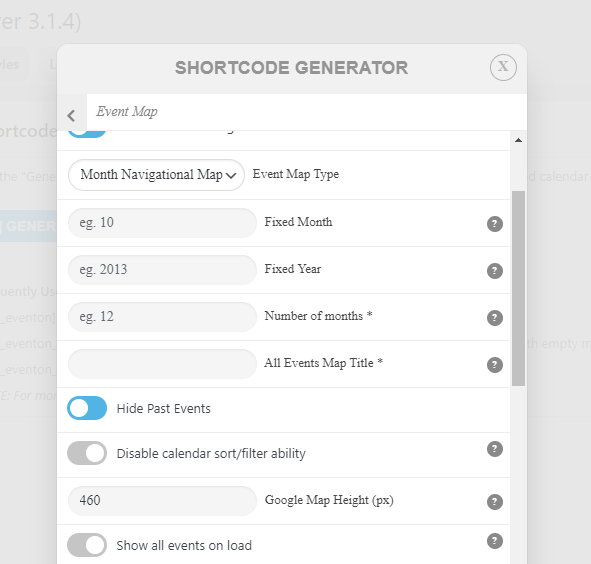
This is an official feature of your plugin. Why do I need a customization request to ask you to make included features work???
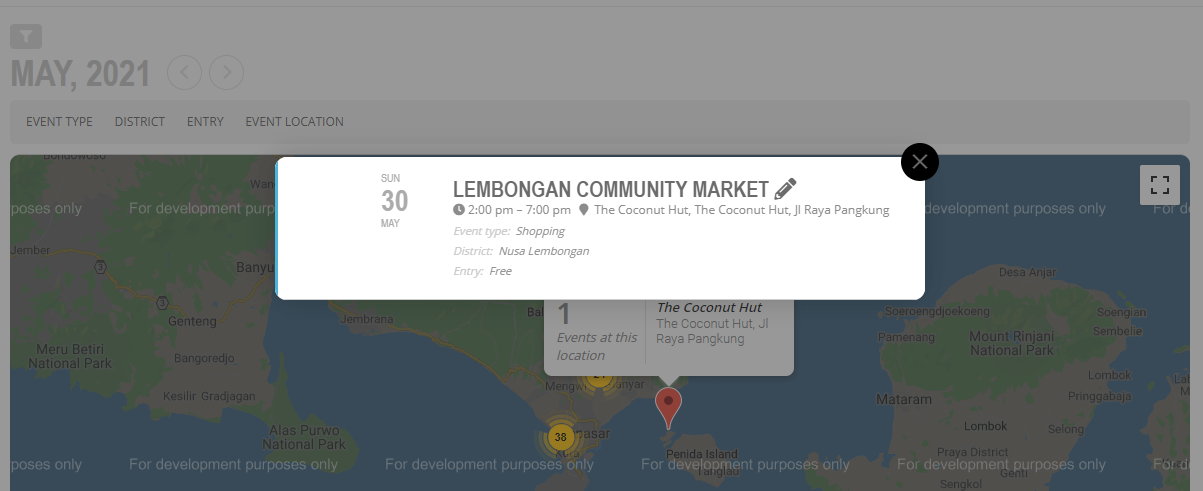
Do you see any featured image on the map?